QUICK START GUIDE
9 Technical Help – Please contact the helpline on 0844 557 9677
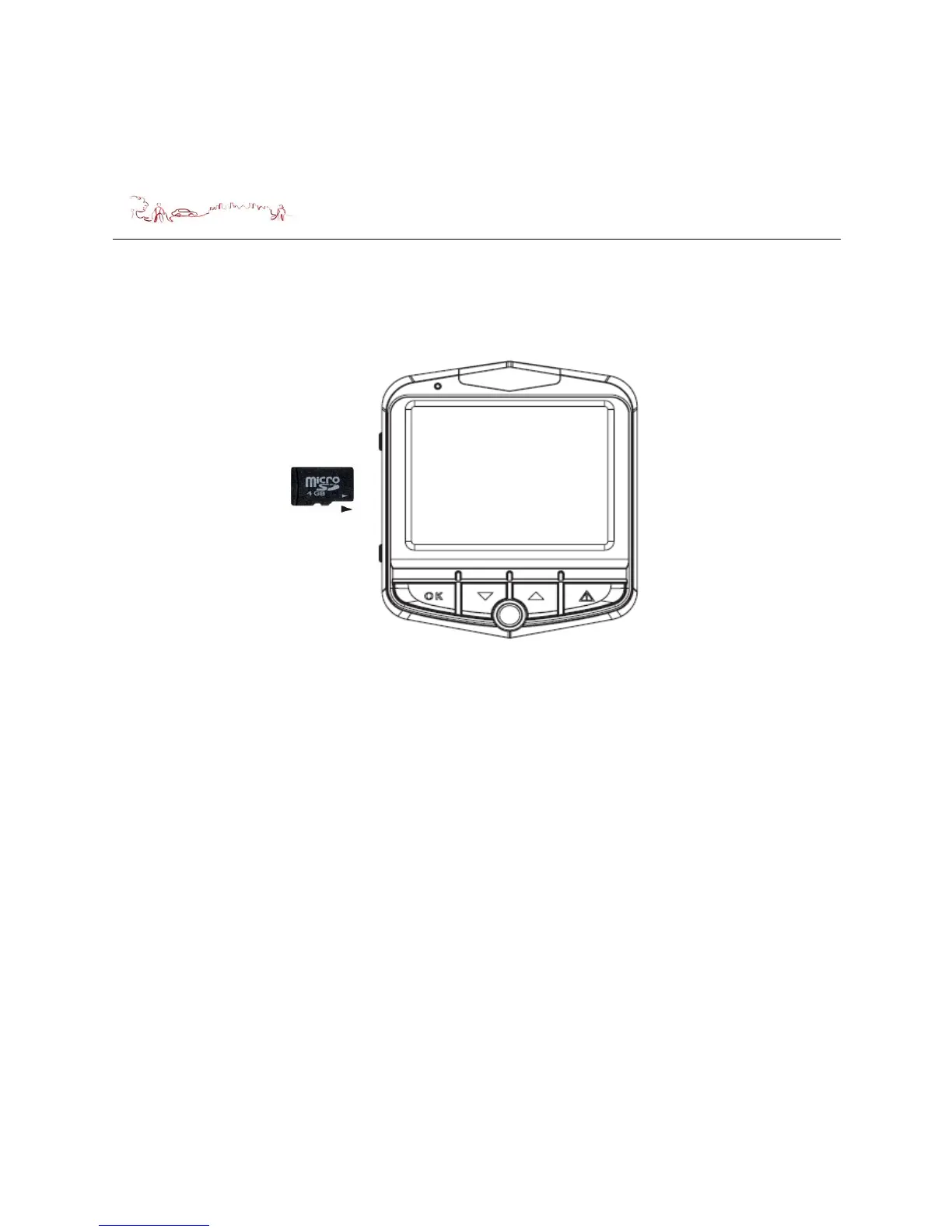
Installing a Micro SD Card
You may install it as described below.
At least 4GB
microSD
Switch the unit off first before installing or removing the MicroSD card.
When installing it can only be fitted one way – the contacts should be facing away
from you and the cut-off corner at the bottom (as shown above). Slide the card in
and push it in so that it clicks into place.
Once the card is installed it does not need to be removed.
If you need to remove the card, push the card in and it will eject from the slot.
Cigarette charger
When using your dash camera in the car we recommend that you always use the
Cigarette charger to power the unit.
Plug the Cigarette charger into the USB socket of the unit. Plug the other end of the
adapter into the car’s cigarette-lighter / 12V DC socket.


 To Next Page