MAIN MENU
27 Technical Help – Please contact the helpline on 0844 557 9677
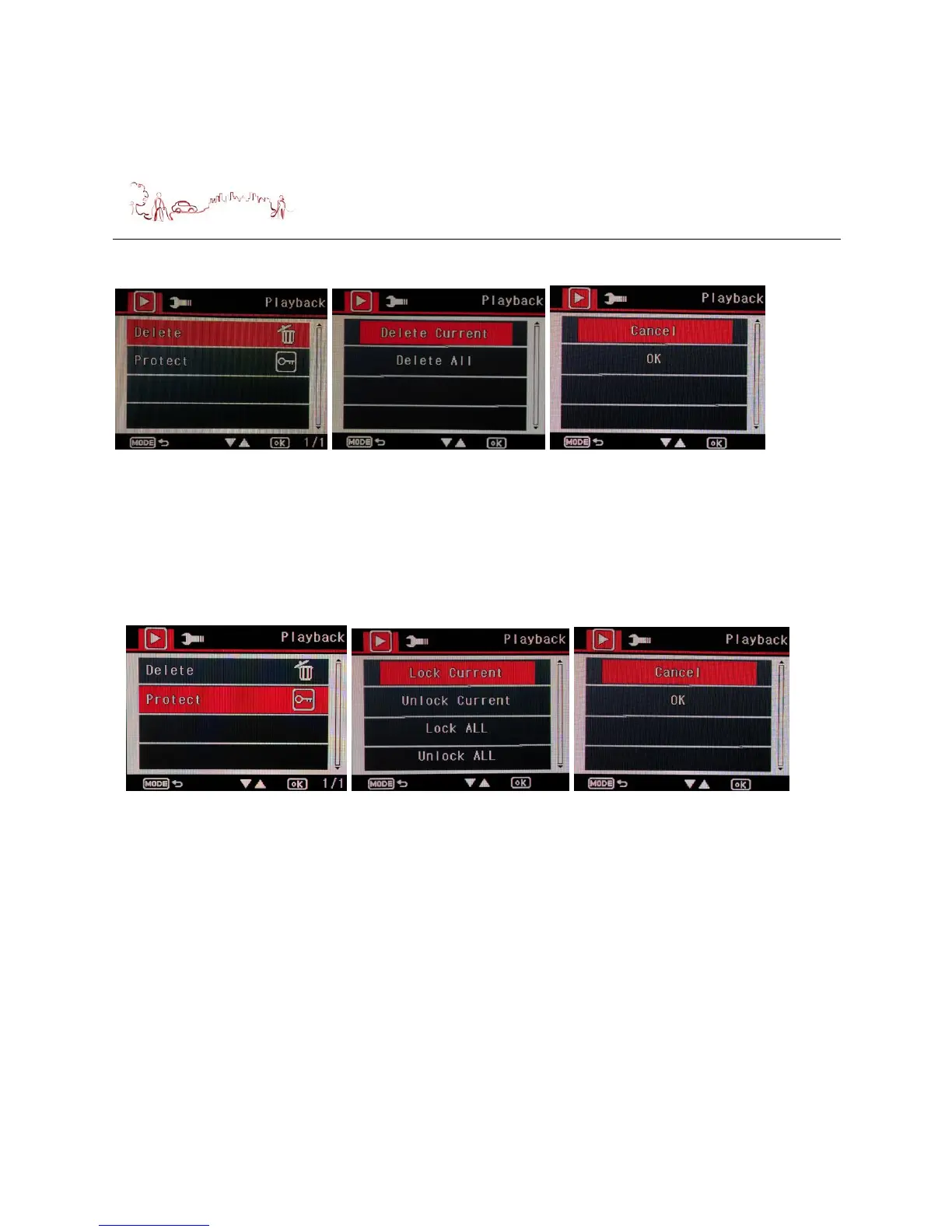
2) Protect setting
Press down button to select Protect menu, then press OK button, the second
screen is displayed. Press Up or Down button to select the menu what you want
to do and then press OK button, the third screen is displayed. Press Up or Down
button to select the menu what you want to do.
If you selected “Cancel” and press “OK” button, will turn to first screen.
If you selected “OK” and press “OK” button, you selected will be protect.
Playback on PC
You can view the recorded files from the microSD card on a PC (or even a
smartphone), if it accepts microSD card. Most video viewing software packages will
be able to view the files on the card.


 To Next Page