MAIN MENU
17 Technical Help – Please contact the helpline on 0844 557 9677
8) G-sensor setting
Your DC200 has a built-in G-Sensor which continually monitors for impact or
sudden changes in direction or speed, so it can sense whether you vehicle has
been involved in an incident or accident. If the G-Sensor senses one of these
things, your DC200 will automatically lock and save the preceding length of video
recorded so that you will have a permanent record of the event.
Your unit comes with the G-Sensor set to low sensitivity, which we think is the
optimum setting but you can change this if required.
Press down button to select G-sensor menu, then press OK button, the following
screen is displayed. Press Up or Down button to select the mode which you want,
then press OK button to confirm your selection and return to the menu.
Selecting “Low”, “Middle” or “High” mode, adjusts the force required to trigger the
G-sensor function.
If device is in parking mode, on detecting vibration, it will be start up and record
video for 5 minutes, then save the file and return parking mode again
automatically.
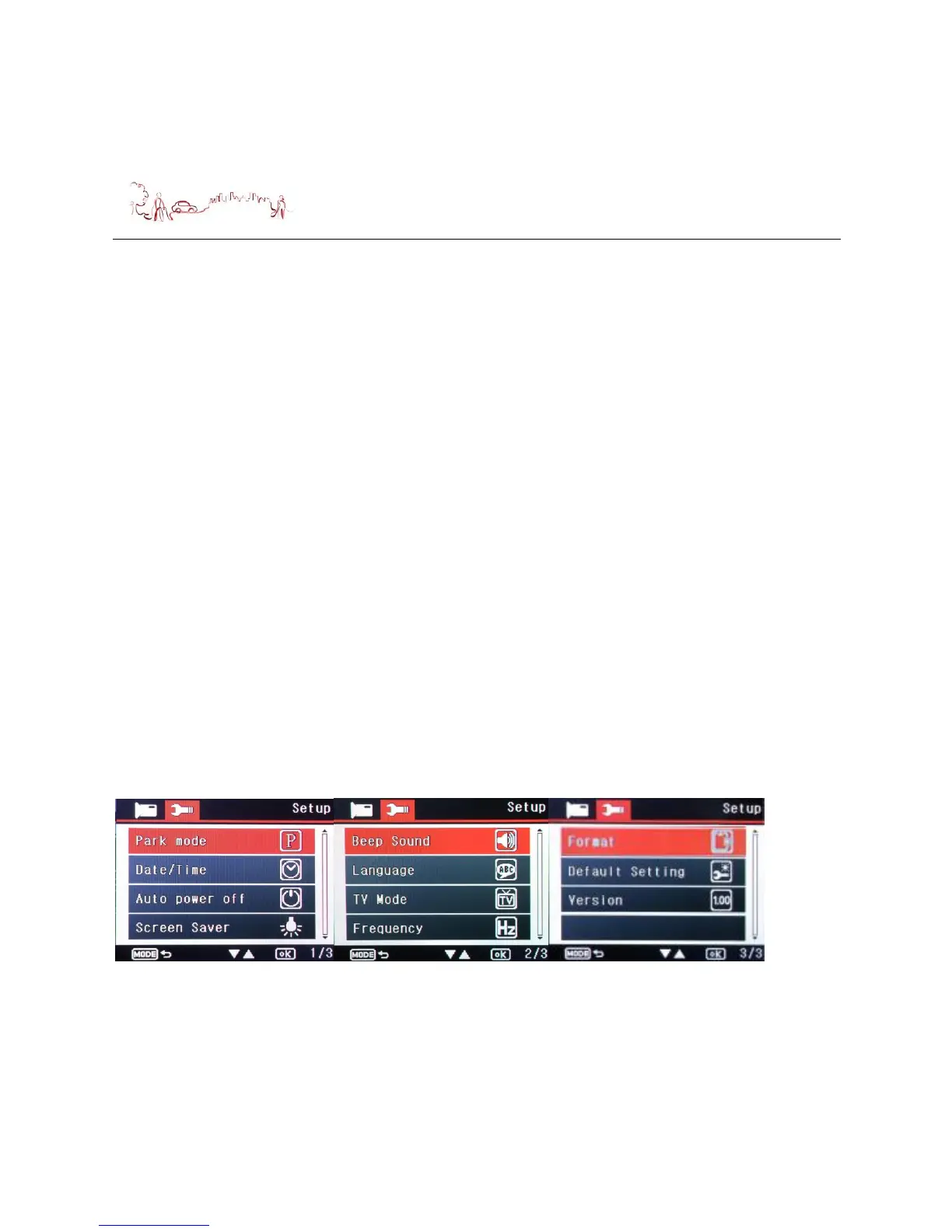
Device setup
Press Menu button two times during the device standby, the following screen are
displayed. Press Up or Down button to select item or switch to page 2 and page 3.


 To Next Page