MAIN MENU
21 Technical Help – Please contact the helpline on 0844 557 9677
11) Version
Press down button to select Version menu, then press OK button, you will see
the version of operating system software.
Camera setting
DC200 has been designed primarily to function as a DVR, to record the road ahead
and to save any incidents or accidents you may be involved in. However, in addition
to the DVR function, your DC200 can also be used to take still photographs.
DC200 will always power up in Video mode and start recording automatically, so to
switch to Camera mode, press OK button, to stop Video recording.
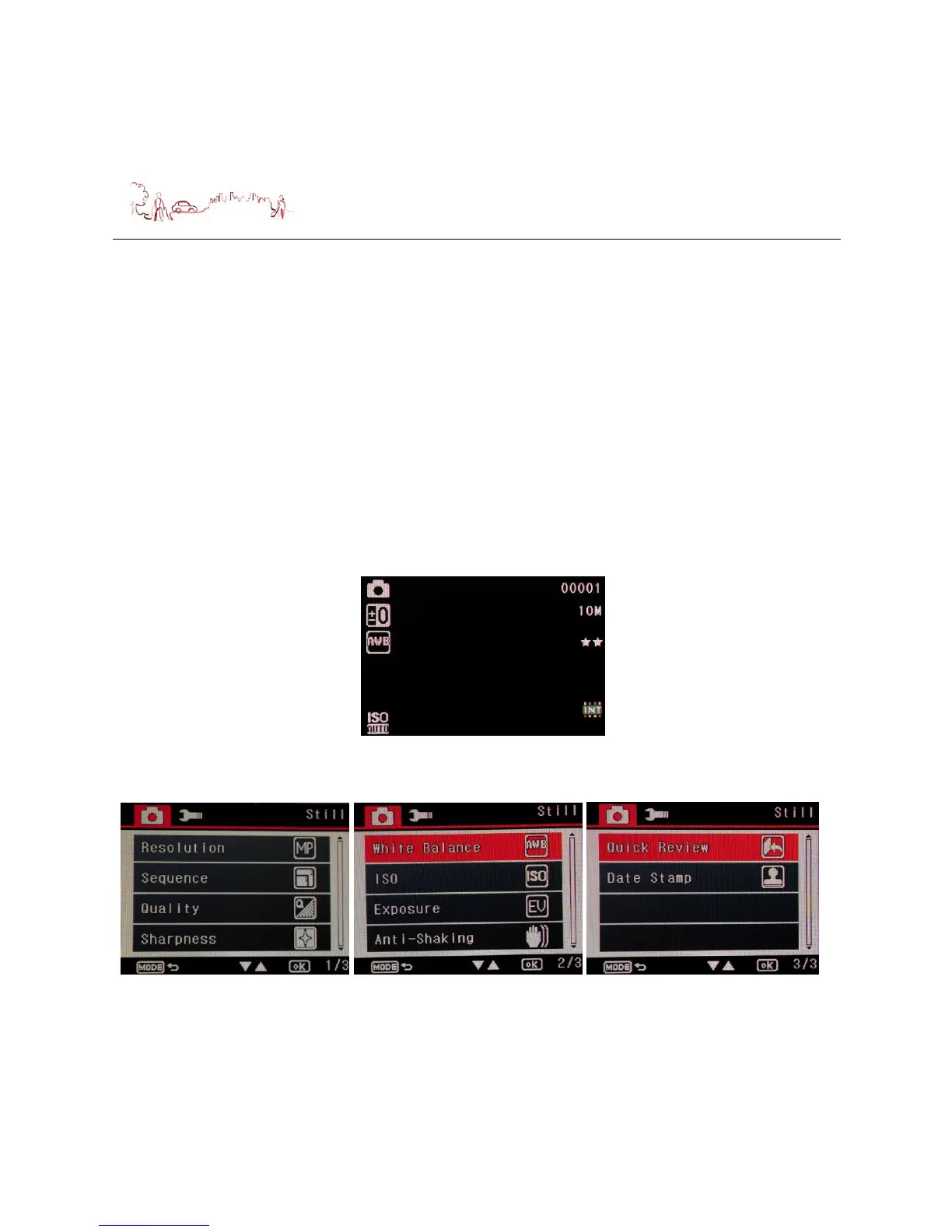
Press Lock button during the device standby in Video mode, switch device to camera
mode, the following screen is displayed.
Press menu button during the device standby in camera mode, the following screen
are displayed. Press Up or Down button to select item or switch to page 2 and page
3.


 To Next Page