MK / MKT (E5) 03/2019 page 37/158
5.6 Principle of controller entries
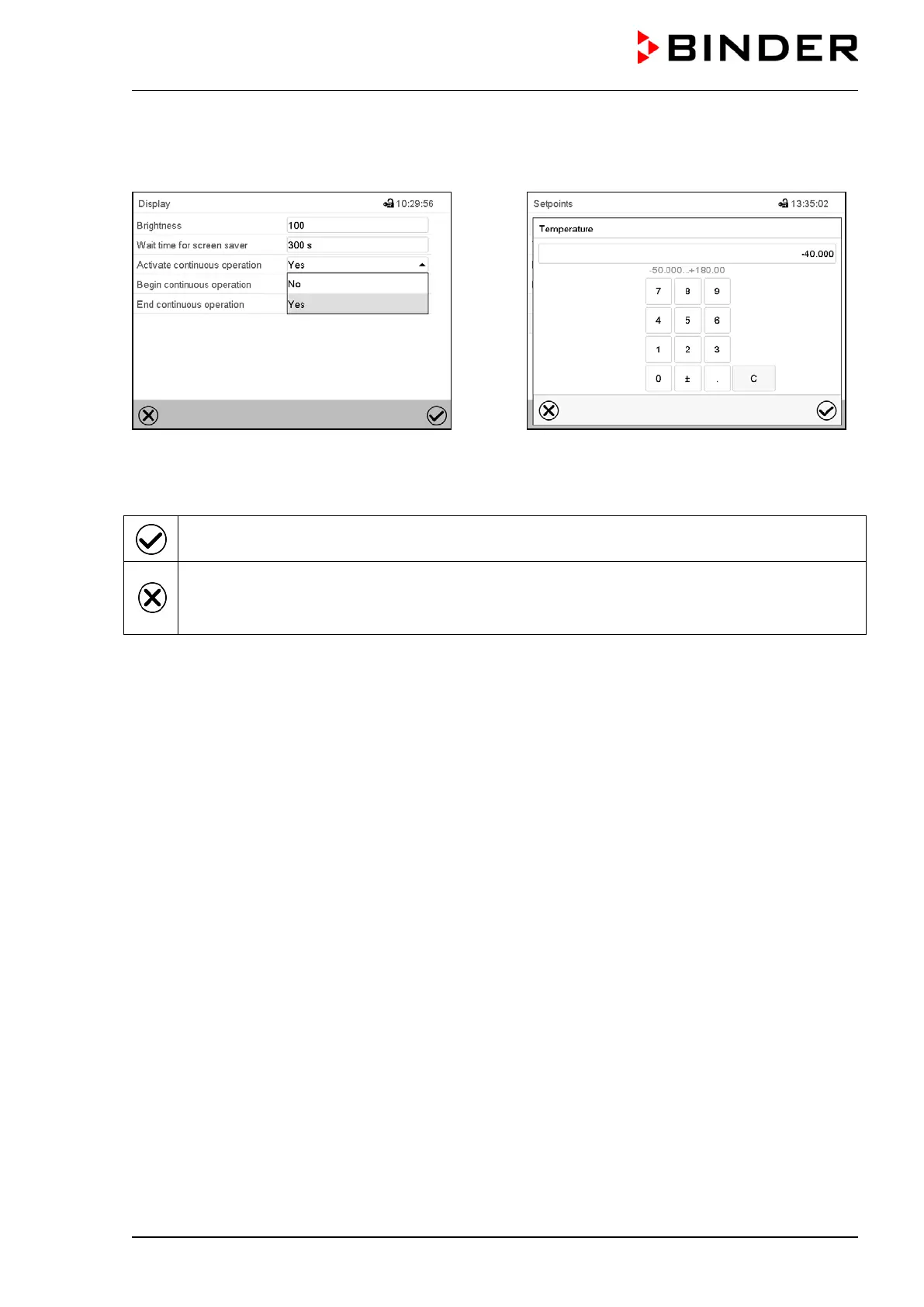
In the selection and entry menus there are icons displayed in the footers which you can use to take over
the entry or cancel it.
Selection menu (example)
Entry menu (example)
After completing the settings there are the following possibilities:
Press the Confirm icon to take over the entries and exit the menu or continue the menu se-
quence.
Press the Close icon to exit the menu or cancel the menu sequence without taking over the en-
tries.
When terminating a menu sequence, an information window appears, which must be confirmed.
5.7 Performance during and after power failures
During a power failure, all controller functions are shut down.
After the power returns, all functions return to the same status the chamber had before power failure. .
The controller continues to function in the original operating mode it was in previously before the power
failure occurred.
• Performance after power failure in Idle mode
Control is deactivated
• Performance after power failure in Fixed value operation mode
All functions return to the same status the chamber had before power failure. The set-points are im-
mediately resumed.
• Performance after power failure during time program operation
The program is resumed at the point where the interruption occurred with the latest set-points reached
during the program run.
• Performance after power failure during week program operation
The week program continues with the values corresponding to the current time.
Power failure and power return are noted in the event list (chap. 15.3).
If during power failure an alarm has occurred (tolerance range, safety controller, optional over/under tem-
perature safety device class 2), confirm the alarm. See chap. 11.3.



 To Next Page