CFX96 and CFX384 Systems Manual
35
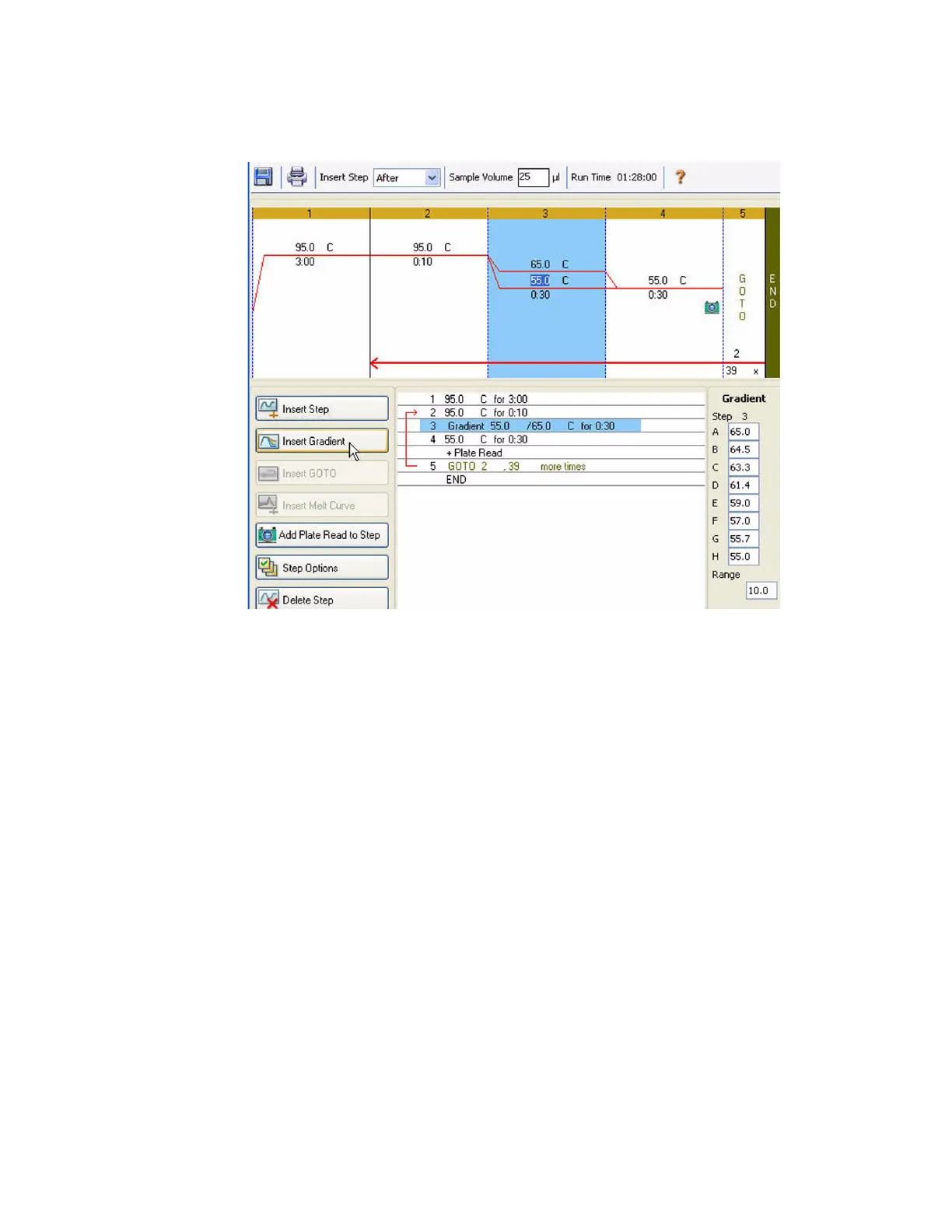
Figure 35 shows the inserted gradient step. The temperatures of each row in the gradient are
charted on the right side of the window.
Figure 35. Protocol with inserted gradient step.
Insert GOTO Button
To insert a GOTO step before or after the selected step:
1. Click the Insert GOTO button.
2. Edit the GOTO step number or number of GOTO repeats by clicking the default number
in the graphic or text view, and entering a new value.
Figure 35 shows an inserted GOTO step at the end of the protocol. Notice that the GOTO loop
includes steps 2 through 4.
Insert Melt Curve Button
To insert a melt curve step before or after the selected step:
1. Click the Insert Melt Curve button.
2. Edit the melt temperature range or increment time by clicking the default number in the
graphic or text view, and entering a new value. Alternatively, click the Step Options
button to enter the gradient range in the Step Options window (page 36).
NOTE: You cannot insert a melt curve step inside a GOTO loop.
NOTE: The melt curve step includes a 30 second hold at the beginning of the step
that is not shown in the protocol.



 To Next Page