Stand-Alone Operation
56
To create a new experiment:
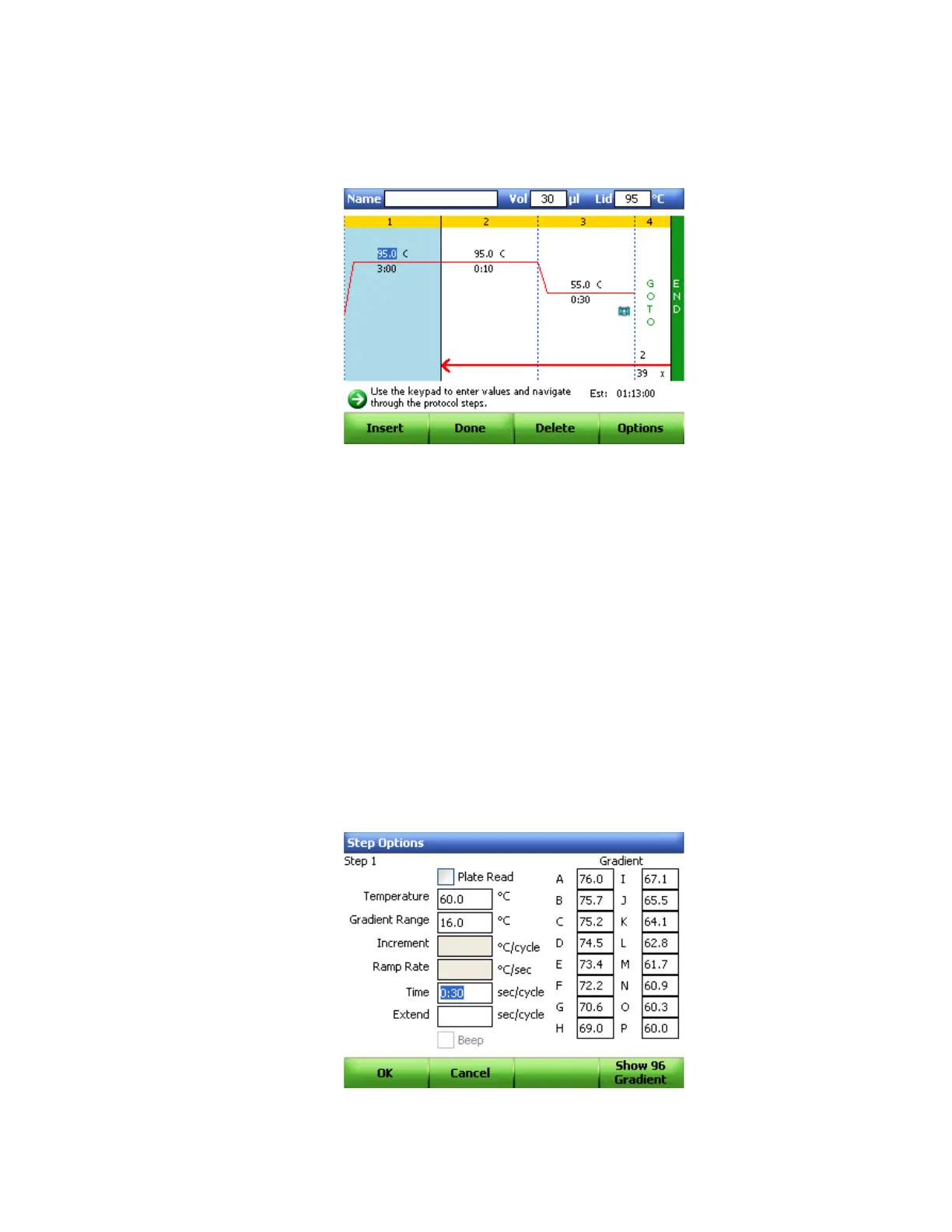
1. Select New Protocol (F4) in the start up screen to open a new protocol template
(Figure 47).
Figure 47. Default real-time PCR protocol.
NOTE: By default, the protocol template contains a plate read step when a CFX96
or a CFX384 optical reaction module is inserted in the C1000 chassis.
TIP: To change an existing protocol, press the EDIT command key to open the file
library and select a protocol to edit.
2. To change the target temperature and the hold time in a temperature step, press the
arrow keys to navigate between steps and to select a parameter (temperature or time).
Press the alphanumeric keys to enter a new number for each parameter you highlight.
TIP: Connect a computer mouse via a USB port on the C1000 chassis to navigate.
NOTE: Press the VIEW key to switch between graphic and text view of the
protocol.
3. (Optional) To insert a new step, select the Insert (F1) button. To delete a step, select the
Delete (F3) button (Figure 47).
4. (Optional) To change step options, select the Options (F4) button (Figure 47). In the Step
Options window, select a parameter to change, including the temperature and time of
the step, or add/remove a plate read to the step (Figure 48)
Figure 48. Step Options window.



 To Next Page