CFX96 and CFX384 Systems Manual
63
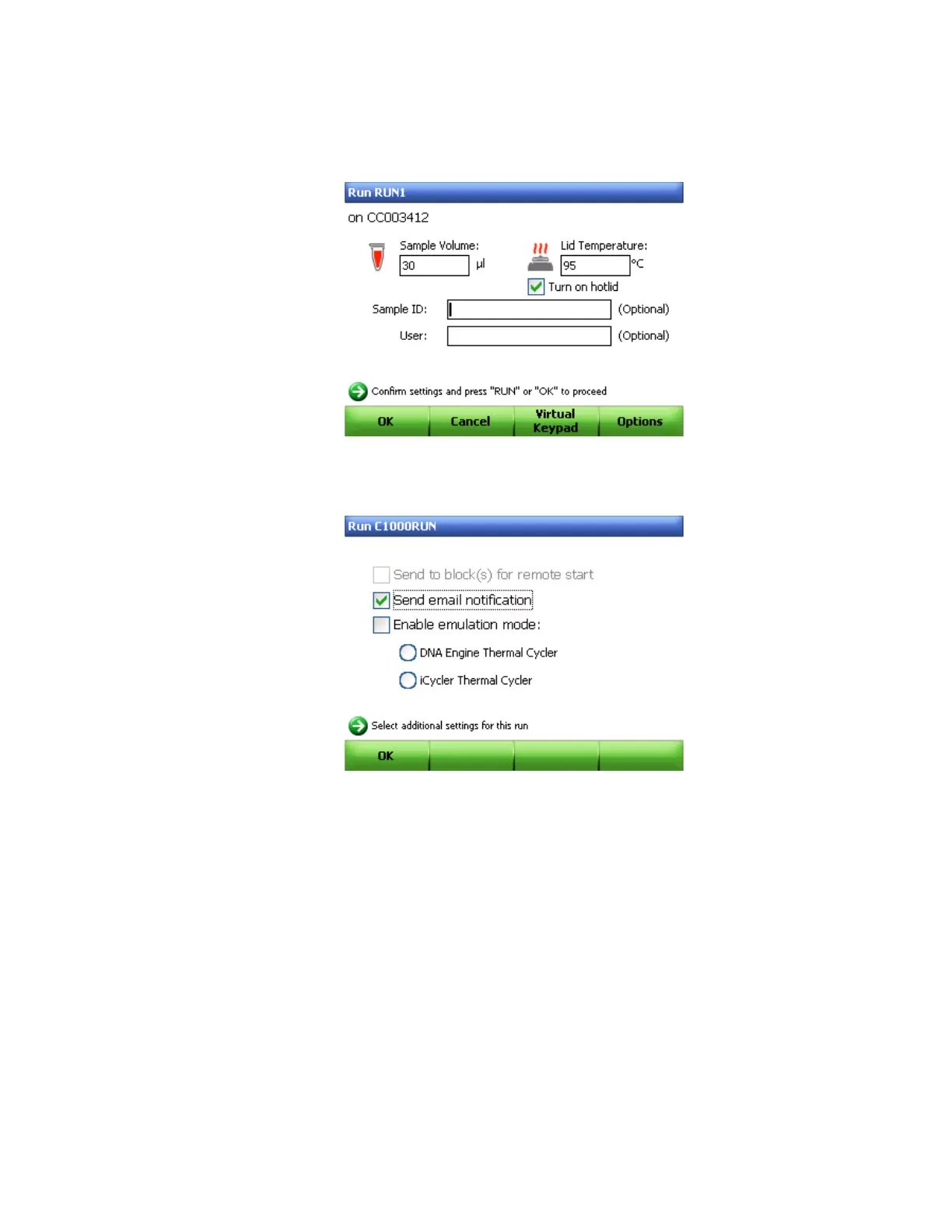
To send an email with attached data (.zpcr) at the end of a run, follow these instructions:
1. After saving the name of the protocol or selecting a protocol out of the File Library using
the Run command key, select Options (F4) in the Run information screen (Figure 58).
Figure 58. Run information screen.
2. Using the arrow keys to select the Send email notification option (Figure 59).
Figure 59. Selecting email notification.
3. Click OK (F1) to return to the Run information screen.
4. Use the arrow keys to navigate to the Email Address box and then use the alphanumeric
keys to enter the name of an email address.



 To Next Page