Stand-Alone Operation
66
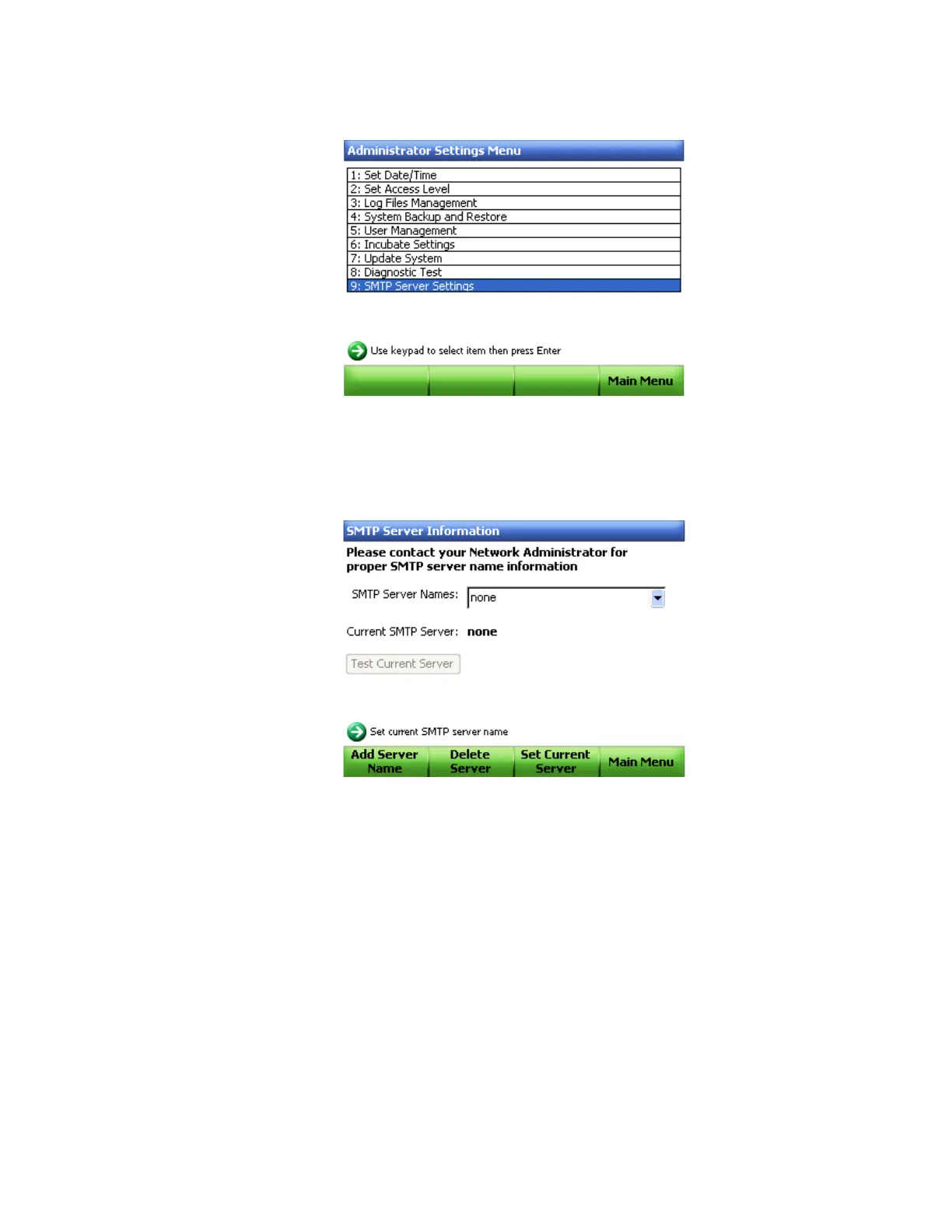
5. In the Administrator Settings Menu, select 9: SMTP Server Settings (Figure 62).
Figure 63. Administrator Settings Menu window.
6. Contact your network administrator for your the SMTP server name.
NOTE: The SMTP server name is provided by your ISP.
7. Select Add Server Name (F1) (Figure 64).
Figure 64. SMTP server setup window.
8. Type the name of the server in the text box using the virtual keypad.
NOTE: The SMTP server name will use the following nomenclature:
SMTP.YourInstitution.com.
Do not use Bio-Rad.com in the name
.



 To Next Page