S3 Cell Sorter Instruction Manual4 |
2.1.1 Instrument Back Panel
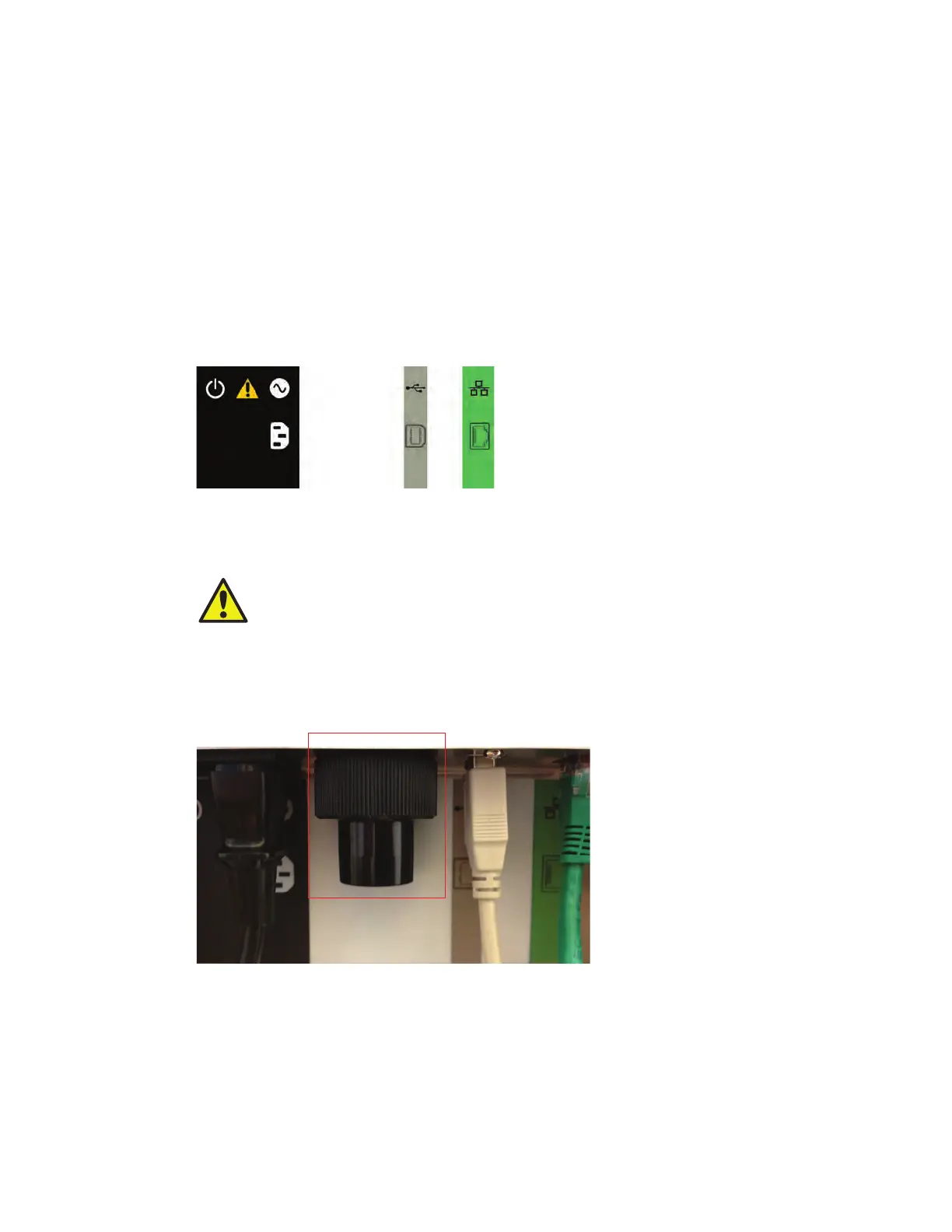
The rear connector panel of the S3 system includes these features:
n
Main power switch (black) — press the main power switch to turn on power to the system.
WARNING! The main power switch should not be used to shut down the system.
Perform system shutdown from the ProSort
™
software. For more information, refer to
Chapter 8, Shutdown
n
Power input (black) — plug in the power cord here. The system requires 100 or 240 VAC outlet
n
USB port (gray) — use this port to connect the system to the computer for communication
n
Ethernet port (green) — use this port to connect the system to the computer for communication
There is a color-coded guide for proper connection location and orientation (Figure 2).
CAUTION: Three cords connect the instrument to the computer for power and
communication. Be cautious when walking around the instrument, as these cords
can become a tripping hazard.
2.1.2 Aerosol Evacuation Port
The S3 system also includes an aerosol evacuation port used to directly evacuate the sort collection
chamber when connected to a biosafety system. This port can be covered when not in use.
Fig. 2. Instrument rear connector panel.
Fig. 3. Aerosol evacuation port.



 To Next Page