76 | S3 Cell Sorter Instruction Manual76 |
7.8 Quality Control Reports
Two different reports are available to track the daily performance of the S3 system. One is the
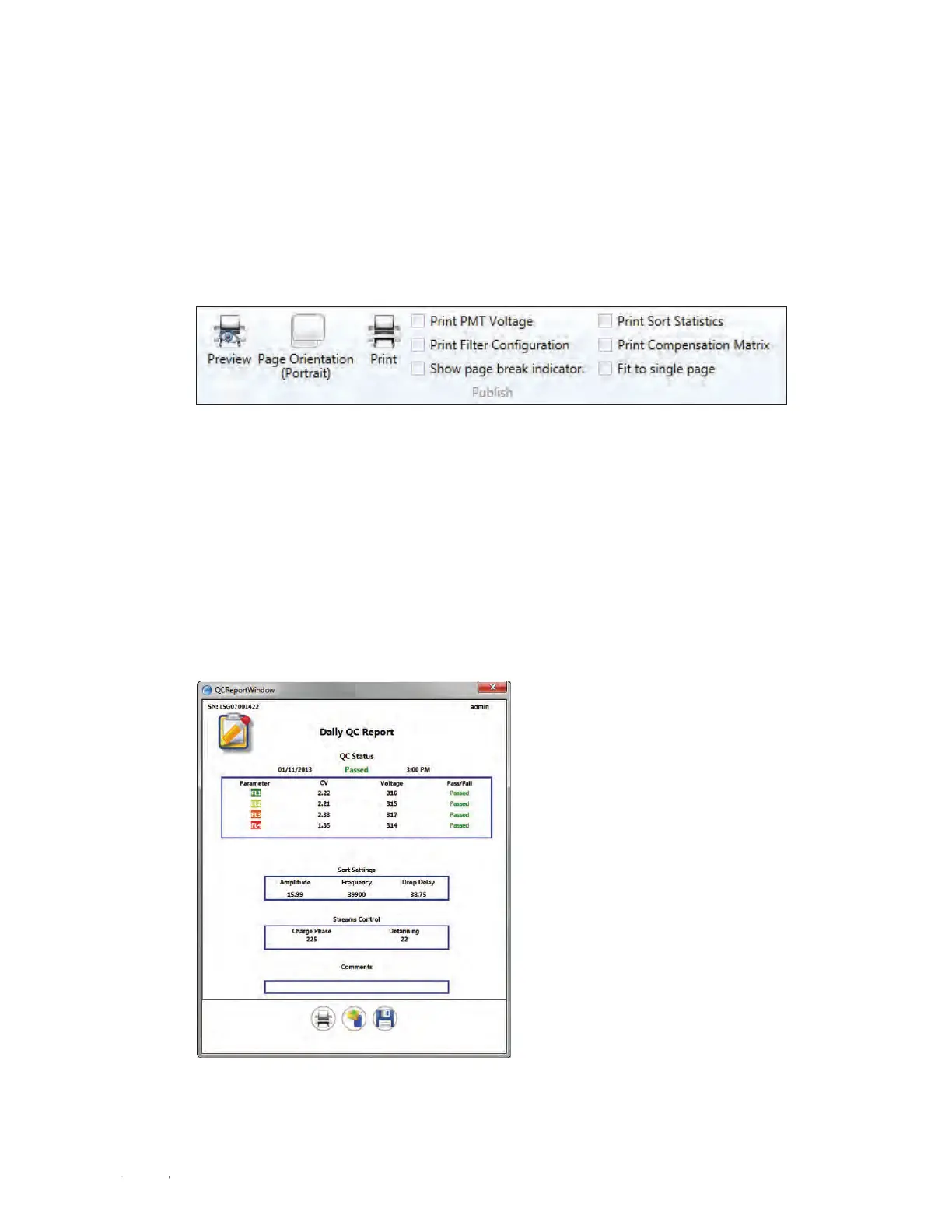
daily QC report which will show pass/fail and droplet information for the selected day (Figure 84).
Past days can be viewed using the date select option. If QC has been run multiple times in a given
day, select the daily QC report of interest from the Time dropdown list. To open the FCS file for the
QC data shown in the report, select the Open FCS File button at the bottom of the report. This
report may also be printed if desired.
7.7 Printing
Print and print preview buttons are available in the File dropdown menu and on the Setup
and Maintenance tab (Figure 83). Use the print preview function to move histograms and
density plots in your print layout. Regions can also be modified in this view and will apply to
the protocol displayed. Once arranged, click the print button to bring up the print dialog where
the printer and paper may be selected. Sort statistics, filter configuration, annotations, and
compensation matrix may also be printed on the page. Select the desired print options on the
Setup and Maintenance tab.
Fig. 84. Daily QC report.
Fig. 83. Printing options available.



 To Next Page