S3 Cell Sorter Instruction Manual | 95
10.7 Decontamination
The Decontaminate tool is accessible by administrators and can be used to completely
decontaminate the system. All materials within the system are compatible with 1% household
bleach (580 ppm active chlorine).
It is recommended to run the decontaminate procedure at least once every six months but can
be run as often as monthly. This tool should also be used if there is a noticeably high background
level in the acquired data. The source could be within the fluidic path. Bacteria or fungus can
potentially grow in the lines if samples are not handled using basic cellular sterile technique. The
bulk fluidics can also contribute to contamination, despite having internal filters built into the lines.
To run the Decontaminate tool:
1. Move the loading stage into the wash position.
2. On the Administrator tab select Decontaminate.
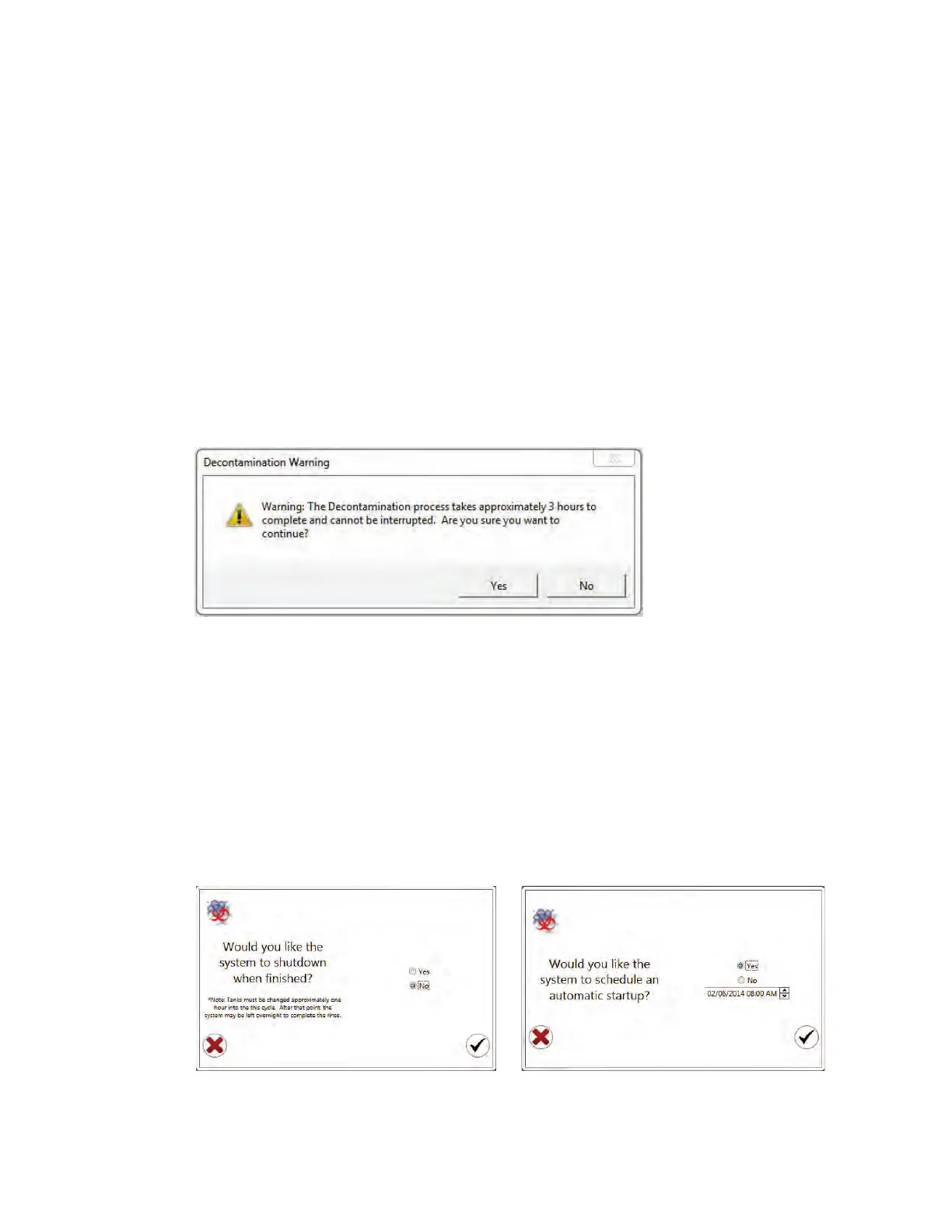
A warning window will appear to confirm that a decontamination procedure should be run.
A decontamination wizard will start and walk through each procedure. When prompted follow
the instructions.
3. Choose whether the system should be shut down after decontamination has completed
(Fi gur e 111).
4. Click the checkmark button to proceed.
5. Select whether or not an automatic startup should be scheduled (Figure 111).
Fig. 110. Decontamination warning dialog box.
Fig. 111. Automatic shutdown and automatic startup option in the decontamination procedure.



 To Next Page