24 | S3 Cell Sorter Instruction Manual24 |
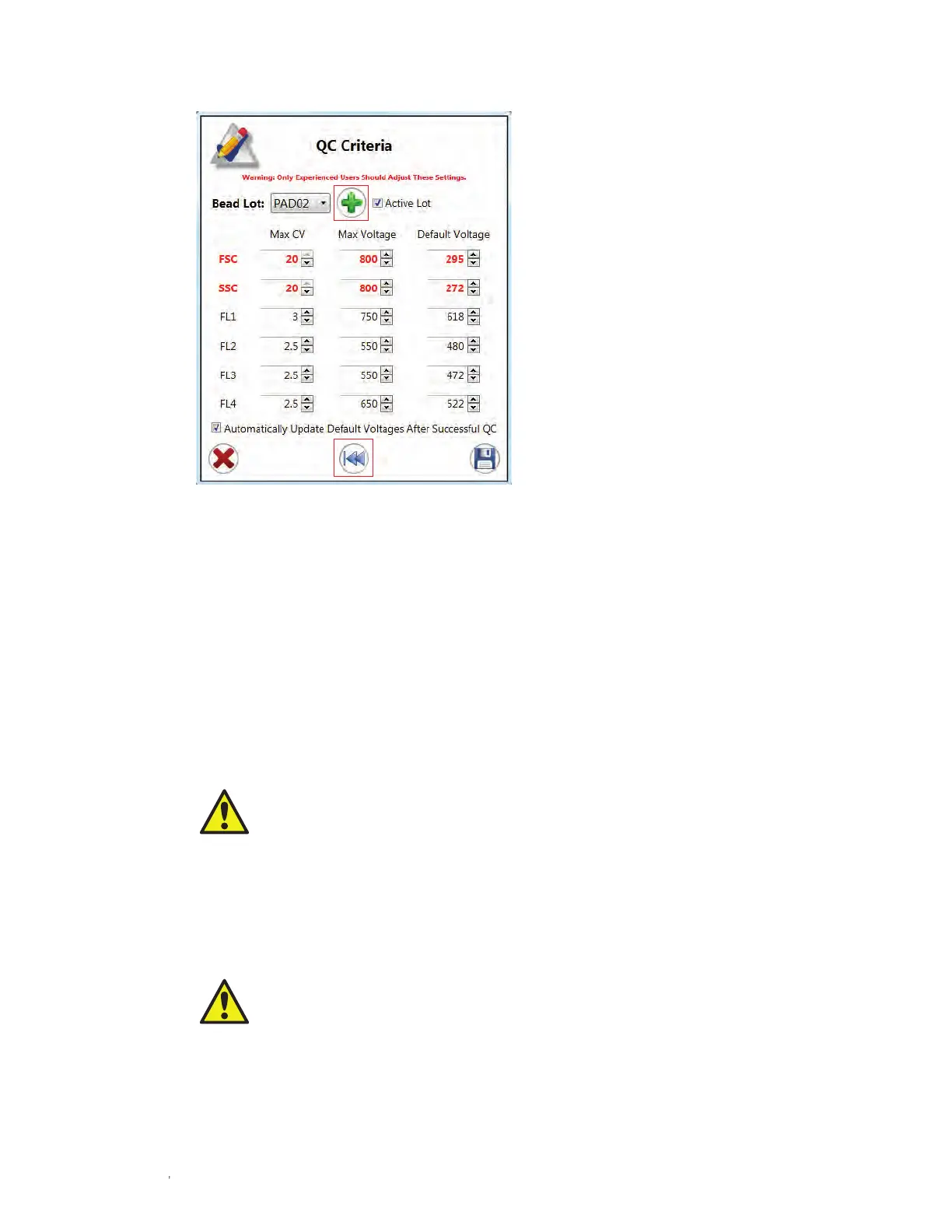
Fig. 18. Edit QC Criteria window with green plus
button and rewind arrow highlighted.
3.3.2 Edit Droplets
Droplet controls are available to the administrator for troubleshooting purposes. While the
system is maintaining, the drop delay, drop drive amplitude, and drop drive frequency cannot
be adjusted (Figure 19). If any of these settings is adjusted, use ProLine calibration beads to
recalculate the drop delay before running samples. The verify drop delay button at the bottom
of this screen will sort three puddles onto a slide which can be examined under a microscope
to confirm drop delay. These puddles will sort 100 events at the current drop delay – 1, the
current drop delay, and the current drop delay + 1.
CAUTION! Optimal settings are calculated automatically after performing a quality
control procedure. Adjusting any of these values will change the settings and will
affect the drop delay, including the break-off point.
3.3.3 Edit Streams
Streams controls are available to the administrator for troubleshooting purposes. While the
system is maintaining, these settings can be adjusted. Side streams can also be turned on or
off by checking the Enable Test Pattern box (Figure 20).
CAUTION! Optimal side stream settings are calculated automatically after performing
a quality control procedure. Adjusting any of these values will change the settings
and will affect the side streams and sort.



 To Next Page