Biochrom Anthos Fluido-2 Microplate Washer v2.0 Page 33
8 Start-up and system setup
8.1 Start-Up
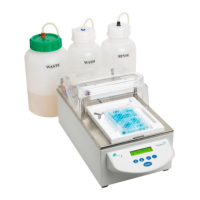
Place the device on a suitable working surface
Follow the steps described in the chapters 4.8 Installation
requirements, Environmental operating conditions and 4.9 Instrument
installation procedure
Connect power cable to standard mains plug
Switch on main switch (rear left side). The Fluido 2 performs
the complete initialization and shows the main menu after
approx. 10 seconds.Display
Screen
Display
Description:
The first line of the display shows the name of the menu or the current
function of a sub-menu.
The second line is split into 3 parts:
<< - current function assigned to the first function key
(e.g. previous menu, escape, ...)
>> - current function assigned to the second function key
(e.g. next menu, escape, ...)
Proc1 - current selection (or field for text or numerical
input); use the <-> and <+> keys to alter a selection or
change a value
8.2 Control of the system setup
Run Procedure:
<< >> Proc1


 To Next Page