TGRADIENT Manual __________________________________________________________ 16
5 View/edit program data
You can check any existing program by scrolling through the editing mode with cursor keys
ïðñò. Select the desired program as described in section 4.2.
Note: During operation of the cycler the active program can be viewed but not modified. If you
want to change settings of the active program for further experiments you have to save a copy of
this program to another memory. For further information about copying programs see section
5.2.
5.1 Delete / insert program steps
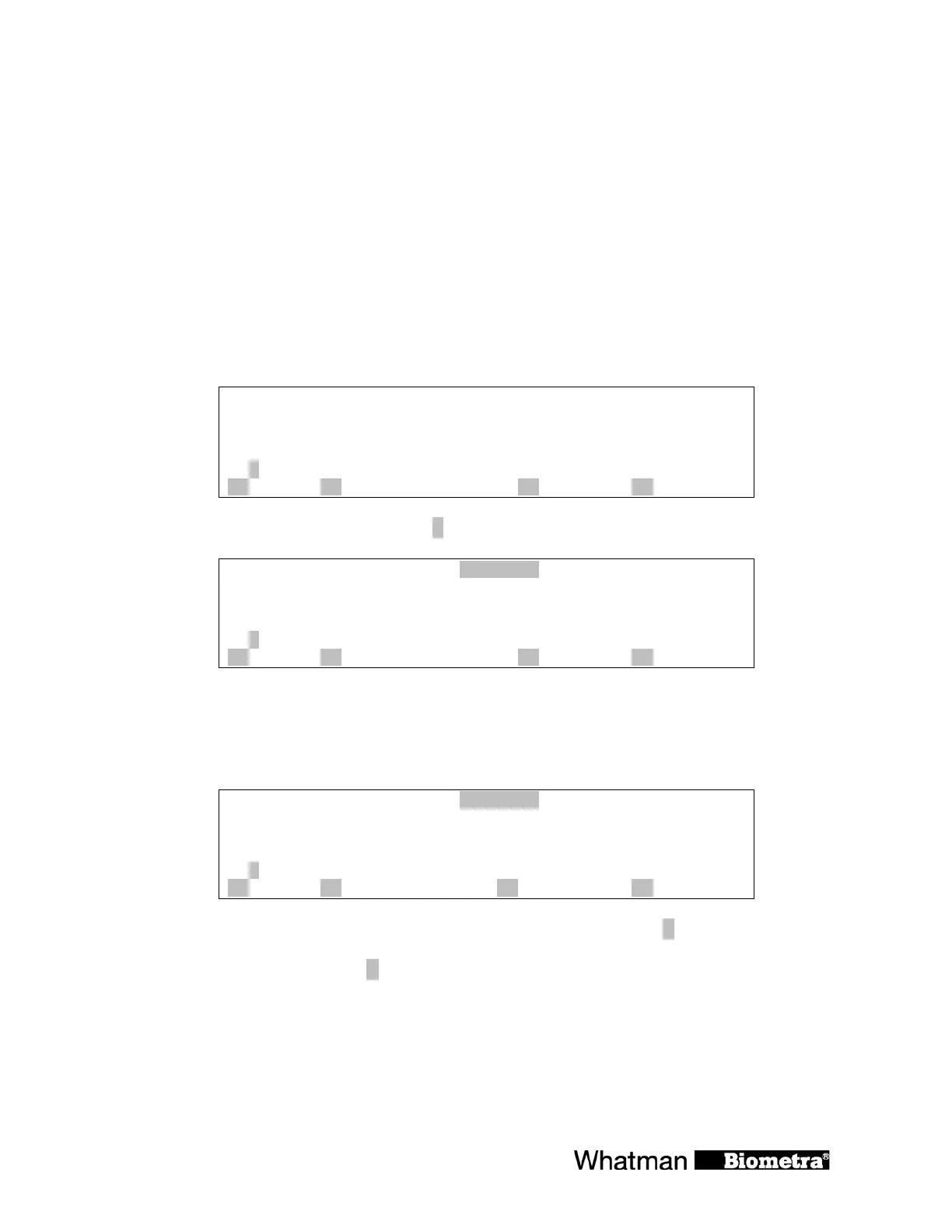
The programming spreadsheet:
Temp[°C] time ß # gradient[°C] opt à
2: 95.0 0h 0m30s
3: 55.0 0h 0m30s
4: 72.0 0h 0m30s 2 29
5:
A ? B insert/delete C pgm OK D enter
To delete or insert a program step press [B insert/delete]
insert / delete step:
2: 95.0 0h 0m30s
3: 55.0 0h 0m30s
4: 72.0 0h 0m30s 2 29
5:
A ? B delete input C quit D enter
Enter the number of the step that you want to insert / delete.
Note: Additional steps will be inserted before the selected step number. The following steps will
be shifted by one position.
insert / delete step:
3
2: 95.0 0h 0m30s
3: 55.0 0h 0m30s
4: 72.0 0h 0m30s 2 29
5:
A ? B delete input C quit D enter
Note: If you have entered a wrong number, the field can be cleared with [B delete input].
Confirm the step number with [
D enter].


 To Next Page