TGRADIENT Manual __________________________________________________________ 17
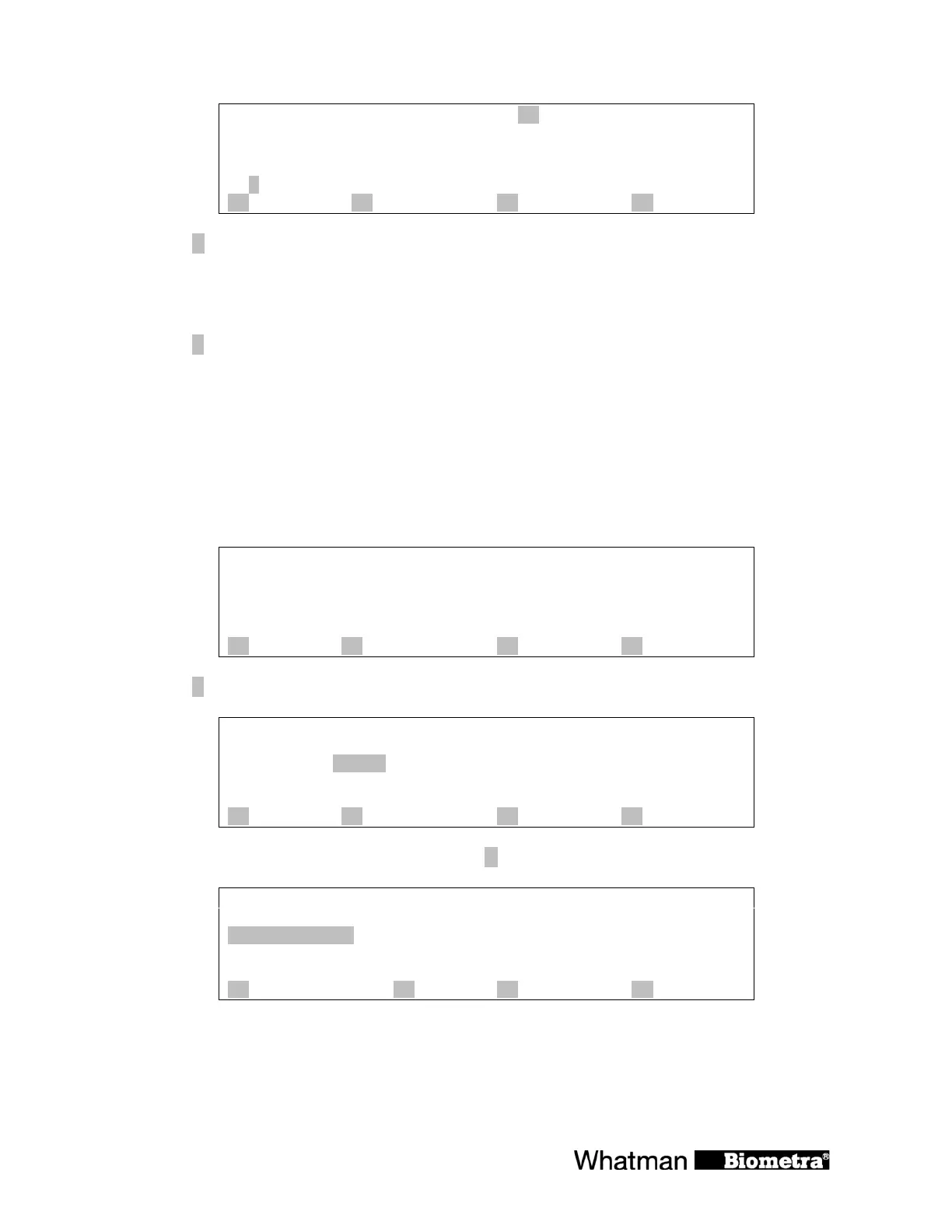
insert / delete step: 3
2: 95.0 0h 0m30s
3: 55.0 0h 0m30s
4: 72.0 0h 0m30s 2 29
5:
A insert B delete C quit D enter
Press [A insert] to insert one step at the selected position.
Note: Additional steps will be inserted before the selected step. The following steps will be
shifted by one position.
Press [
B delete] to delete the selected step.
Note: By deleting a step the following steps will be shifted by one position.
Note: The insertion and deletion of steps may have an influence on existing cycles. Be sure that
all settings are updated to maintain a correct cycle.
5.2 Copy program
Select the program you want to copy as described in section 4.1 and 4.2
Directory: 3
program no. 0 Name: TEST 1
lid temp: 105°C preheating: on
A ? B files C pgm OK D enter
Press [B files].
Directory: 3
program no. 0 Name: TEST 1
lid temp: °C preheating: on
edit
A copy B delete pgm C quit D enter
To copy this program to another memory press [A copy]
copy to:
½-3. subdirect.:
½-4. subdirect.:
Main direct.--- ½-5. Subdirect.:
½-6. subdirect.:
½-7. subdirect.:
A ? B C quit D enter
Select the desired subdirectory with the cursor keys ðñ ò. The selected subdirectory will
highlight.


 To Next Page