TGRADIENT Manual __________________________________________________________ 24
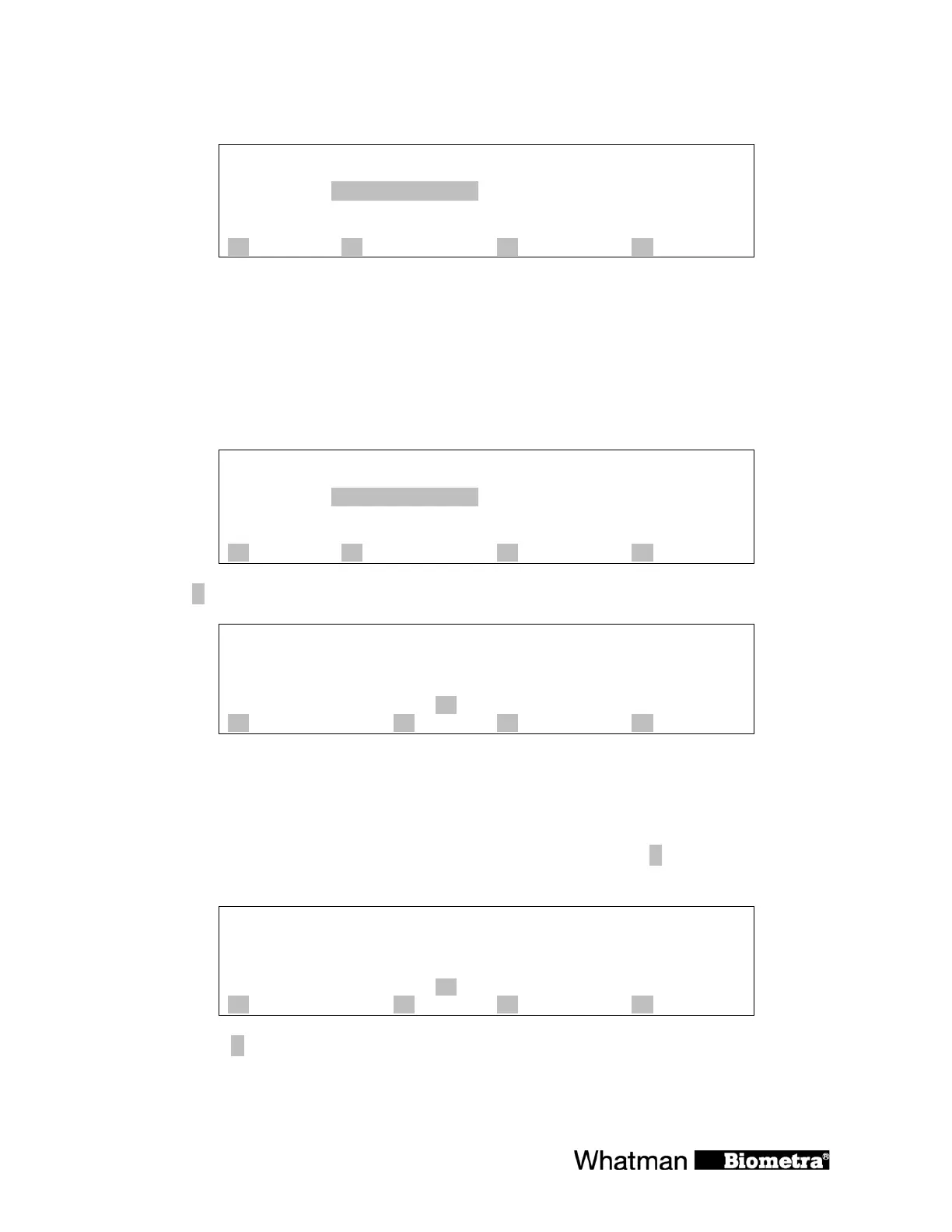
The elapsed time versus programmed hold time is displayed
Prog 0 TEST 1 dir 3
Step 1 cycle 1 of 30
temp[°C] 49.9 55.0 60.0 à 50.0 55.0 60.0
time 0h 0m23s à0h 5m 0s
lid 104.9°C
A info B start/stop C programs D +
As soon as the block enters a gradient step the three temperatures of the left, middle and right
sides of the block are displayed.
7.3 View remaining run time
Display during operation:
Prog 0 TEST 1 dir 3
Step 1 cycle 1 of 30
temp[°C] 49.9 55.0 60.0 à 50.0 55.0 60.0
time 0h 0m23s à0h 5m 0s
lid 104.9°C
A info B start/stop C programs D +
Press [A info] to call up the current remaining time calculation.
Additional information about active pgm
Status: Step 2
Cycle 3 of 30
Remaining time: 2h 57m
Stop or pause: key B in main menu
A gradient B C quit D
The current remaining run time id displayed in line 4.
7.4 View current gradient temperatures
While the TG
RADIENT is cycling you can view the current gradient temperatures. To retrieve
detailed information about the temperatures in the different rows press [
A info]
in the main screen.
Additional information about active pgm
Status: Step 2
Cycle 3 of 30
Remaining time: 2h 57m
Stop or pause: key B in main menu
A gradient B C quit D
Then press [A gradient]


 To Next Page