TGRADIENT Manual ___________________________________________________________ 9
4 Creating a Program
4.1 Select a directory
In the TG
RADIENT programs can be stored both in the main directory and in individual
subdirectories. For easy identification of the selected storage place, the subdirectories can be
named (see section 4.3).
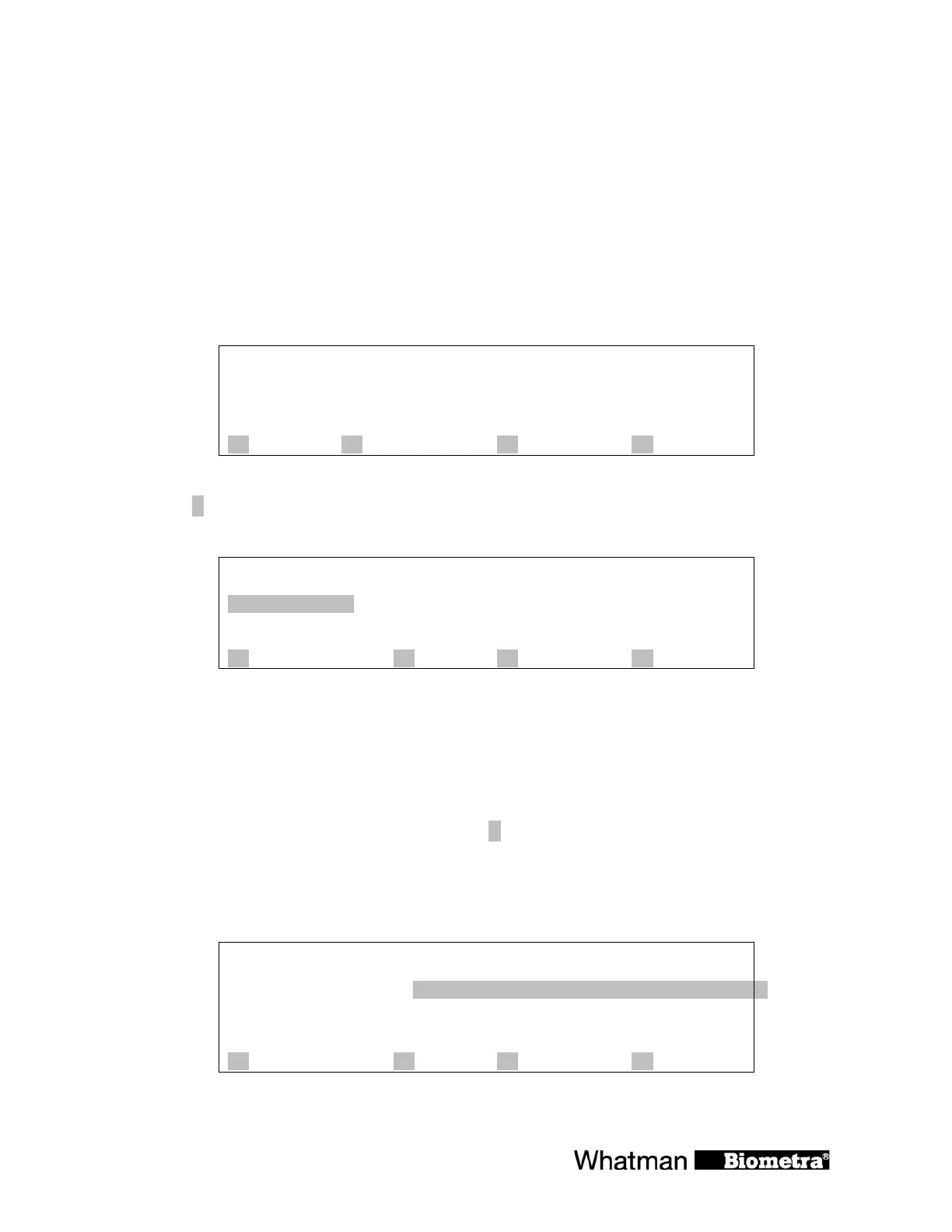
Start with the main screen.
Prog
step
temp[°C] 25.2°C
time
lid 25.4°C
A ? B start/stop C programs D +
Press [C programs] to enter the edit mode.
½-3. subdirect.:
½-4. subdirect.:
Main direct.--- ½-5. Subdirect.:
½-6. subdirect.:
½-7. subdirect.:
A ? B C quit D enter
You are now in the main directory. The structure of the subdirectories is displayed.
4.2 Select a program store
Programs can be stored in the main directory or in subdirectories.
To create a program in the main directory press [
D enter].
To access a subdirectory move right with the cursor key ð and select a subdirectory with the
cursor keys ñò. The selected directory will be highlighted.
½-3. subdirect.:
½-4. subdirect.:
Main direct.--- ½-5. Subdirect.:
½-6. subdirect.:
½-7. subdirect.:
A ? B C quit D enter


 To Next Page