Chapter 3 Software Setup
3-5
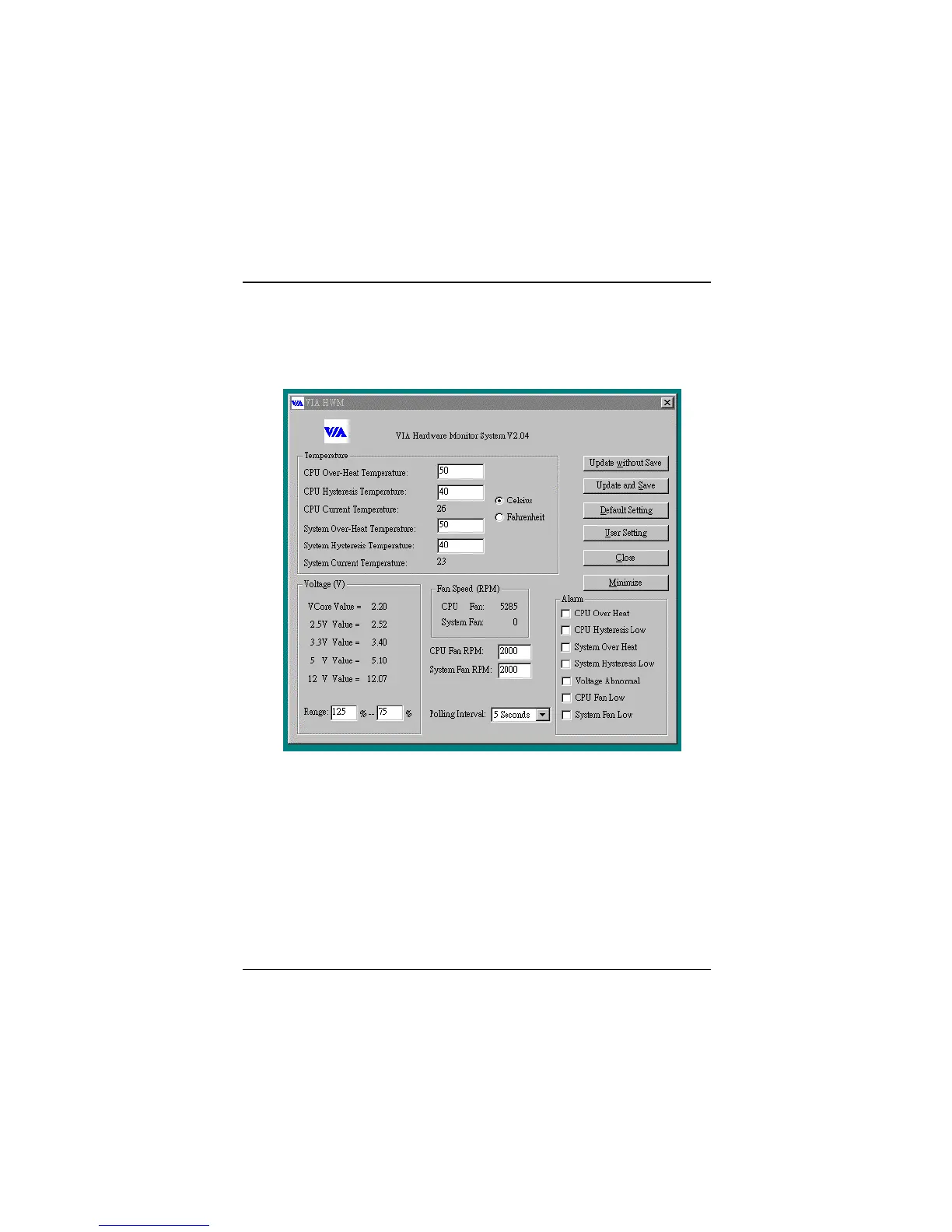
The following figure is the main panel of VIA Hardware Monitor. In the
panel, you can get some real-time and important information -- Voltage,
Fan speed, and temperature, for example. If there is an abnormal situation,
you can resolve it immediately.



 To Next Page