EasyManua.ls Logo

Biostar P4M800-M7 A - User Manual

Biostar P4M800-M7 A
31 pages
To Next Page IconTo Next Page
Loading...
P4M800-M7 & P4M800-M7 A
i
FCC Information and Copyright
This equipment has been tested and found to comply with the limits of a Class
B digital device, pursuant to Part 15 of the FCC Rules. These limits are designed
to provide reasonable protection against harmful interference in a residential
installation. This equipment generates, uses and can radiate radio frequency
energy and, if not installed and used in accordance with the instructions, may
cause harmful interference to radio communications. There is no guarantee
that interference will not occur in a particular installation.
The vendor makes no representations or warranties with respect to the
contents here and specially disclaims any implied warranties of merchantability
or fitness for any purpose. Further the vendor reserves the right to revise this
publication and to make changes to the contents here without obligation to
notify any party beforehand.
Duplication of this publication, in part or in whole, is not allowed without first
obtaining the vendor’s approval in writing.
The content of this user’s manual is subject to be changed without notice and
we will not be responsible for any mistakes found in this user’s manual. All the
brand and product names are trademarks of their respective companies.

Questions and Answers

Biostar P4M800-M7 A Specifications

General IconGeneral
BrandBiostar
ModelP4M800-M7 A
CategoryMotherboard
LanguageEnglish

Summary

Chapter 1: Introduction

1.1 Features

Details the hardware specifications of the motherboard.

1.2 Package List

Lists the items included in the motherboard package.

1.3 P4 M800-M7 Layout

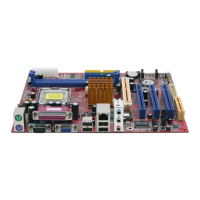
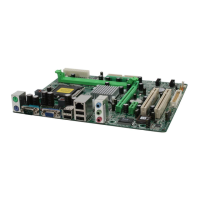
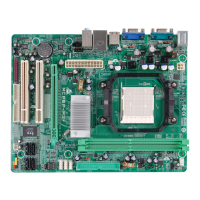
Provides a visual layout of the P4M800-M7 motherboard components.

1.4 P4 M800-M7 Components

Identifies and describes the components on the P4M800-M7 motherboard.

1.5 P4 M800-M7 A (Rev 1.0) Layout

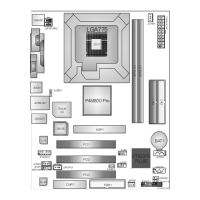
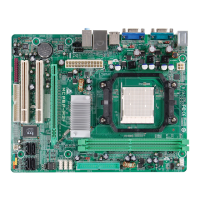
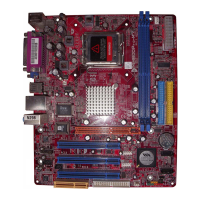
Shows the component layout for the P4M800-M7 A (Rev 1.0) motherboard.

1.6 P4 M800-M7 A (Rev 1.0) Components

Details the components found on the P4M800-M7 A (Rev 1.0) motherboard.

1.7 P4 M800-M7 A (Rev 7.0) Layout

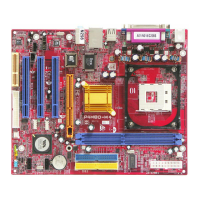
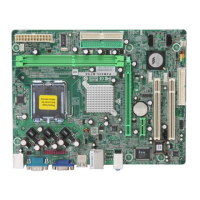
Visual layout of the P4M800-M7 A (Rev 7.0) motherboard components.

1.8 P4 M800-M7 A (Rev 7.0) Components

Identifies and describes components on the P4M800-M7 A (Rev 7.0) motherboard.

Chapter 2: Hardware Installation

2.1 CPU Installation

Instructions for installing the Central Processing Unit (CPU) onto the motherboard.

2.2 Fan Headers

Explains the function and pin assignments of CPU and System fan headers.

2.3 Memory Module Installation

Guides on how to properly install DDR memory modules into the DIMM slots.

2.4 Connectors and Slots

Details various connectors and expansion slots on the motherboard.

Chapter 3: Headers & Jumpers Setup

3.1 How to Setup Jumpers

Illustrates how to correctly set up jumpers on the motherboard.

3.2 Detail Settings

Provides detailed pin assignment and configuration for various headers like USB, power, and audio.

Chapter 4: Useful Help

4.1 Award BIOS Beep Codes

Lists common Award BIOS beep codes and their probable meanings.

4.2 Extra Information

Provides additional information, including BIOS update procedures.

4.3 Troubleshooting

Offers solutions for common system problems and operational issues.

Chapter 5: WarpSpeeder

5.1 Introduction

Introduces the WarpSpeeder control utility and its features.

5.2 System Requirements

Lists the operating system and software requirements for WarpSpeeder.

5.3 Installation

Step-by-step guide on how to install the WarpSpeeder utility.

5.4 WarpSpeeder Features: Tray Icon and Panels

Describes the utility's interface elements, including tray icon and panels.

Related product manuals