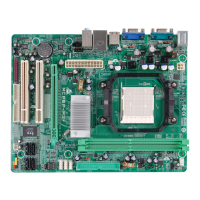
P4M900-M7 FE/P4M890-M7 FE
38
DRAM Clock
T his item determines DRAM c lock.
The Choices: By SPD (default), 100MHz, 133MHz, 166MHz, 200MHz,
266MHz, 333MHz .
DRAM Timing
T his item determines DRAM c lock/ tim in g.
The Choices: Auto by SPD (default), Manual, Turbo, Ultra.
SDRAM CAS Latency
When DRAM is installed, the number of clock cycles of CAS latency depends
on the DRAM timing.
The Choices: 2.5 /4(default).
Bank Interleave
This item allows you to enable or disable the bank interleave feature.
The Choices: Disabled (default).
Precharge to Active (tRP)
This item allows you to specify the delay from precharge command to activate
command.
The Choices: 4T (default).
Active to Precharge (tRAS)
T his item allows you to specify the minimum row active time (tRAS).
The Choices: 07T (default).
Active to CMD (tRCD)
Use this item to specify the delay from the activation of a bank to the time that
a read or write command is accepted.
The Choices: 4T (default).
REF to ACT/REF to REF (Trfc)
This item allows you to determine the selection for REF to ACT/REF to REF
(tRFC).
The Choices: 20T/21T (default).


 To Next Page
 Loading...