ANTSPACE HK3 Water cooling container & Dry-Wet Tower Product Manual
49
1) Mode Switching Interface
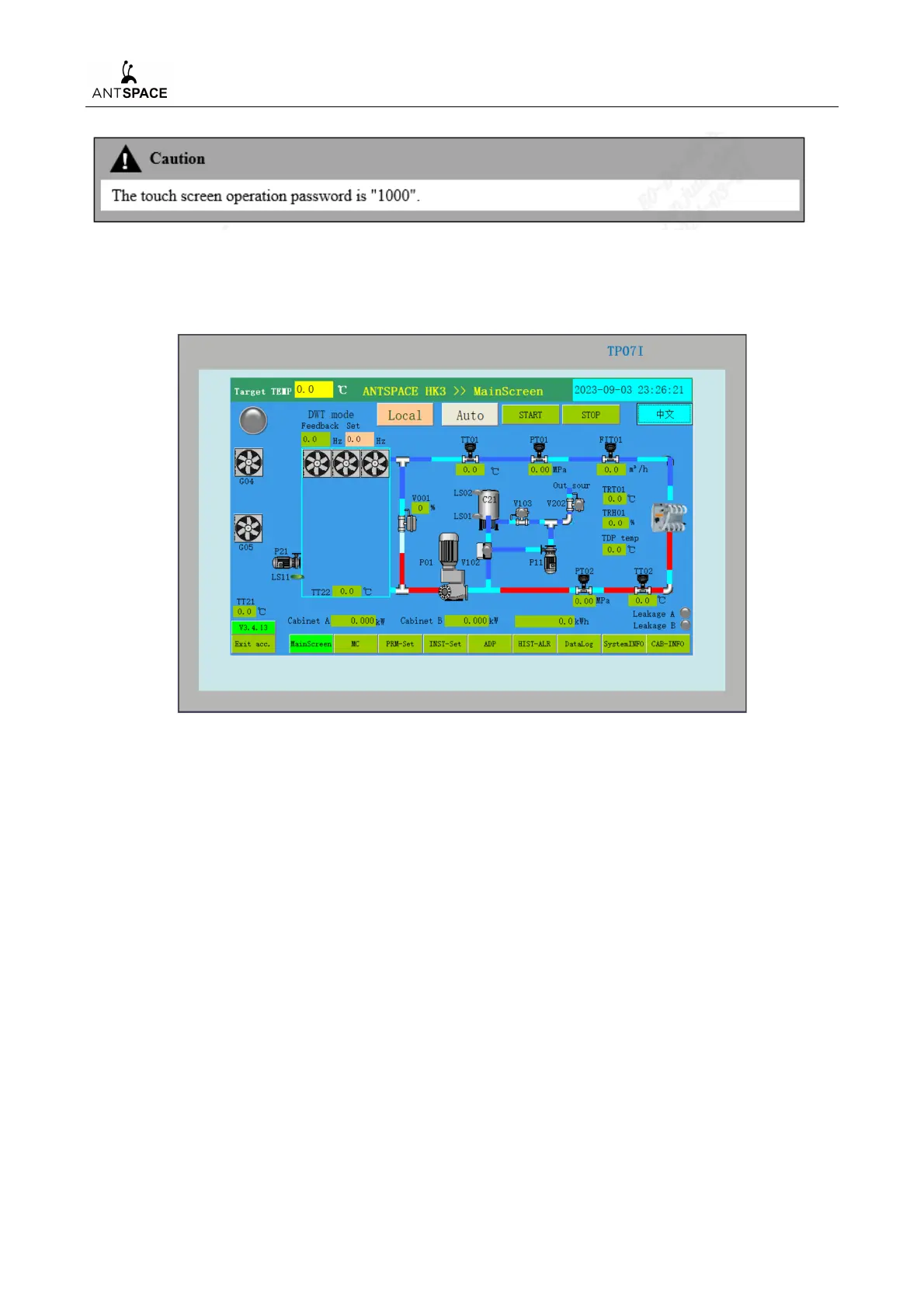
After the system is powered on, the screen displays as
, and this mode defaults to cold tower mode.
Figure 7-26 Screen display interface
The screen display device has control modes of "Auto/Manual", "Local/Remote", target
temperature (settable), total fault display, and analogue quantity display. The system can set the
operation control mode of the device through the main screen.
When the water cooling system is adapted to board to board components, it is necessary to first
switch to board to board mode.
The switching method is to click on the version number at the bottom left of the cold tower mode
interface, such as V3.4.11, and the interface will jump to the mode selection interface, as shown below
Figure 7-27.



 To Next Page