ANTSPACE HK3 Water cooling container & Dry-Wet Tower Product Manual
51
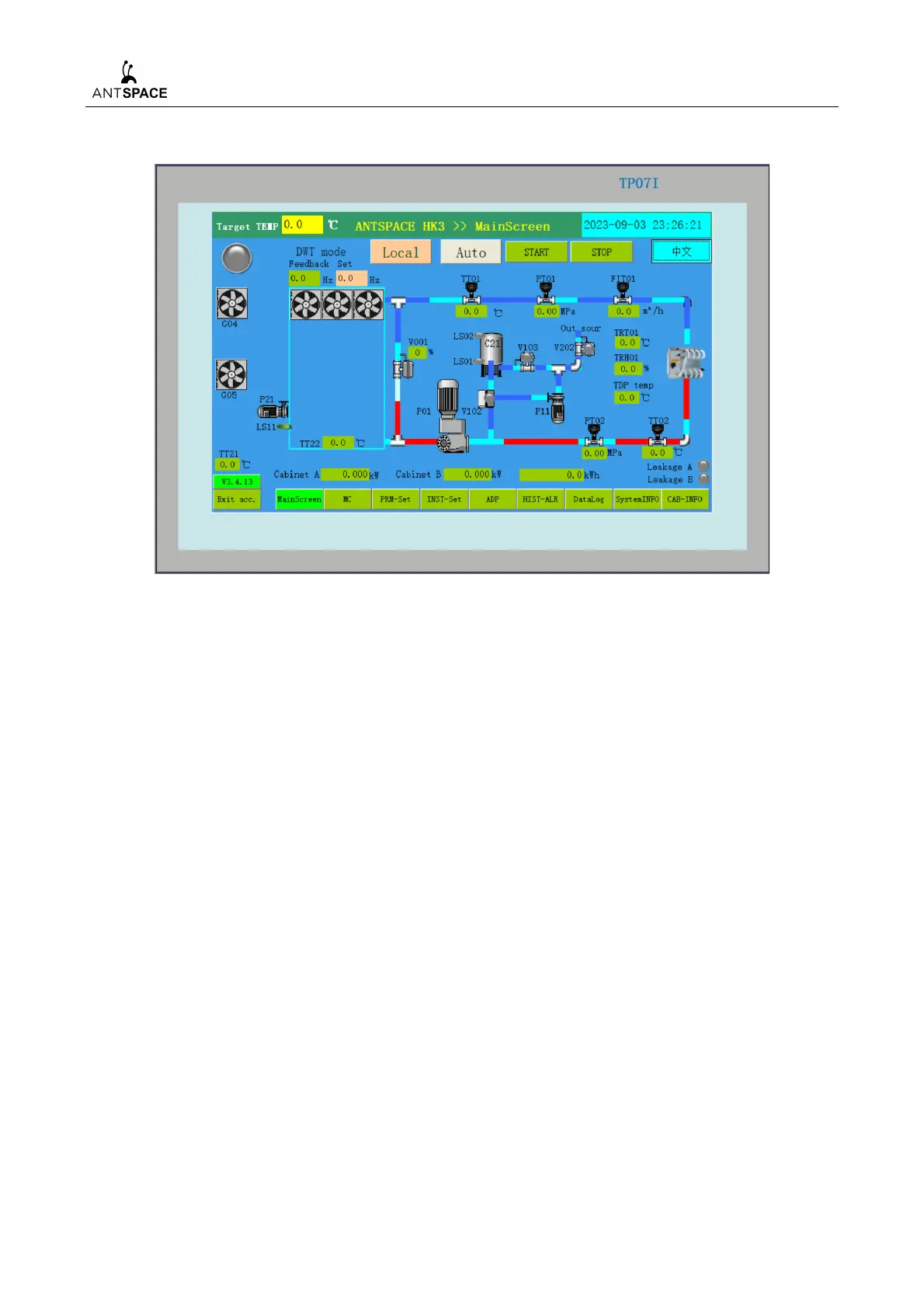
2) Main Screen Interface
Figure 7-29 Main Screen Interface
When in the cold tower mode, manual control is used for debugging and automatic control is
used for system operation.
Click the "MC" button to enter the manual control interface.
Click the "PRM-Set" button to enter the parameter setting interface.
Click the "INST-Sets" button to enter the instrument settings interface.
Click the "ADP" button to enter the fault alarm interface.
Click the "HIST-ALR" button to enter the historical alarm interface.
Click the "Data Log" button to enter the data information interface.
Click the "System INFO" button to enter the system information interface.
Click the "CAB-INFO" button to enter the power and positioning information interface.
The remote control mode can only be effective when the unit is in automatic mode, and the
priority is lower than local control.
When the system needs to run automatically, it is necessary to ensure that the internal pressure
(PT01/PT02) of the system is higher than 0.05 MPa, and then set all parameters in the parameter
setting interface. Then click on "START" on the main screen, and the motors in the system will



 To Next Page