Network Connection Manual
Ver.1.00
2) On-Board Ethernet / WLAN
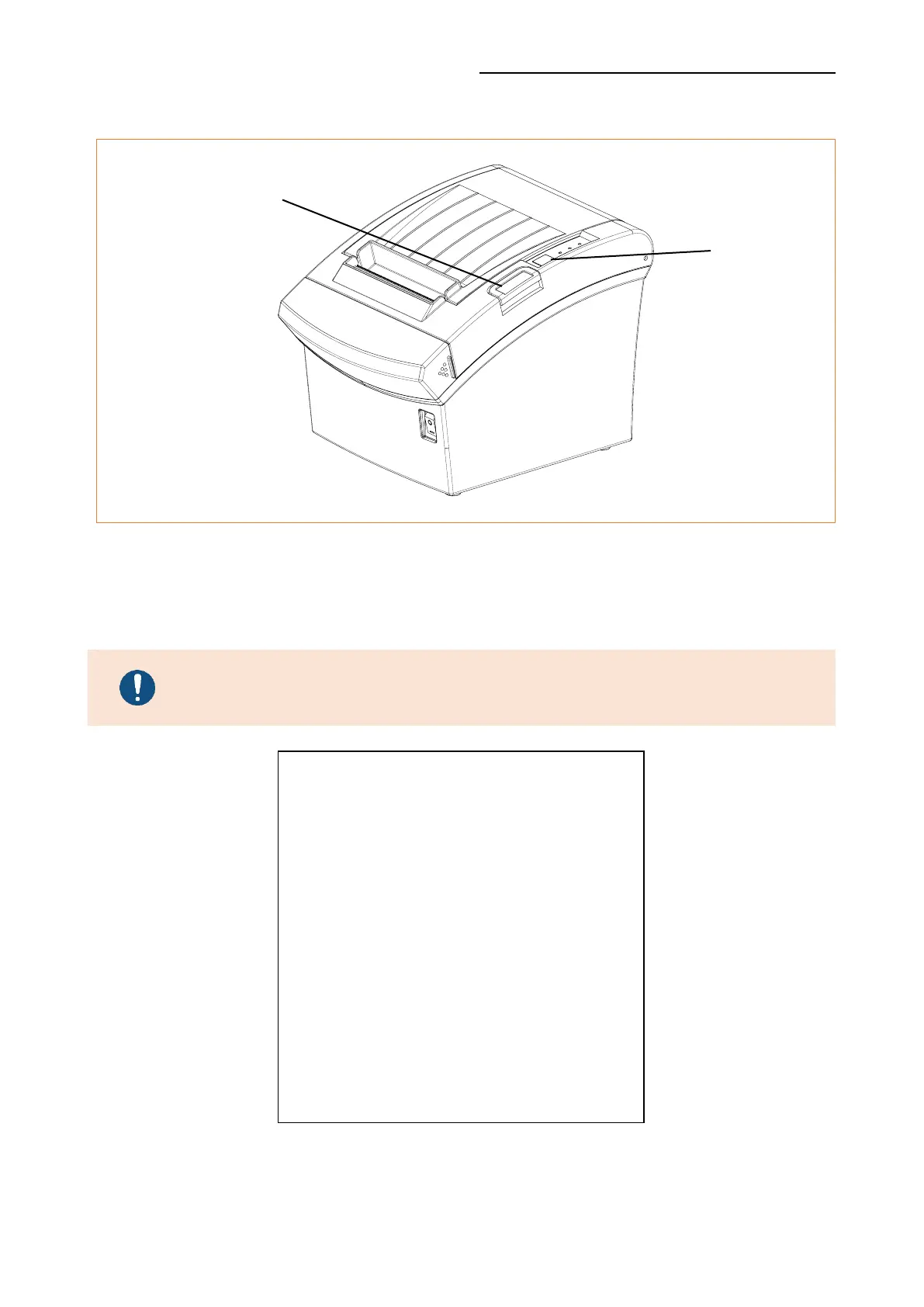
After the printer has finished booting, open the printer cover and press and hold the
FEED Button for 5 seconds. This will cause the interface setting confirmation mode.
Then add the paper, close the cover, and check that the following message is printed.
Error/Paper LED toggles when WLAN boots up.
The number of interface
setting information may be different for each
interface type of the product.
Checking Interface Setting
0: Exit
1: LAN Information Print
2: LAN Factory Reset and Reboot Printer
3: WLAN Information Print
4: WLAN Factory Reset and Reboot Printer
5 or more: None
Select Modes by Feed button control
as below.
Step 1. Short-press as many times as
The mode number to choose.
Step 2. Long-press over 1 second.
*e.g. To choose Mode 2, press Feed
Button 3 times(short-short-long)
Button










 To Next Page