Network Connection Manual
Ver.2.00
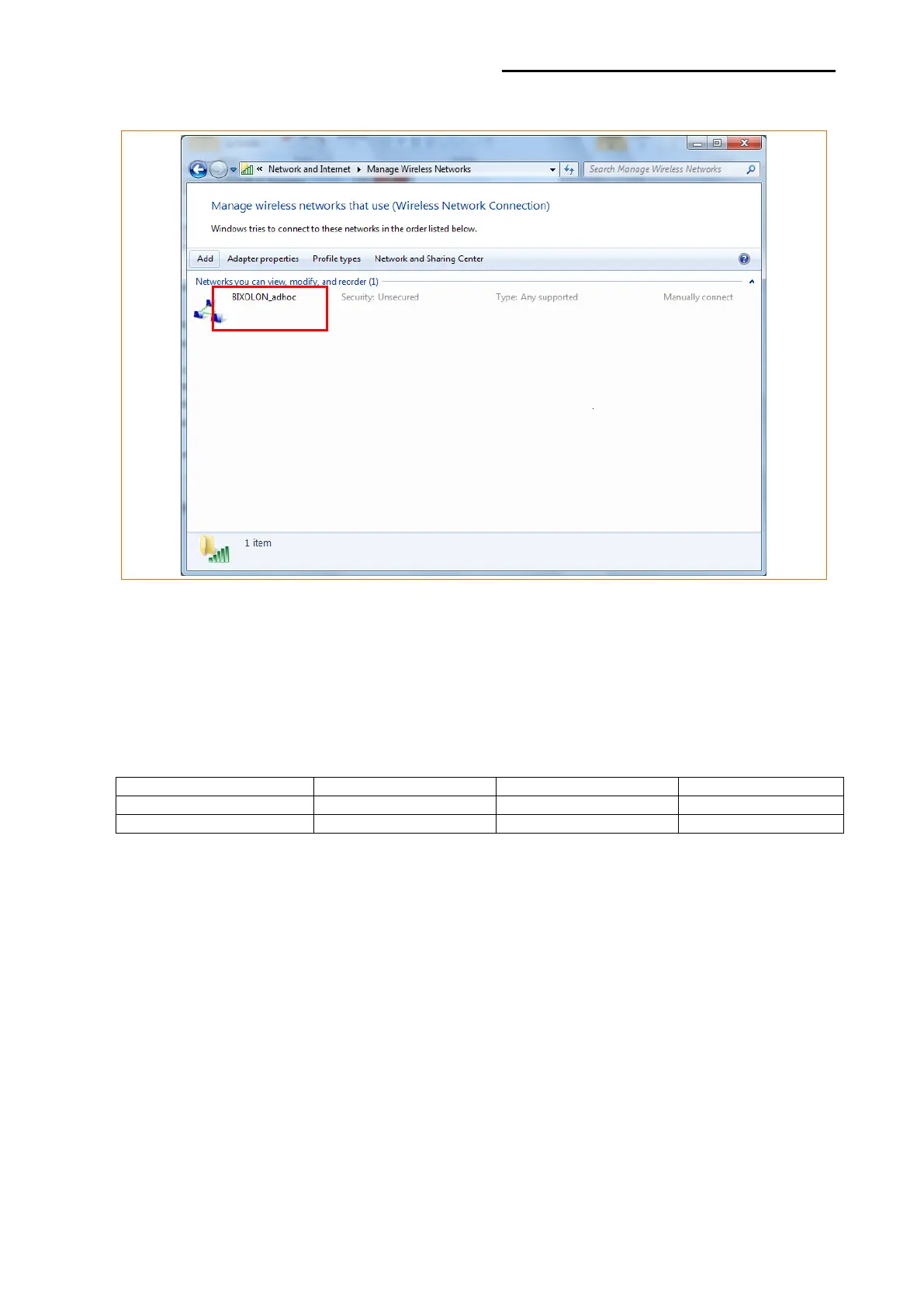
12) After completing configuration, Bixolon_adhoc network will be created.
When the printer is set to the default value (Adhoc mode, SSID: BIXOLON_adhoc),
it will automatically connect.
※Adhoc connection may not supported according to the security policy on Windows
10. In this case, use “Web Server” or “Net Configuration Tools” for network setting.
※Please refer to the below table for printer network setting depends on the version of
Printer Firmware.













 To Next Page