EasyManua.ls Logo

BIXOLON TX Series - Network Configuration Parameters and Methods; LAN and WLAN Setting Values

BIXOLON TX Series
44 pages
Print Icon
To Next Page IconTo Next Page
To Previous Page IconTo Previous Page
Loading...
Network Connection Manual
Ver.2.00
- 12 -
4. Configuration
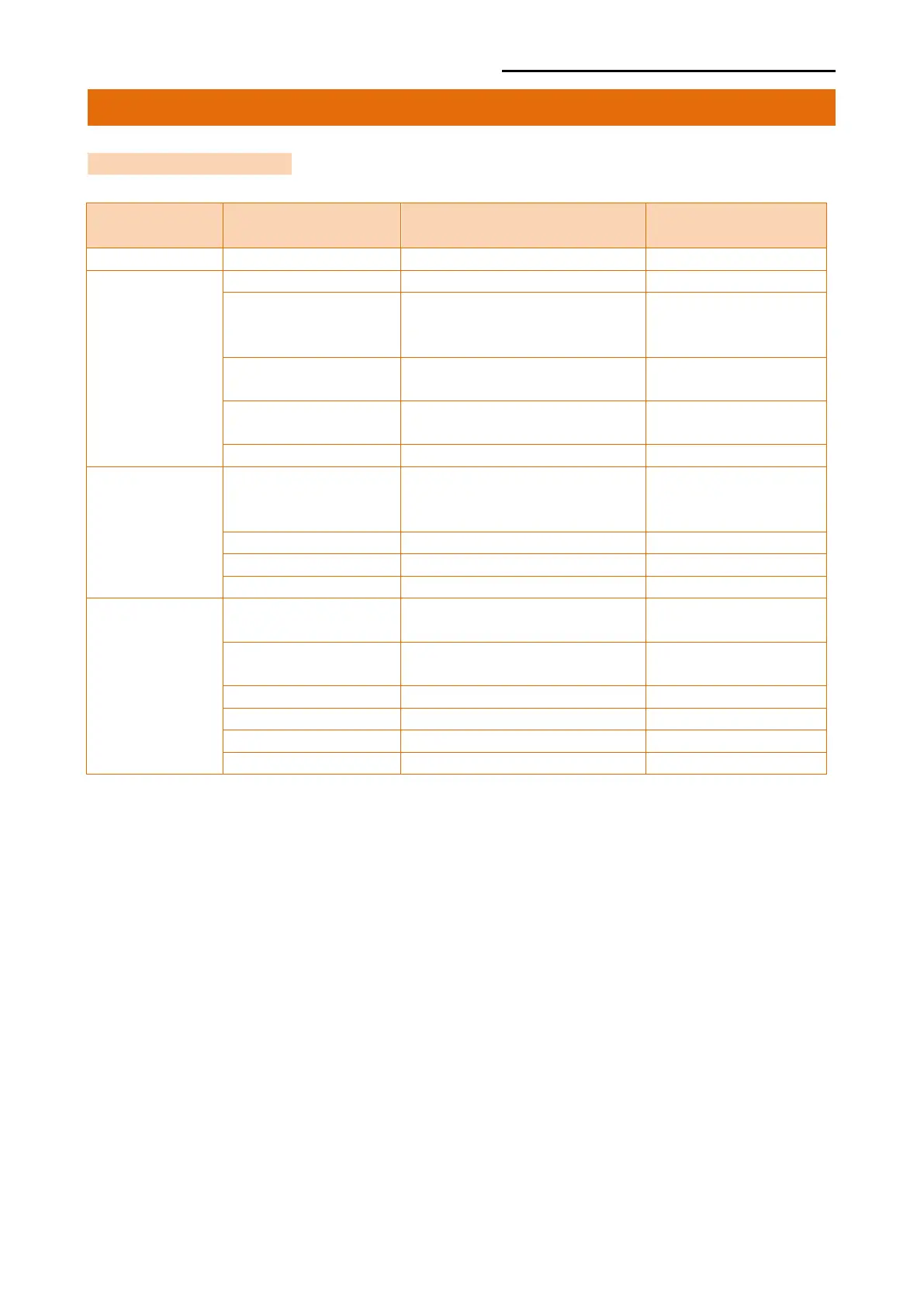
4-1 LAN Setting Values
Classification Item Remarks Input Range
Home
LAN setting status display
System
Printer Name
Printer name
0~32 letters
Printer Port
TCP Raw port that the
printer can use
0~32767 integer
(except 1,23,25,
80,443,3318)
User Name
ID to use for ftp, telnet,
web-server log-in
1~32 letters
User Password
Password to use for ftp,
telnet, web-server log-in
1~32 letters
Confirm Password
Confirm Password
1~32 letters
Protocol
WebServer SSL
Set whether to use HTTPS
Http cannot be used when
using Https
Enable/Disable
TELNET
Set whether to use Telnet
Enable/Disable
FTP
Set whether to use FTP
Enable/Disable
SMTP
Set whether to use SMTP
Enable/Disable
Network
Inactivity Time TCP connection hold time
0~3600
integer(Sec)
IP Assignment
Method
IP assignment method DHCP/Manual

IP Address
Printer IP
IP Address
Subnet Mask
Subnet mask
IP Address
Gateway
Default Gateway
IP Address
DNS
Domain name server IP
IP Address

Other manuals for BIXOLON TX Series

Related product manuals