Network Connection Manual
Ver.2.00
4-3-2 WLAN Configuration(After initial Wireless LAN Connection)
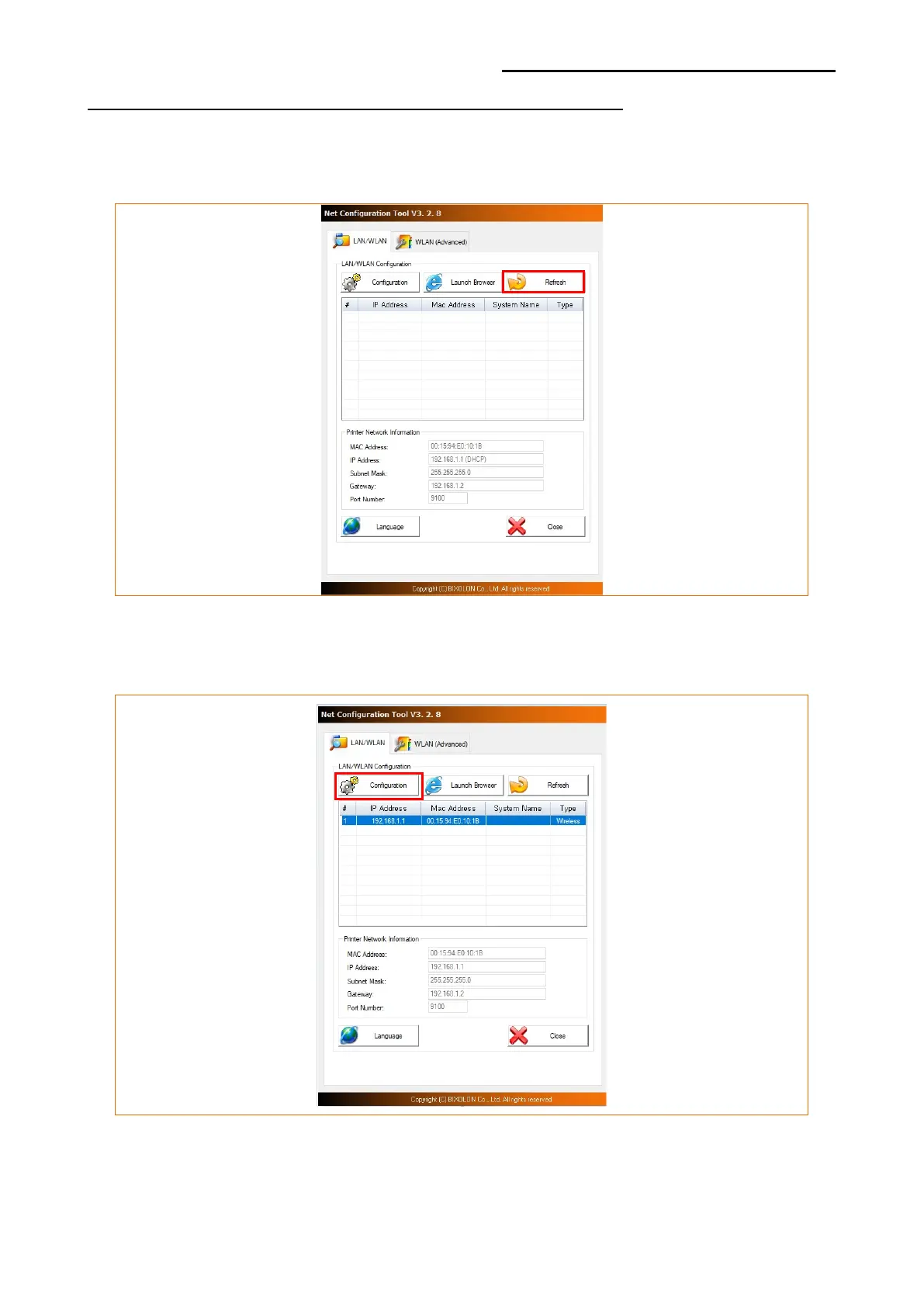
1) When you press the Search button, the printer connected to the network will be shown
in the list.
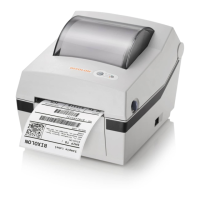
2) Select the printer from the list and press the [Configuration] button, and then the
following window for changing the WLAN settings will pop up.













 To Next Page