Network Connection Manual
Ver.2.00
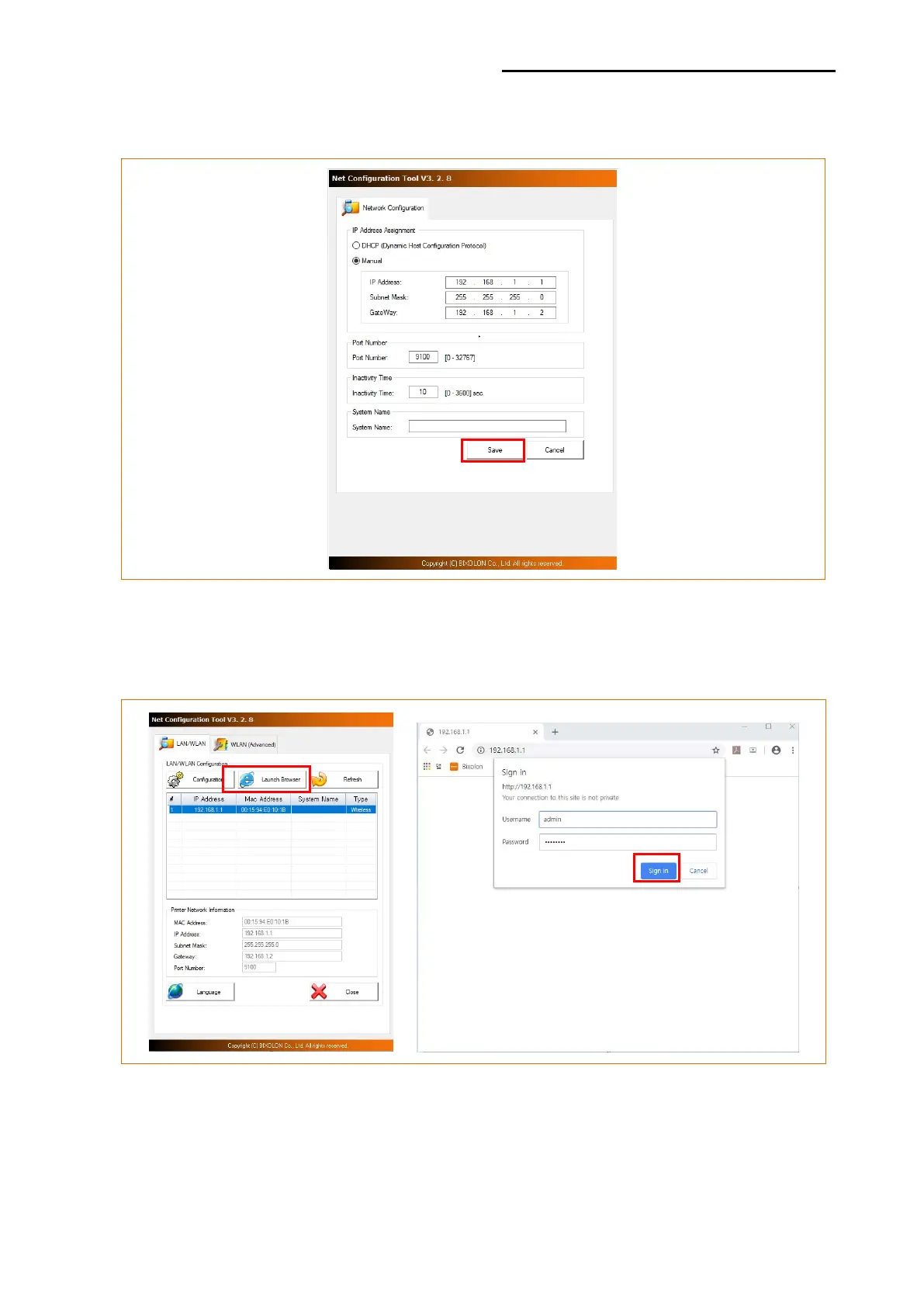
3) Enter the proper IP Address, Subnet Mask, and Gateway of the currently used network,
and then click the [Save] button to save the settings.
4) Select the printer from the list and press the [Launch Browser] button, and then the
Login window will pop up. Enter the Username and Password set in the printer, and click
OK. (Default settings are Username: “admin”, Password: “password”)













 To Next Page