Network Connection Manual
Ver.2.00
5. Ethernet / WLAN Test by using Windows Test Page
You can use the Windows printer driver as shown below when there is no test program.
1) Install the Windows printer driver.
[Note]
- You can download from our home page the Windows driver.
(www.bixolon.com)
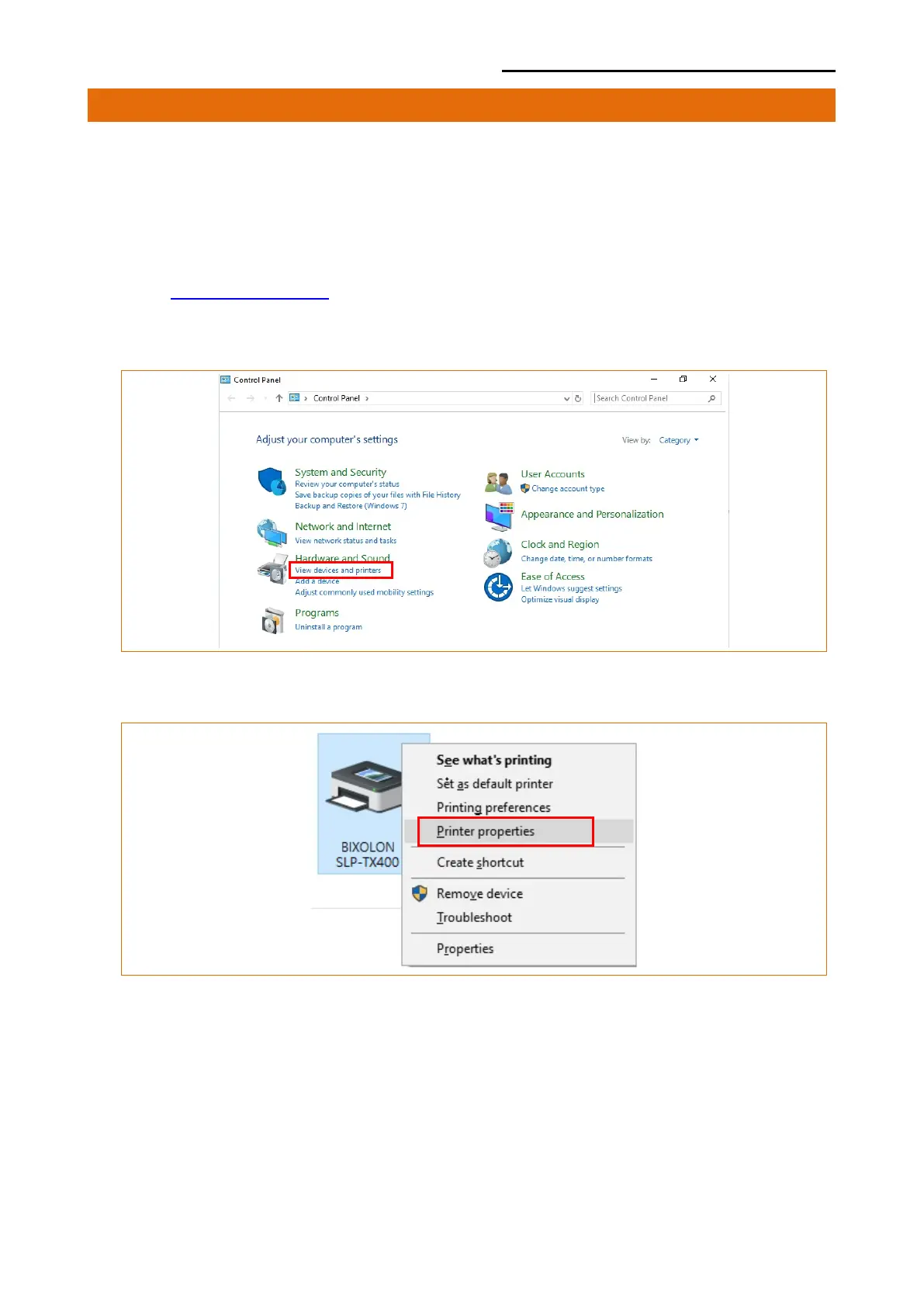
2) Click the “View devices and printers” from the Control Panel.
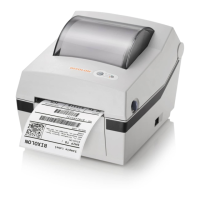
3) Select and right click on the corresponding model, and then select “Printer properties.”













 To Next Page