Network Connection Manual
Ver.2.00
4-4 Web Browser
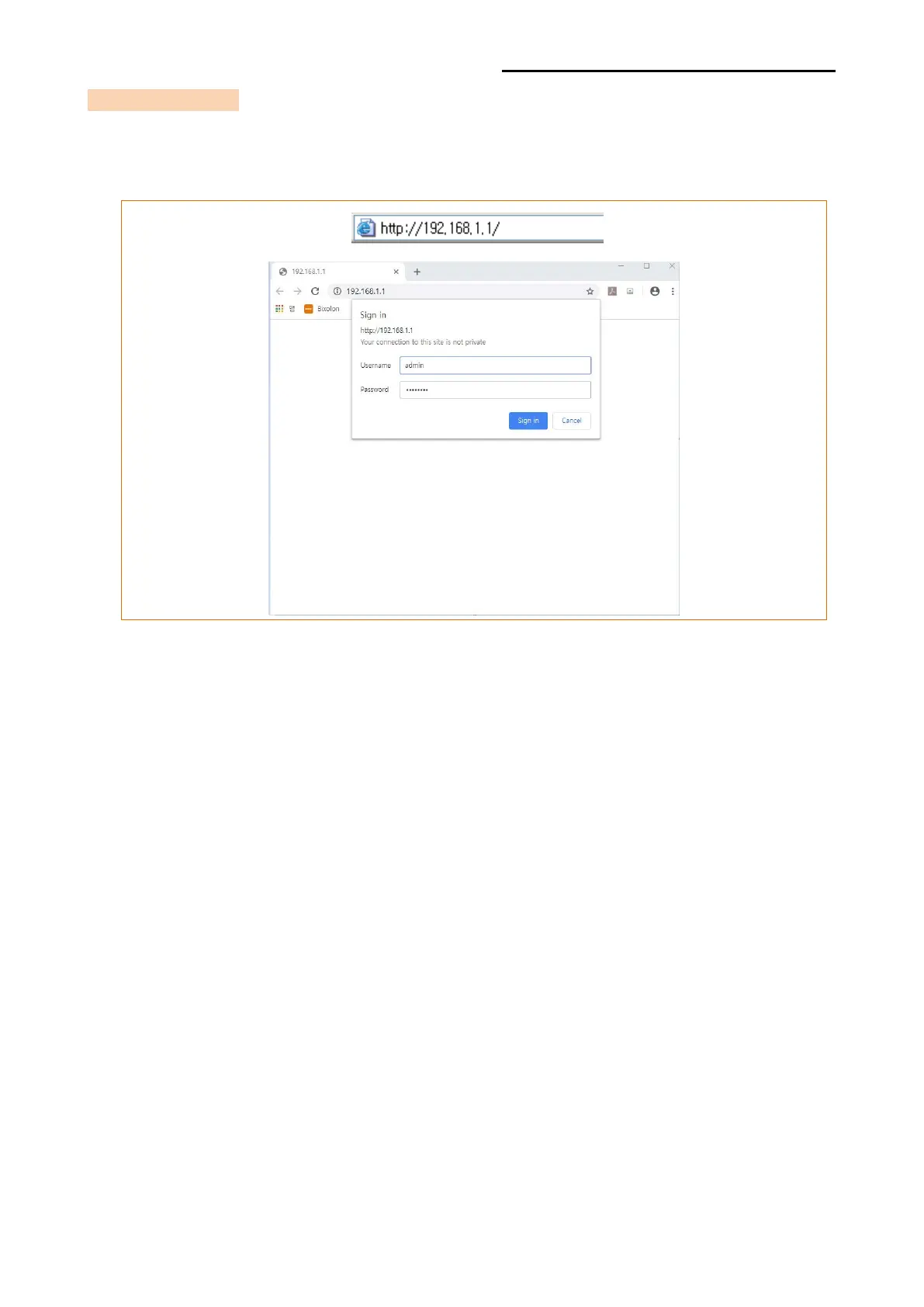
Enter the IP address of the printer in the address bar, and the following login window will
pop up. Enter the Username and Password set for the printer, and then click [OK].
(Default setting values are Username: “admin”, Password: “password”.)
When the Username and Password match the ones registered in the printer, the following
window will be opened.













 To Next Page