Network Connection Manual
Ver.2.00
4-3-3 WLAN Configuration(USB Cable)
Available on V01.40 or higher version
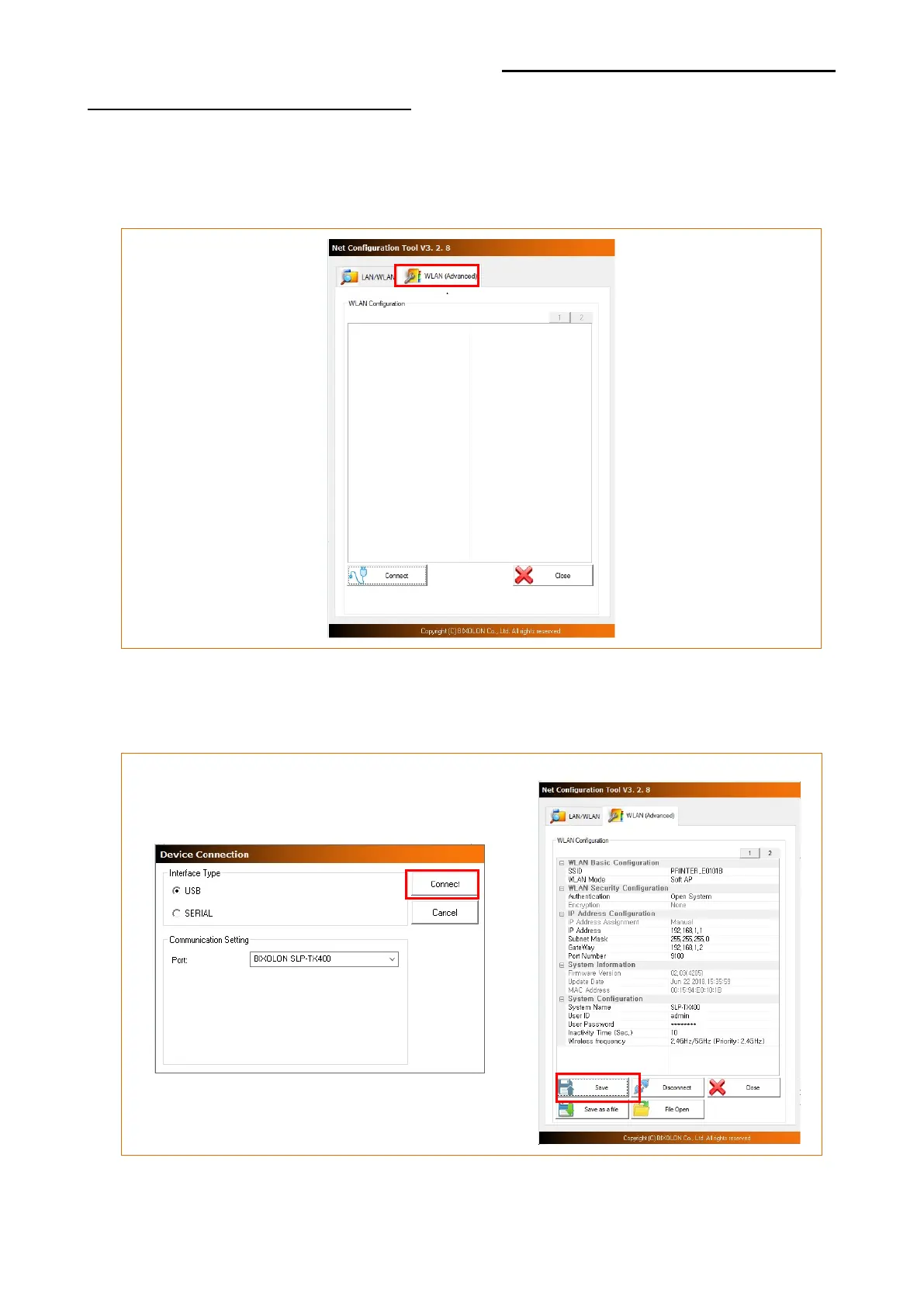
1) Click [WLAN(Advanced)] tab to configure WLAN settings using USB cable
2) Click [Connect] after printer connection via USB to configure Network(WLAN), Protocol,
System, Authentication..etc. for network environment in use. Then click[Save] to save
the settings.













 To Next Page