Network Connection Manual
Ver.2.00
6. Factory Reset
This function changes the Ethernet and WLAN settings of the printer to the initial factory
settings.
- SSID of WLAN will be reset as Default(BIXOLON_adhoc)
Method(There are 2ways to make the printer WLAN reset)
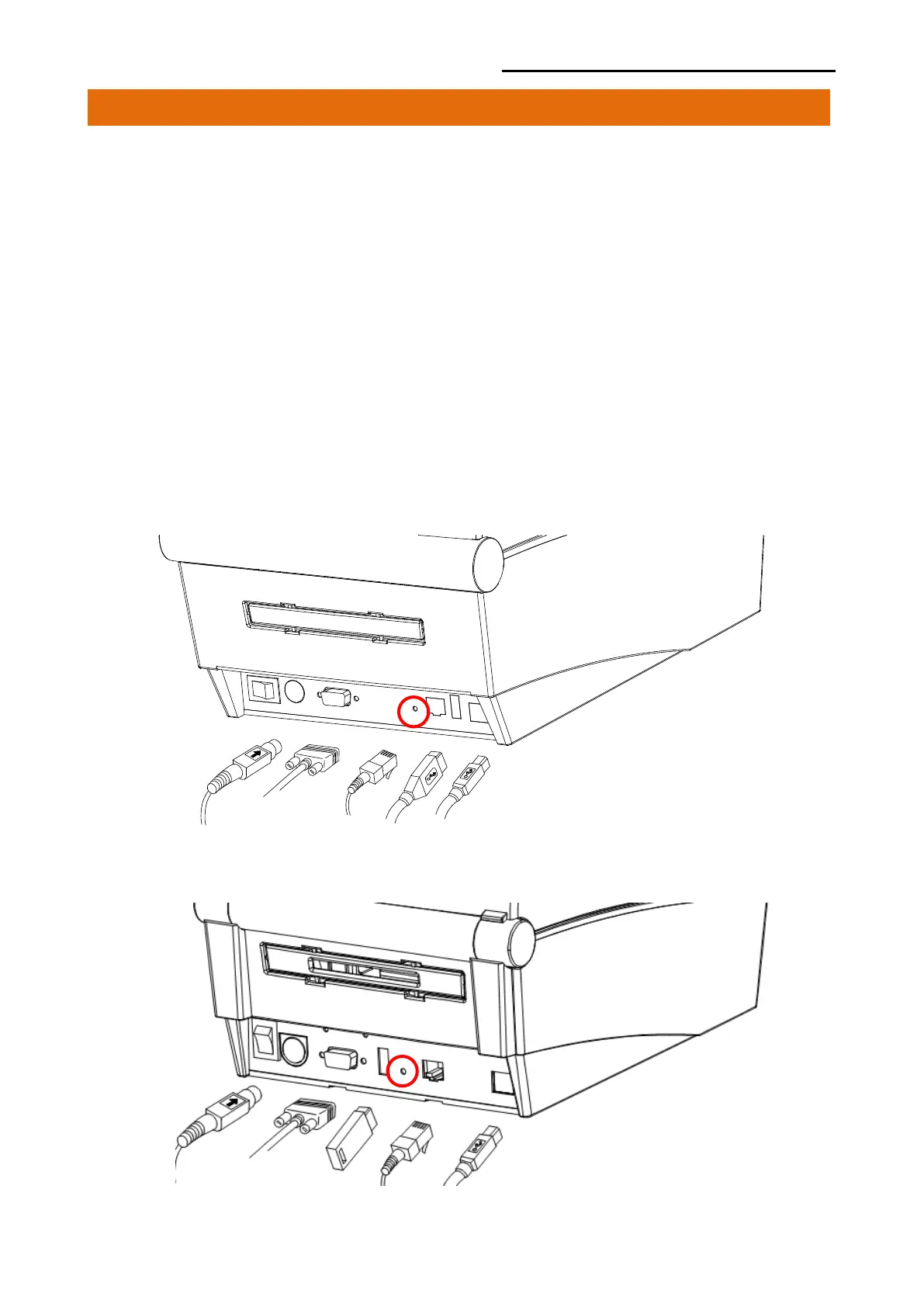
1) In order to carry out the factory reset, turn off the printer, and then turn on the printer
while pressing the reset button as shown in the following picture.
(Please wait for about 10 to 15 seconds while holding down the reset button)
2) Send the network factory.bin file to the printer via Unified Label Utility.
* Network Self Test
- Push the below reset button to check the Ethernet, WLAN information.
[TX40x]
[TX42x/DX42x]













 To Next Page