Network Connection Manual
Ver.2.00
4-7 SMTP
• The changes of the status of the printer are monitored, and a notification e-mail is sent to
the registered administrators.
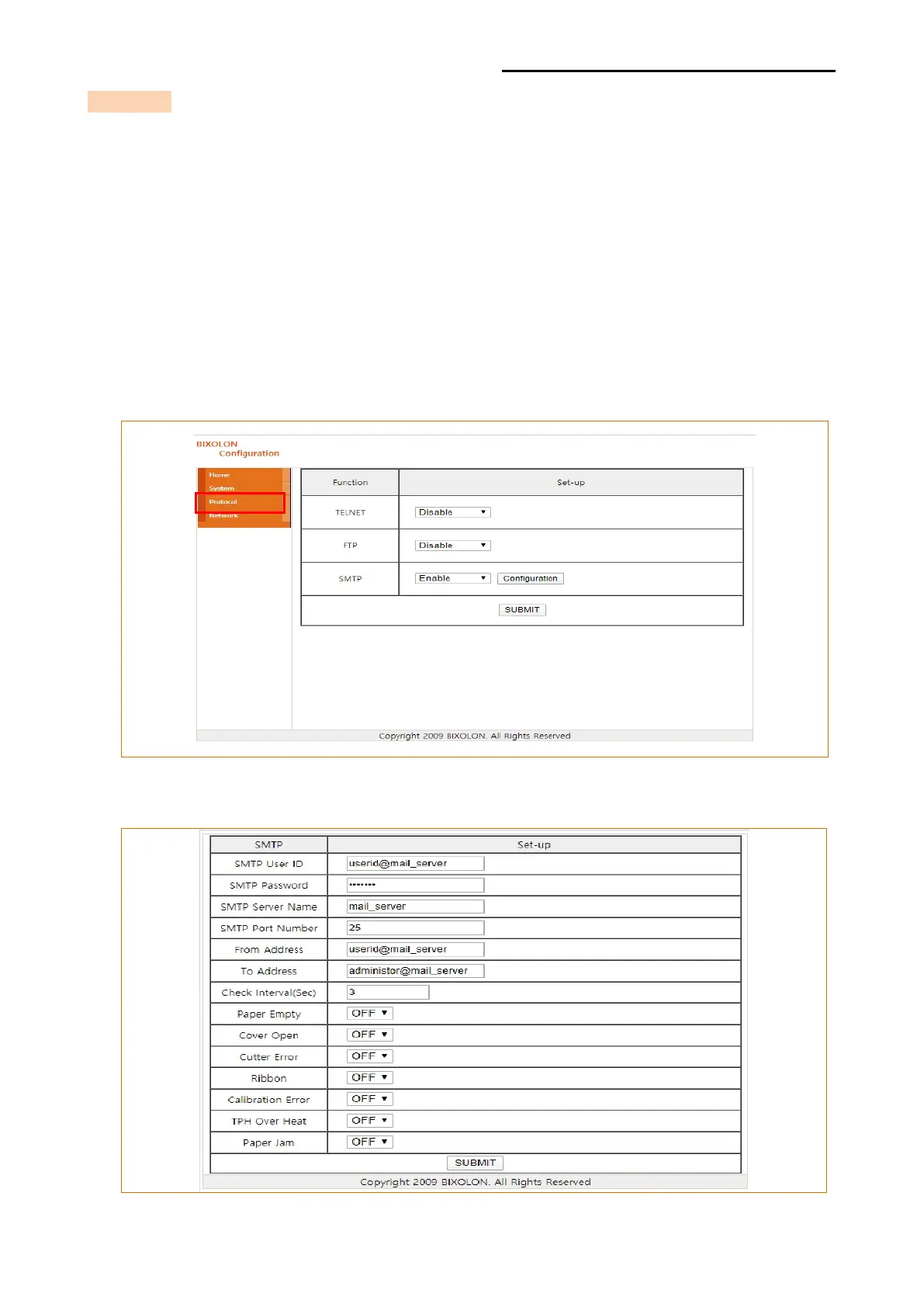
SMTP must be enabled to use the SMTP function.
You can use the web browser, telnet, or ftp to enable the SMTP.
(Refer to Configuration)
Using Web Browser
Connect to the printer web-server.(Enter the IP address of the printer in the address bar.)
Select LAN configuration, and then select the Protocol tab.
Click the Configuration button to display the following window.













 To Next Page