Network Connection Manual
Ver.2.00
4-4-2 Wireless LAN selection
4-4-2 Wireless LAN selection
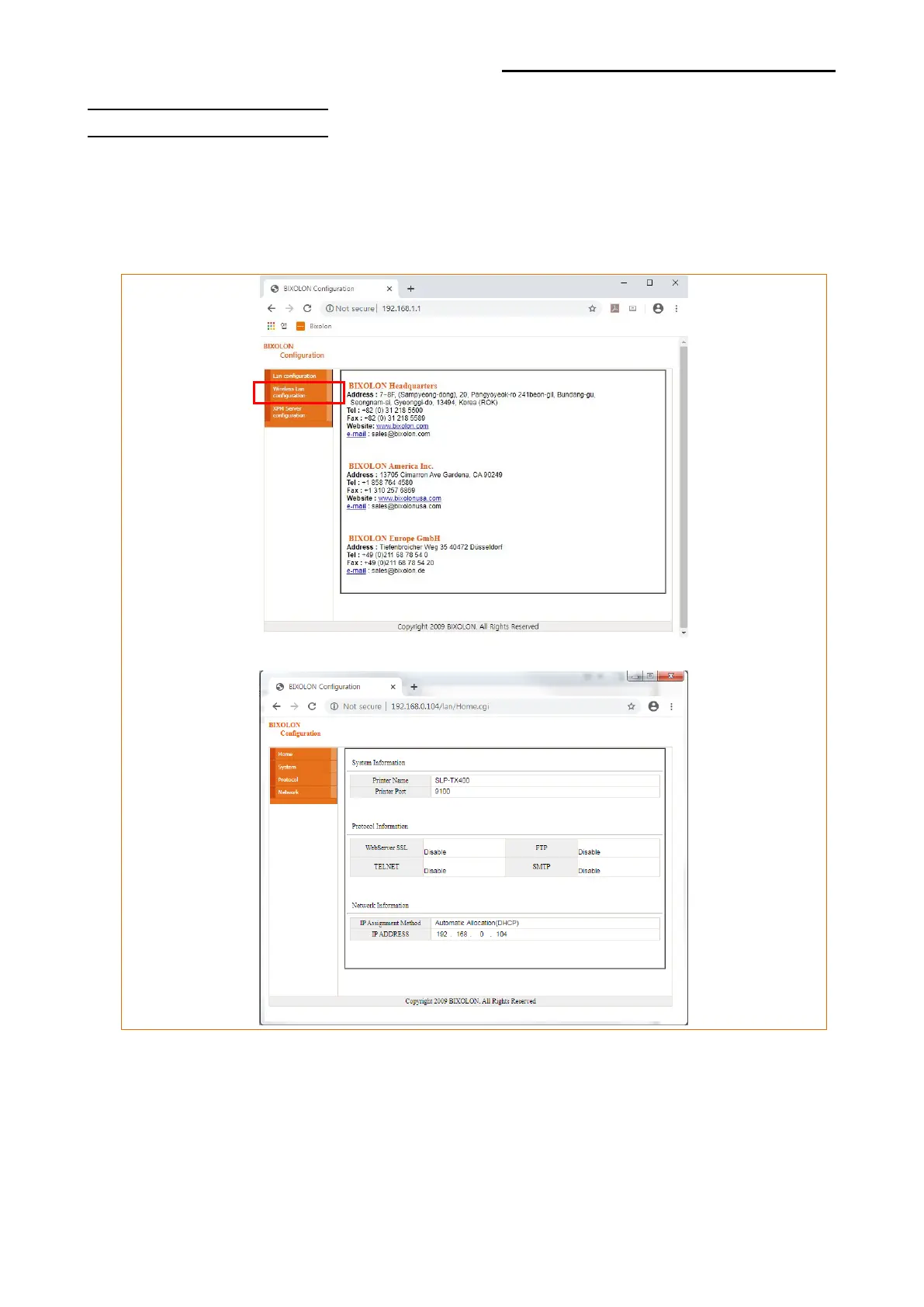
Click “Wireless Lan configuration” on Web browser first login page.
Wireless, Network(WLAN), Traffic ,Security and ETC can be configured from this window.
The Wizard mode is also provided for easier step by step configuration.













 To Next Page