Network Connection Manual
Ver.2.00
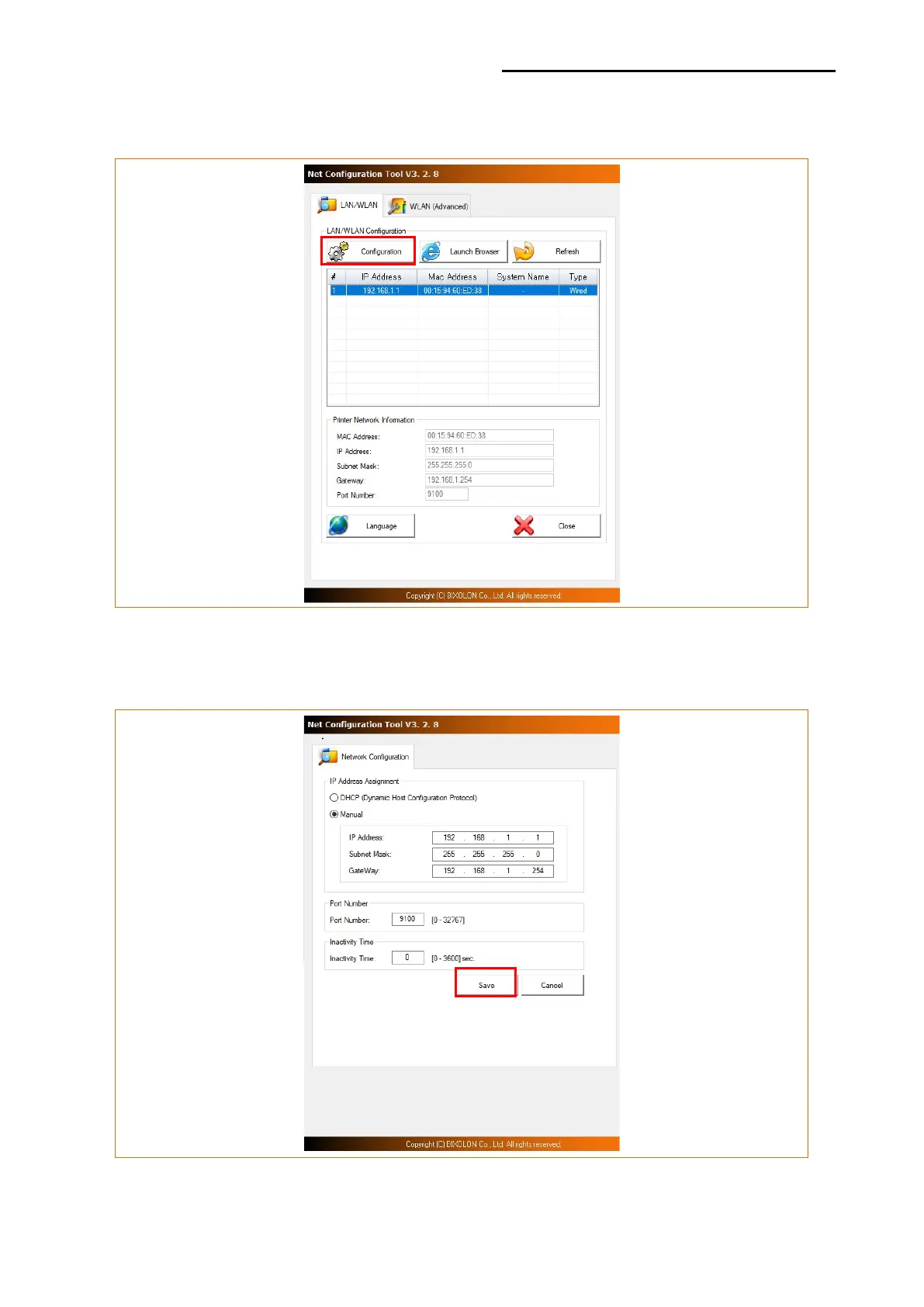
3) Select the printer from the list and press the [Configuration] button, and then the
following window for setting Ethernet settings will pop up.
4) Enter the proper IP Address, Subnet Mask, and Gateway for the currently used network,
and then press the Save button to save the settings.













 To Next Page