10
Front Panel
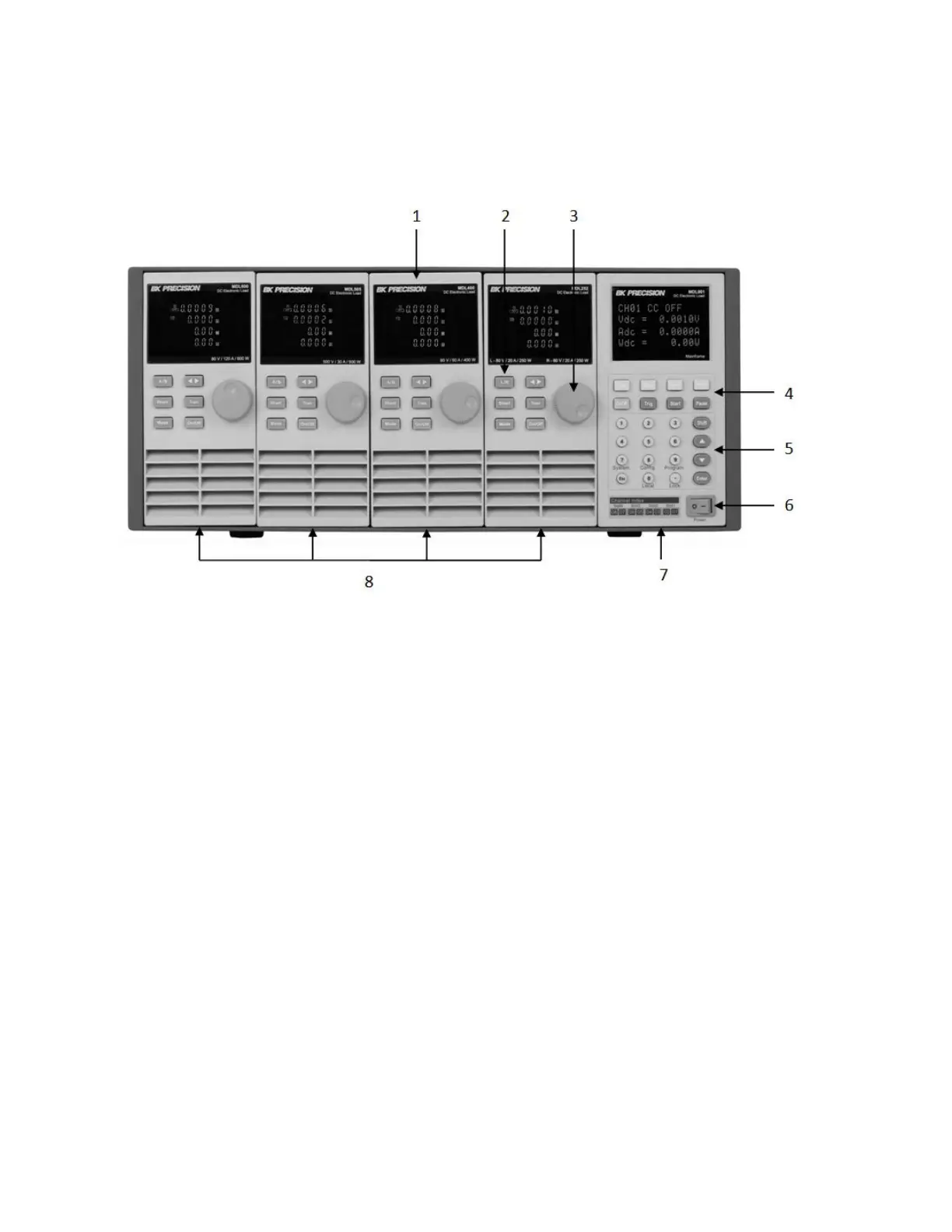
Figure 1 - MDL Series Front Panel
1) VFD DISPLAY
Displays electronic load information.
2) MODULE PANEL KEYS
Controls module functions. Refer to Module section for more details on the use of these
keys.
3) ADJUSTMENT KNOB
Used to change parameters.
4) MAINFRAME FUNCTION KEYS
Controls each channel’s operating status. Refer to Mainframe section for more details on
the use of these keys.
5) MAINFRAME NUMERIC ENTRY AND SHIFT KEYS
Refer to Mainframe section for more details on the use of these keys.
6) POWER SWITCH
Turns the system on or off.
7) MAINFRAME
8) MODULES


 To Next Page