62
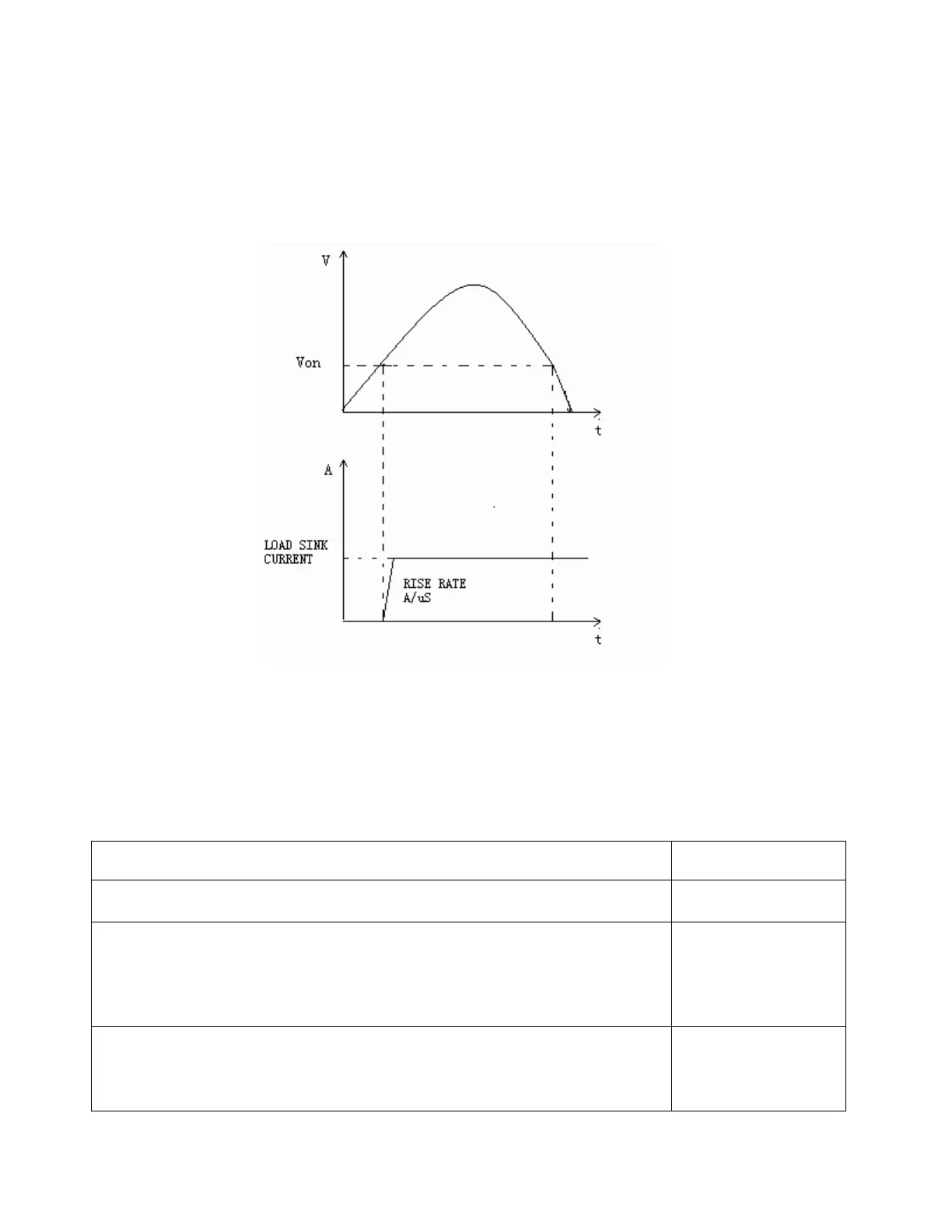
When Von LATCH is enabled, the electronic load will begin sinking current if input voltage exceeds
Von voltage. When the input voltage drops below the Von voltage value, the electronic load will
still continue to sink current and the input remains on.
Figure 30 - Von LATCH Load's Working Range
Setting Up Von Function
The following is a quick tutorial of how to set up the Von function for your electronic load. In this
example, we will set the Channel 1 Von point to 5 V and enable Von latch.
Panel Operations VFD Display
1. Power on the electronic load.
-test
2. Select channel to be set up. Press 1 for channel 1.
CH01 CC OFF
Vdc=0.0000V
Adc=0.0000A
Wdc=0.00W
3. Press Shift + ⑧ to enter Configuration menu. Press to select
<Von> and press Enter.


 To Next Page