66
Remote Sense Function
When working in CC, CV, and CR mode, if the electronic load consumes a very large current, it will
cause a voltage drop in the leads between the connected device and terminals of the electronic
load. In order to ensure testing accuracy, the electronic load provides a pair of remote sensing
terminals in the rear panel where users can sense the output terminal voltage of the connected
device. Users should set the electronic load in REMOTE SENSE mode before using this function. On
the rear terminals, SENSE (+) and SENSE (–) are the remote sensing inputs. By eliminating the effect
of the voltage drop in the load leads, remote sensing provides greater accuracy by allowing the
electronic load to regulate directly at the source's output terminals (see Figure 12).
External Analog Control
You can control the current setting of the electronic load in CC mode using the external analog
programming terminal, pin 7 and pin 8. A 0-10 V input signal will simulate 0 – full scale of the
electronic load to regulate the input current of the electronic load (10 V indicates the full range of
electronic load’s current rating).
NOTE
External analog
control is designed to be used when the instrument is set to High range (full range)
only. If low range is used, the 0-10 V input signal may not reflect the full scale input range of the
load.
Automatic Test
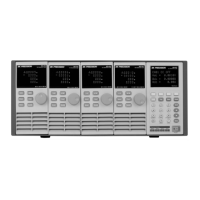
The automatic test function of the MDL Series electronic load is useful for simulating various tests
and allows the user to edit up to 10 program files. Each file has 10 steps and up to 100 steps can be
edited and saved into the EEPROM. Convenient for production environments, automatic test can
cascade sequences across multiple channels and allows setting of Pass/Fail (P/F) criteria.
Setting Up Test Files
Configuring Pass/Fail Parameters


 To Next Page