54
A/B Transient Operation Tutorial
Panel Operations VFD Display
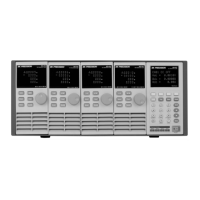
1. Power on the electronic load. Self-test
2. Press keys to select the channel to be edited. In this example, we
select channel 1.
CH01 CC OFF
Vdc = 0.0000V
Adc = 0.0000A
Wdc = 0.00W
3. Press Setup to enter the channel setup menu. Select <Mode> and
press Enter to change the operating mode to CC mode. Press Enter to
confirm.
CH01
Mode=CC
RANGE=HIGH
Iset=9.000A
4. Press key to select <Range> setting and press Enter. Then press
key to select LOW RANGE and press Enter to confirm.
CH01
HIGH RANGE
LOW RANGE
5. Press key to select the rise slope setting <∫> and press Enter. For
1A/us, input 1 and press Enter to confirm.
CH01
Rise Speed Set
= 1.00A/Us
6. Press key to select the fall slope setting <∫> and press Enter. For
2A/us, input 2 and press Enter to confirm.
CH01
Fall Speed Set
= 2.00A/Us
7. Press key to select A level setting <TRANa> and press Enter. For
10A, input 10 and press Enter to confirm.
Transition A
8. Press key to select A width setting <Ta> and press Enter. For 0.002s,
input .002 and press Enter to confirm.
Tran. A Width =
9. Press key to select B level setting <TRANb> and press Enter. For 2A,
input 2 and press Enter to confirm.
CH01
Transition B
Level = 2.00A
10. Press key to select B width setting <Tb> and press Enter. For 0.003s,
input .003 and press Enter to confirm.
Tran. B Width =
11. Press key to select transient operation mode <Tmode> and press
Enter. Select Continuous and press Enter key to confirm.
CH01
Continuous
Pulse
Toggle


 To Next Page