47
Operang Instrucons - BPS2000v2 Monitoring Power Distribuon Unit
1
15. Unit BPS2000/BPS2500 soware upgrade
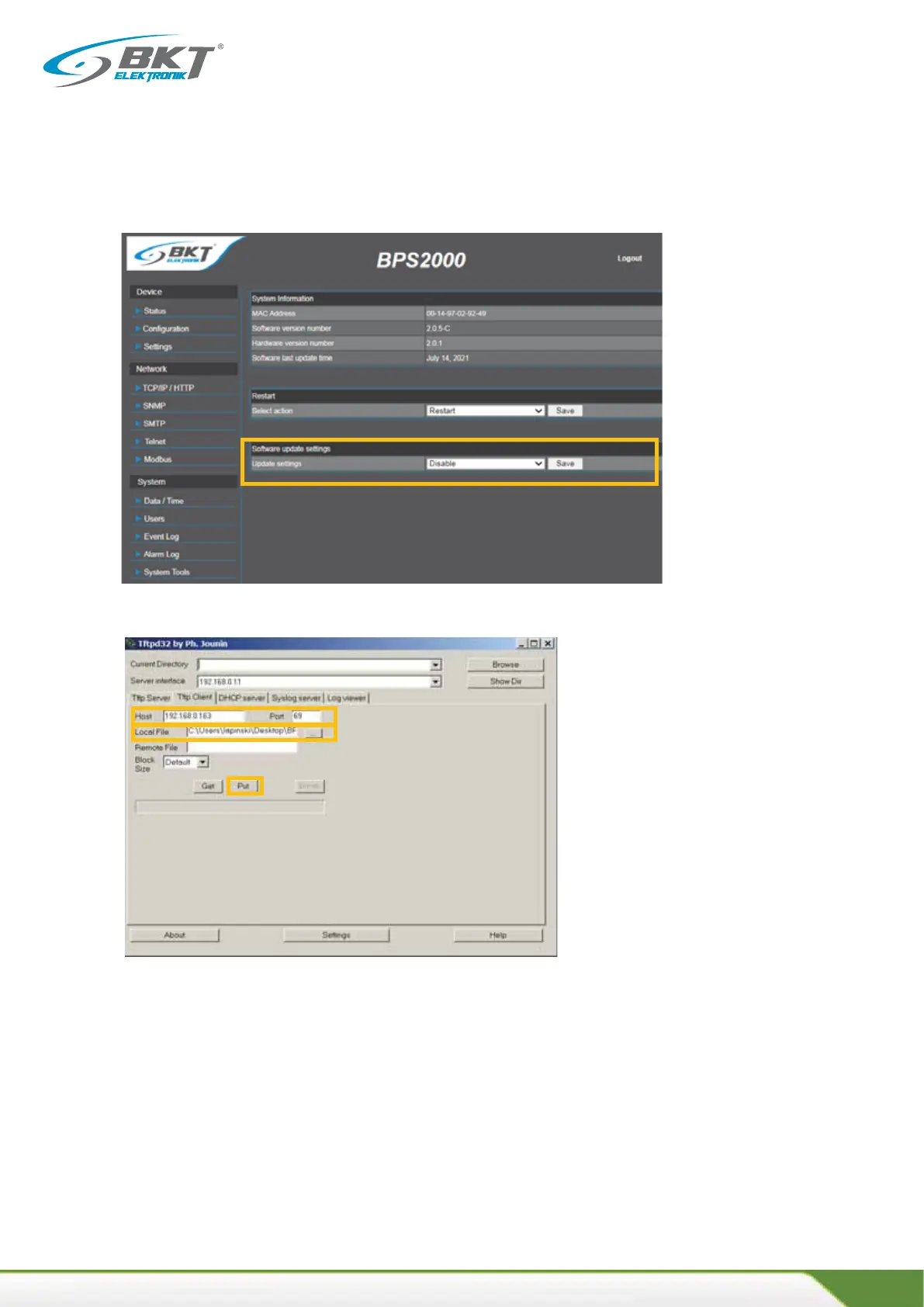
15.3 Go to the System Tools tab and allow the update to be performed by changing the
Soware Update parameter from Disable to Enable
15.4 Run the TFTP applicaon to perform the soware update, e.g.:tpd32
Select the tab Tp Client
Host Field: Enter the current IP address of the BPS2000/BPS2500 strip or the default IP address: 192.168.0.163
Port Field: 69
Local File: Enter the path of the update file: e.g.: BPS2500-3.bin
Put key : Will start uploading the update file to the unit BPS2000/BPS2500



 To Next Page