724-746-5500 | blackbox.com
Page 27
Chapter 4: Configuring the Hardened Serial Server
4.5 Setting Up IP Addressing
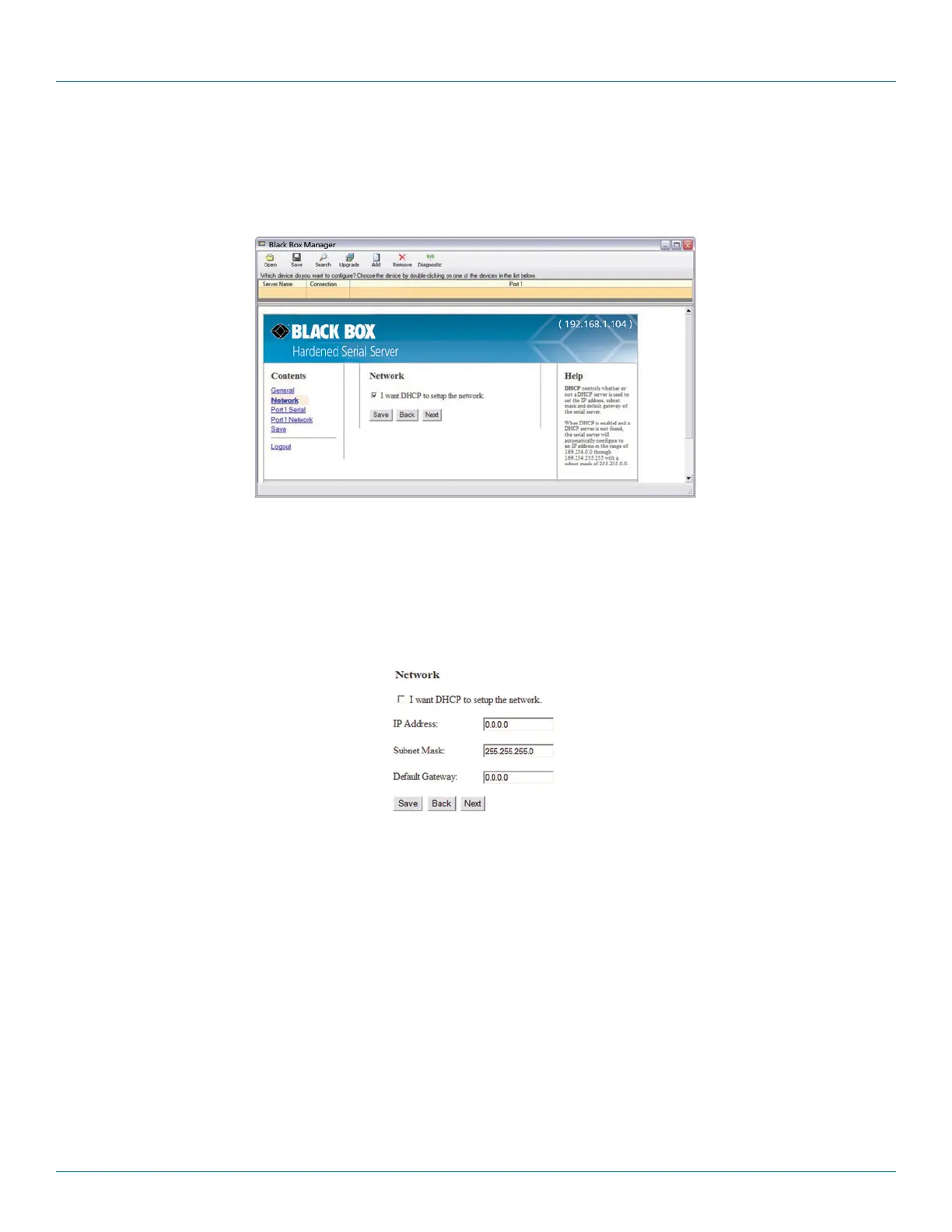
On the Network Configuration page, you can configure the Hardened Serial Server to use dynamic (DHCP) or static IP addressing on
the network.
Figure 4-7. Network Configuration page.
4.5.1 Setting Up Dynamic IP Addressing
1. Select the “I want to use DHCP to setup the network” check box.
4.5.2 Setting Up Static IP Addressing
1. Ensure the “I want to use DHCP to setup the network” box is unchecked.
Figure 4-8. IP Address settings.
2. Type the IP Address, Subnet Mask, and Default Gateway addresses in the appropriate boxes.











 To Next Page