Share a picture
Video camera
These icons appear at the bottom of the screen in the video camera. You can click these icons.
Start recording Pause recording
Share a video Rename video
Delete video
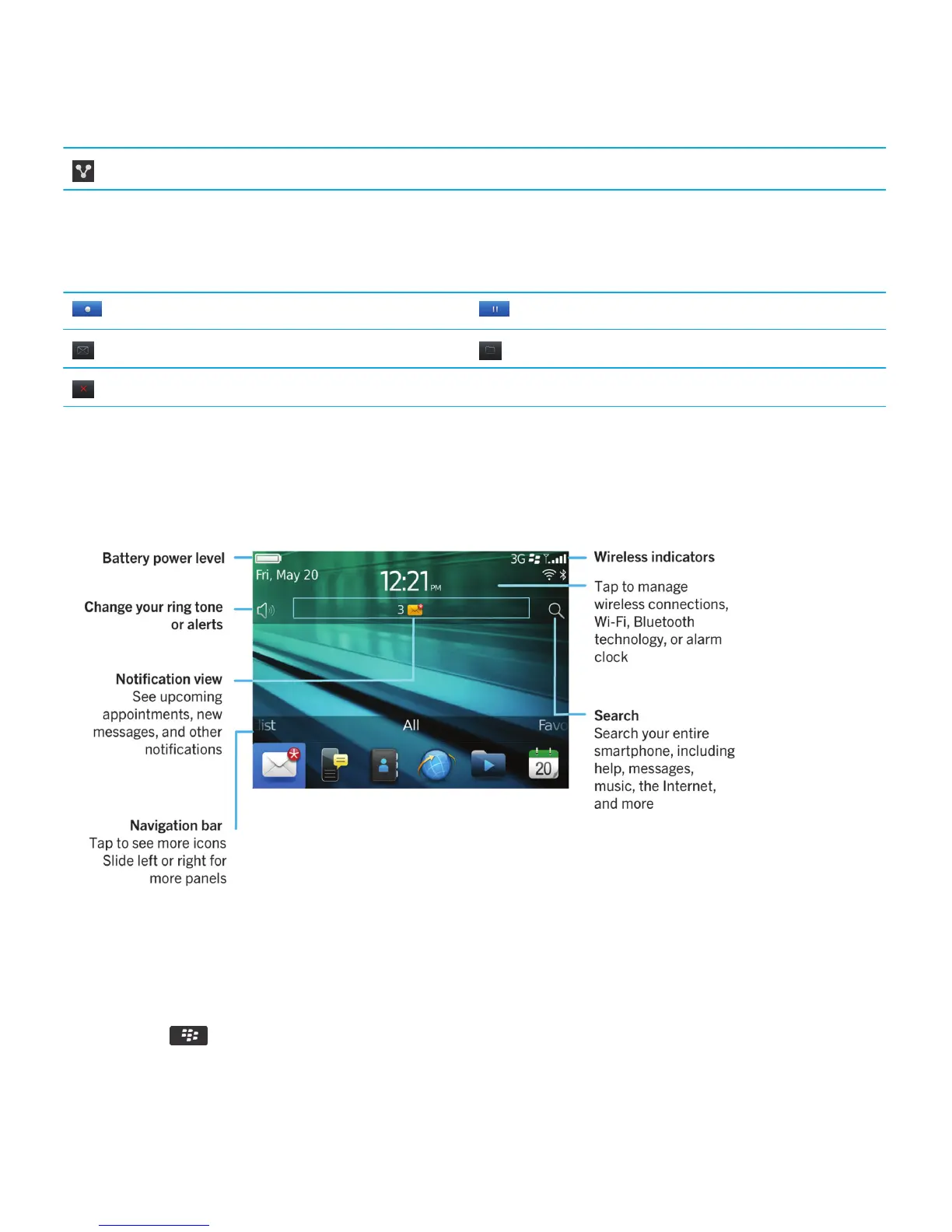
Your Home screen
Home screen at a glance
Use a picture as your smartphone wallpaper
1. On the home screen, click the Media icon > Pictures icon.
2. Browse to a picture.
3.
Press the key > Set As Wallpaper.
Related information
User Guide Quick Help
24














 To Next Page