Blackmagic URSA Overview17
DOP Station
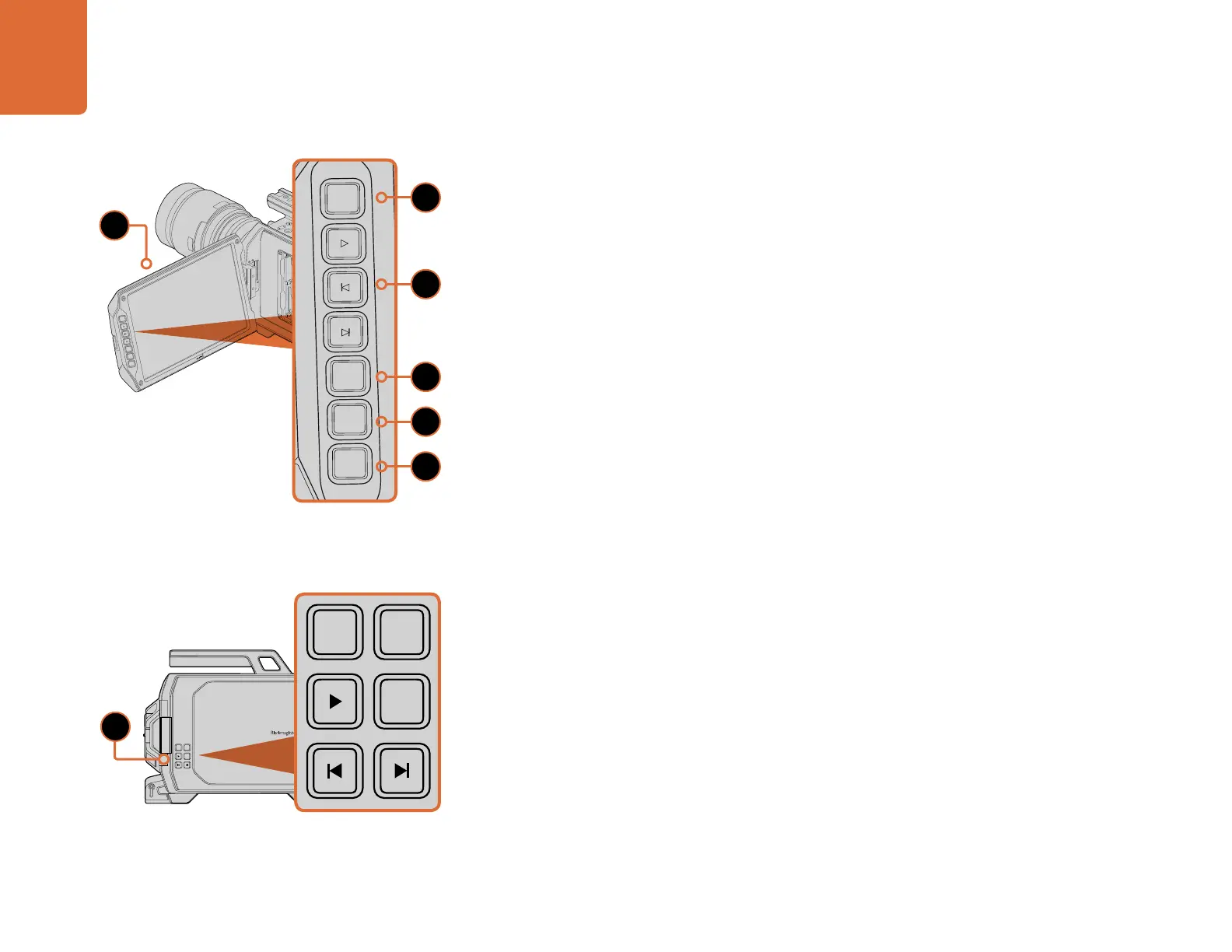
Monitor Controls
1. 10" LCD VIEWFINDER
Large fold out on screen monitor, pivots for viewing at different camera heights. Pages 41 and 42.
2. RECORD BUTTON
Press to start recording and press again to stop recording. Page 11.
3. PLAYBACK CONTROL BUTTONS
Buttons for playback start and stop and skipping for the next or previous clip. On Blackmagic URSA
EF, the forward and reverse skip buttons can also be used to open or close the iris when using
compatible lenses. Page 16.
4. ZOOM BUTTON
The 'zoom' button on the fold out monitor helps you find sharp focus by zooming into your picture.
In Ultra HD 4K mode, the monitor will show a 1:1 pixel view. Press the 'zoom' button on the fold out
monitor to activate the focus zoom feature. Press again to zoom out to the standard view.
5. DISP BUTTON
Turns on and off overlays, focus peaking and other on screen displays via the 10 inch fold out
monitor. Page 42.
6. PGM BUTTON
Switches the monitor between the camera and the 'program' video from the SDI input.
Pages 22 and 46.
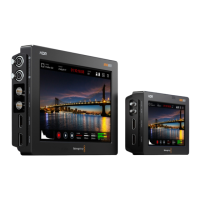
7. IRIS, FOCUS, REC AND TRANSPORT BUTTONS
These controls allow camera operation when the monitor is folded closed, such as when shoulder mounted.
FOCUS
REC
IRIS
FOCUS PEAK DISP MENU SLATE
2
IRIS
SDI OUT
0
-6
-12
-18
-24
-30
-36
-42
-48
L R
SDI IN
REF IN
TIMECODE IN
TIMECODE OUT
12V
CH1
SOLO
CH1
MUTE
CH2
MUTE
CH2
SOLO
FOCUS PEAK DISP MENU SLATE
PUSH PUSHPUSH
Blackmagic URSA Overview
REC
ZOOM
DISP
PGM
1
CFAST
IRIS
FOCUS
REC
IRIS
FOCUS PEAK DISP MENU SLATE
2
IRIS
SDI OUT
0
-6
-12
-18
-24
-30
-36
-42
-48
L R
SDI IN
REF IN
TIMECODE IN
TIMECODE OUT
12V
CH1
SOLO
CH1
MUTE
CH2
MUTE
CH2
SOLO
FOCUS PEAK DISP MENU SLATE
PUSH PUSHPUSH
IRIS
FOCUS
PEAK
DISP
MENU
SLATE
REC
ZOOM
DISP
PGM
IRIS
FOCUS
PEAK
DISP
MENU
SLATE
REC
ZOOM
DISP
PGM
2
6
3
4
5
1
7



 To Next Page