Blackmagic URSA Mini Connectors31
12G SDI Out
Blackmagic URSA Mini’s 12G-SDI output is used to send HD and Ultra HD 4K video to SDI equipment
such as routers, monitors, SDI capture devices, and broadcast switchers.
Reference and Timecode In
This input automatically recognizes and switches between timecode and reference input signals.
Synchronize Blackmagic URSA Mini to a common reference signal, such as tri-level sync, by connecting
to the 'ref in' BNC connector. This lets you sync URSA Mini to other SDI video equipment, for example,
when using multiple cameras connected to a switcher. You can also use this connector to record
timecode from other professional audio and video equipment, such as audio mixers and clapper
boards. This ensures audio and picture can be easily synchronized during post production.
12V+ Power Input
Use the 4 pin 12-20 Volt XLR connector to plug in power from external sources, such as the supplied
power adapter, power outlets, portable batteries and generators.
Headphone
3.5mm jack output for headphone monitoring and talkback. You can plug in iPhone and Android
compatible headsets that have a built in microphone for quick and easy talkback. Talkback audio is
embedded in channel 15 and 16 of the SDI output.
Top Connectors
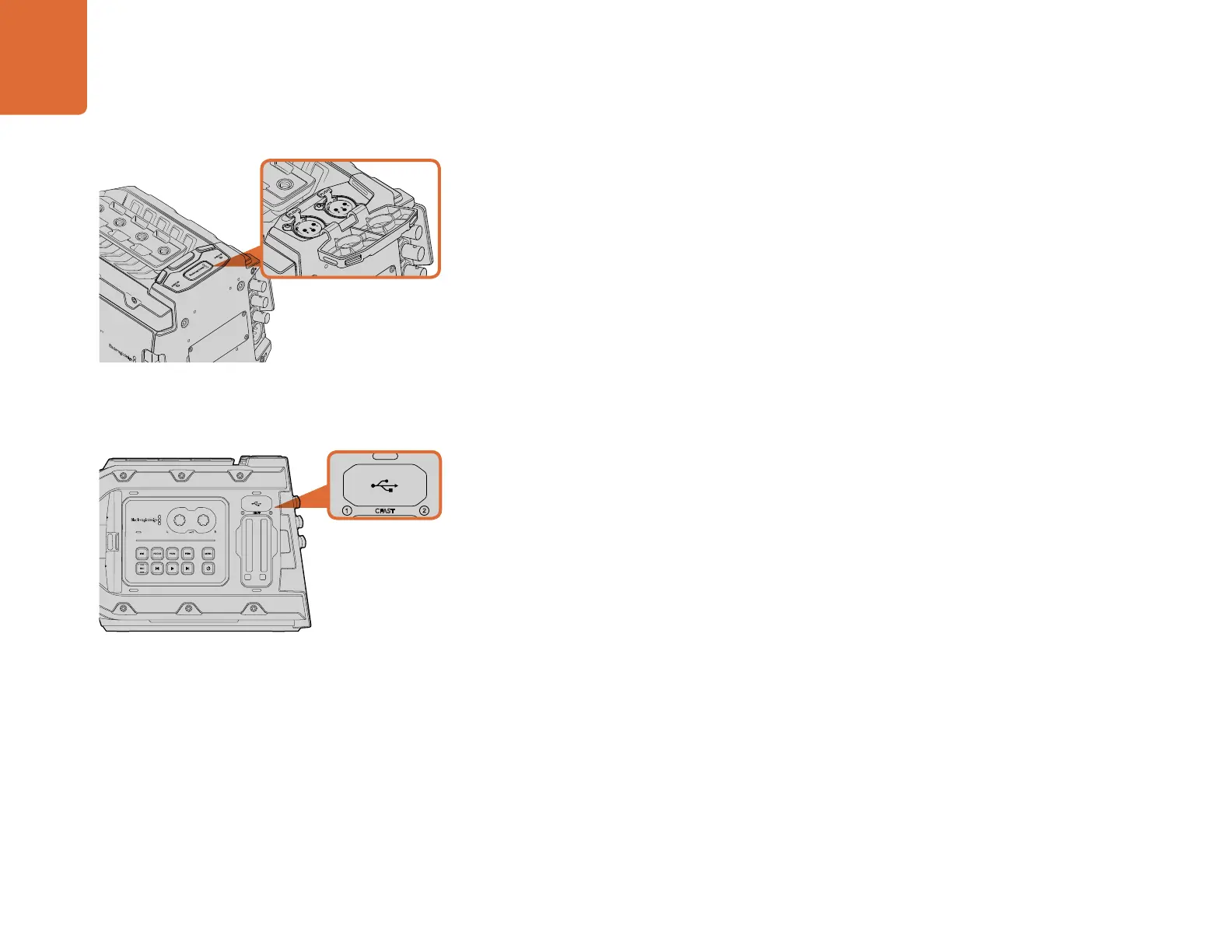
XLR Audio In
Use the balanced XLR inputs to plug in external analog audio from professional equipment such as
audio mixers, PA systems or external microphones. The XLR connectors supply 48V phantom power
so you can use microphones that aren’t self powered. To enable phantom power select ‘inputs’ on
the ‘audio input’ setting, plus ‘mic low' or 'mic high' on the audio ‘input levels’ settings. Scroll the
menu to reveal the 'phantom power' setting and select 'on'. To disable phantom power, select ‘off'.
Phantom power is active only when external audio inputs are selected in the audio settings.
Left Side Connector
USB port
USB 2.0 port for updating internal software. Refer to the ‘Blackmagic Camera Setup utility’ section
for more information.
Connect the USB port to your computer when updating your
Blackmagic URSA Mini's internal software.
Balanced XLR inputs let you connect external audio from a
mixer or microphones.
1
2
CFAST



 To Next Page