Blackmagic URSA Mini Overview27
1
2
CFAST
Blackmagic URSA Mini Overview
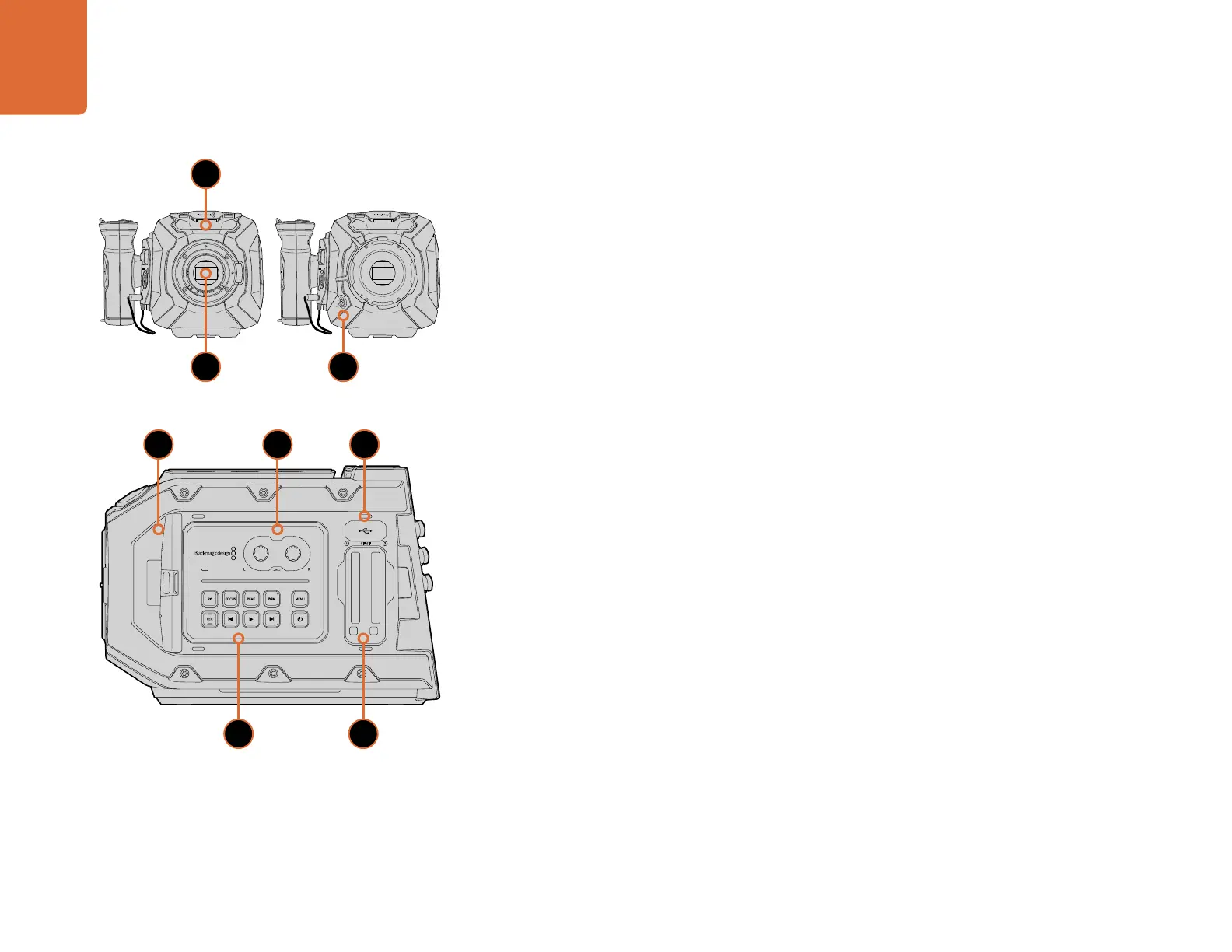
Front Panel
1. STEREO MICROPHONE
Built in high quality stereo microphone. Refer to the ‘settings’ section for information on microphone
audio settings.
2. LENS MOUNT
EF or PL lens mount, depending on model. Refer to the ‘Getting Started’ section for information on
mounting lenses.
3. BROADCAST LENS CONNECTOR
Provides power and control to compatible B4 mount lenses with 12-pin connections. This connector
is only available on URSA Mini PL models.
Left Side
1. FOLD OUT TOUCHSCREEN
5 inch fold out touchscreen monitor, pivots for viewing at different camera heights. Refer to the
‘Blackmagic URSA Mini features’ section.
2. AUDIO LEVEL ADJUSTMENT KNOBS
Adjustment knobs to set the recording levels for audio channels 1 and 2. Refer to the ‘Blackmagic
URSA Mini Features’ section.
3. USB PORT
USB 2.0 port for updating internal software. Refer to the ‘Blackmagic Camera Setup Utility’ section
for more information.
4. CONTROL PANEL BUTTONS
Buttons for powering the camera, record and playback control, focus peaking, accessing the settings
menu, plus iris and auto focus control on compatible EF lenses. Refer to the 'Blackmagic URSA Mini
Features' section for more information.
5. MEMORY CARD SLOTS
Insert CFast 2.0 cards into the slots for record and playback. Refer to the ‘Blackmagic URSA Mini
Features’ section.
4
21
5
3
2 3
1
URSA Mini EF model URSA Mini PL model



 To Next Page