Blackmagic URSA Viewfinder49
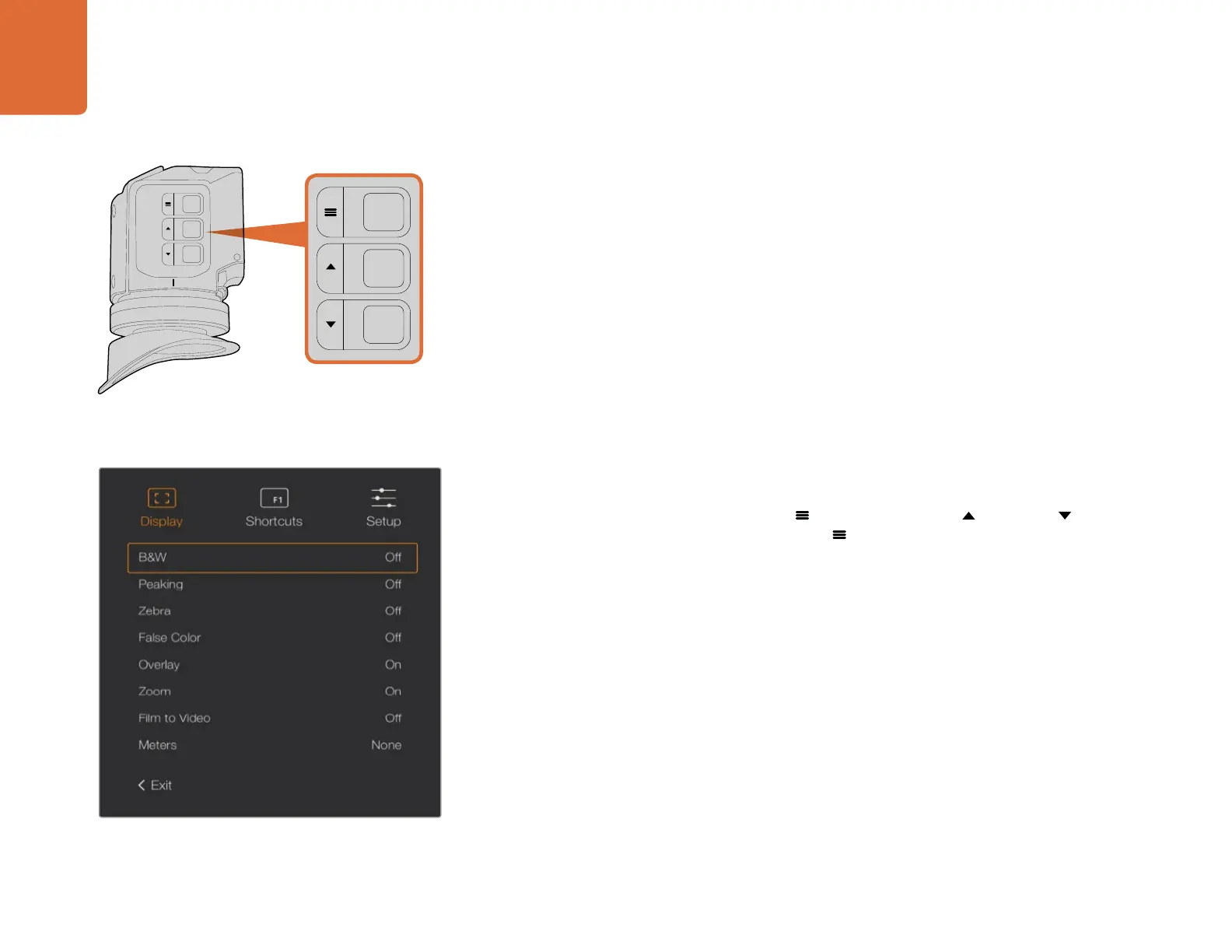
ZOOM (F1) - ‘menu’ - The 'zoom' feature helps you find sharp focus by zooming into your
picture. Press the 'zoom' button to zoom in and press again to return to 100% view.
When using the settings menu, the 'zoom' button also serves as the 'menu' button. Press and
hold this button to open the settings menu. In the settings menu, press this button once to
confirm setting changes.
DISPLAY (F2) - ‘up’ - Press the 'display' button to see the overlay view. When using the
settings menu, this button also serves as the ‘up’ button. You can also quickly open the
‘shortcuts’ menu setting by pressing and holding this button. Refer to the 'setting shortcut
buttons' section for information on how to set shortcuts.
PEAK (F3) - ‘down’ - The focus peaking feature creates a green edge around the sharpest
parts of the image so you can easily confirm your focus. Press the 'peak' button to turn the
peaking feature on. Press again to turn peaking off. When using the settings menu, this
button also serves as the ‘down’ button. You can also quickly open the ‘setup’ menu by
pressing and holding this button.
Menu Settings
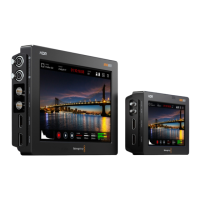
The settings menu contains three primary menu headings for display, shortcuts, and setup. To open
the settings menu, press and hold the 'menu'
button. Press the 'up' and 'down' button to
navigate between the settings and press the 'menu'
button again to confirm your selection.
Display
The 'display' menu provides the following features:
B&W - Switches between color and monochrome.
Peaking - Switches peaking on and off.
Zebra - Switches zebra levels on and off. Set your desired zebra levels using the camera
settings. For more information, refer to the 'settings' section in this manual.
The 'display' menu in URSA Viewfinder
The Zoom (F1), Display (F2) and Peak (F3) buttons are located
on top of the URSA Viewfinder.
ZOOM
F1
F2
F3
DISP
PEAK



 To Next Page