Shimming the PL Mount77
Removing and replacing the PL Mount
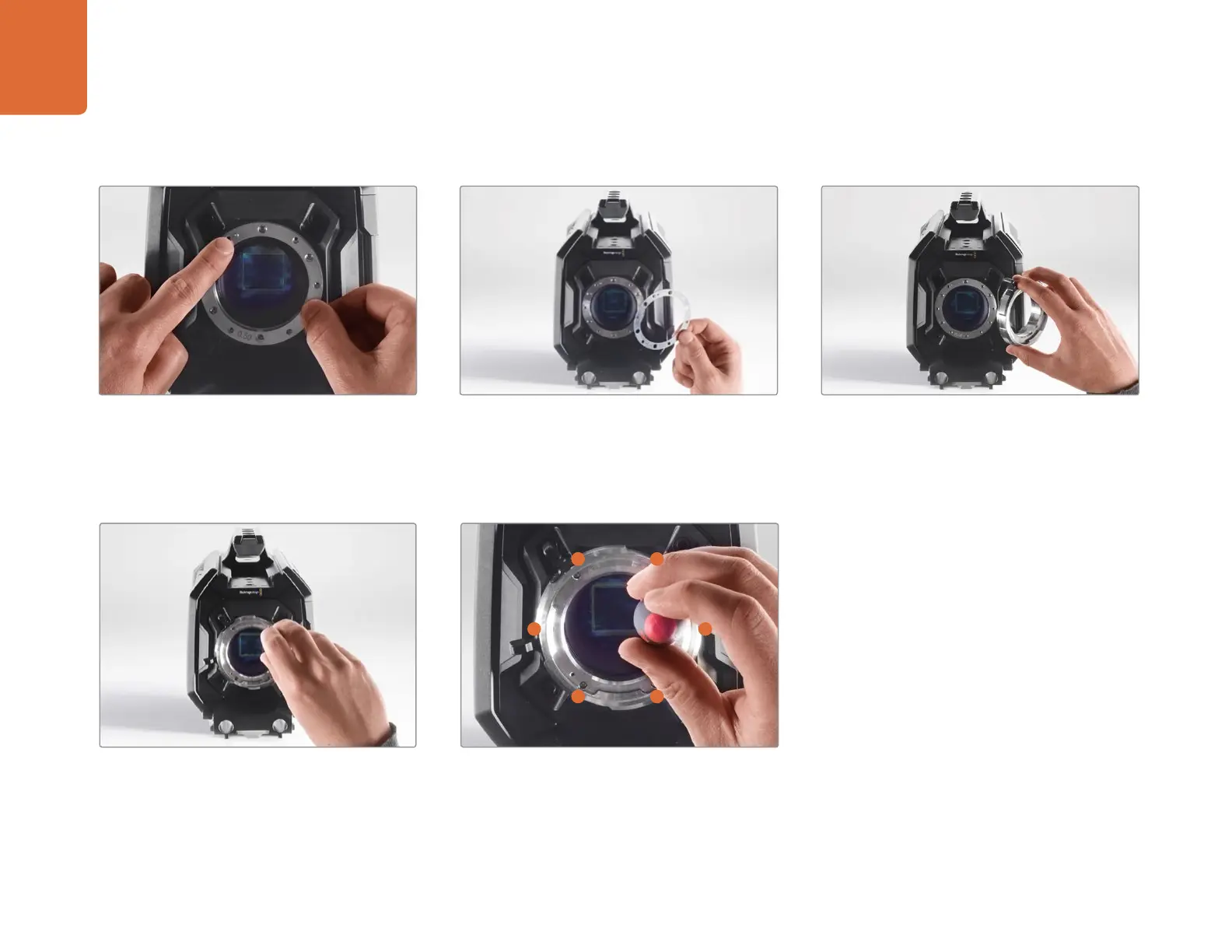
Step 4.
Note the alignment of the existing 0.50mm shim
with the alignment pin at the 11 o'clock position.
Step 5.
Remove the existing 0.50mm shim and replace
with the appropriate shim thickness needed to
bring your lens focus marks into alignment with the
focal distance.
Step 6.
Place the lens mount onto the camera body
ensuring the alignment hole is aligned with the
alignment pin at the 11 o'clock position.
St e p 7.
Loosely turn the six mounting screws until
initial contact is made with the shoulder of the
lens mount.
Step 8.
Using the torque wrench, apply one full turn of
pressure to mounting screw A, followed by one
full turn to screw B, repeat for screws C and D,
then E and F. Continue to apply one full turn to
each screw in the sequence above until all screws
have reached the maximum torque of 0.45Nm.
D
F E
A
B
C



 To Next Page