SDI IN
MicroConverter
SDI to HDMI
SDI LOOP OUT
HDMI OUT
1
3
2
4
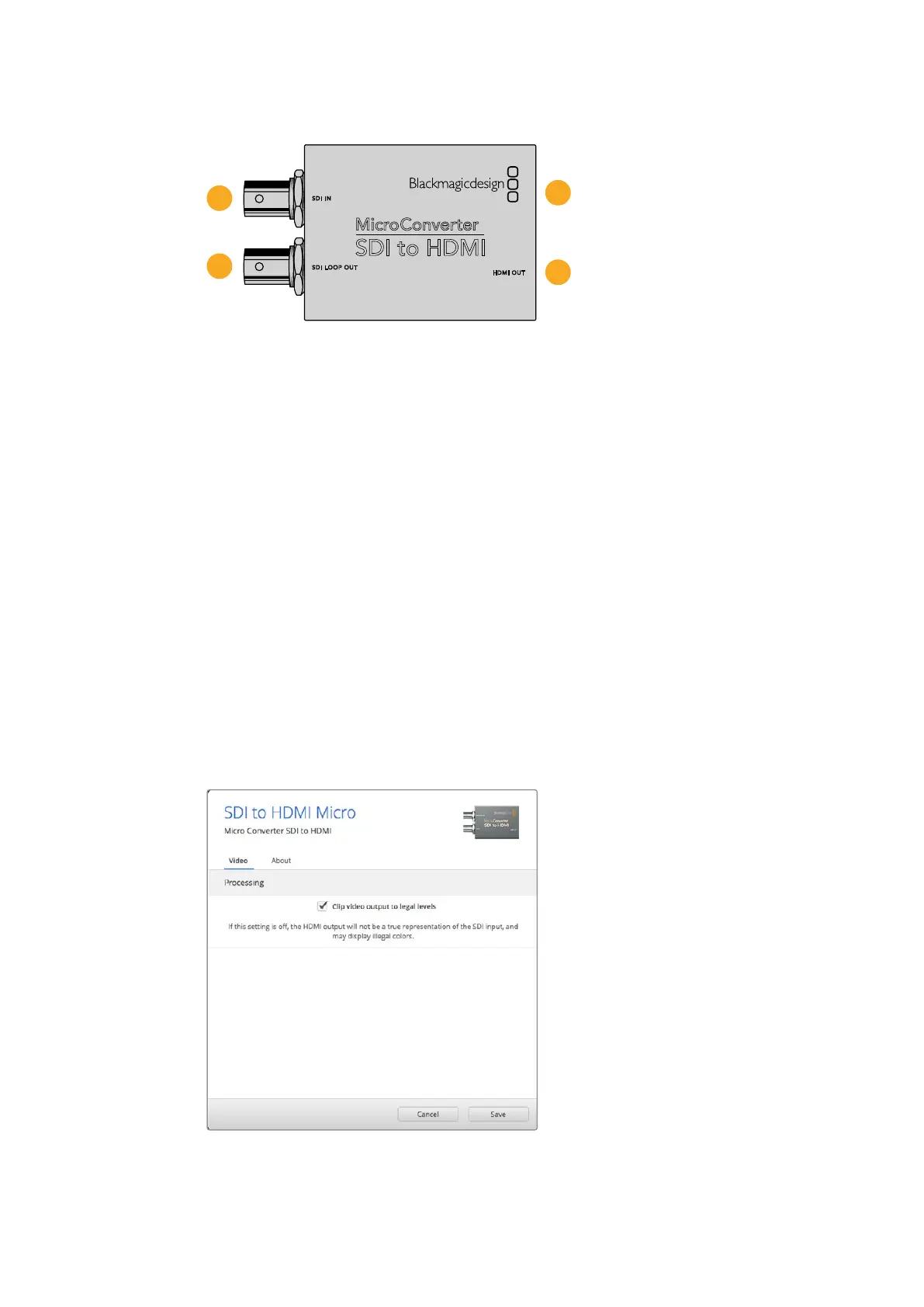
Connectors
1 SDI IN
Primary SDI input BNC connector.
2 SDI LOOP
Loop through output of your SDI input BNC connector.
3 Micro USB / POWER
Provides power from the included adapter or any equipment capable of providing 5V
via a standard USB to Micro USB cable, such as a laptop or television. Also connects to
Blackmagic Converters Setup software via your Mac OS or Windows Computer.
4 HDMI OUT
HDMI type A video output.
Blackmagic Converters Setup Settings
The Blackmagic Converters Setup utility can be used to change settings and update your
MicroConverter’s software. You can access these settings by moving between the ‘video’
and ‘about’ tabs.
The ‘about’ tab is detailed in the ‘changing settings’ section in this manual.
The ‘video’ tab for Micro Converter SDI to HDMI contains the following settings.
The ‘clip video output to legal levels’ setting is checked by default. This setting
ensures your HDMIoutput is a true representation of the SDI input.
Blackmagic Micro Converters 23











 To Next Page