EasyManua.ls Logo

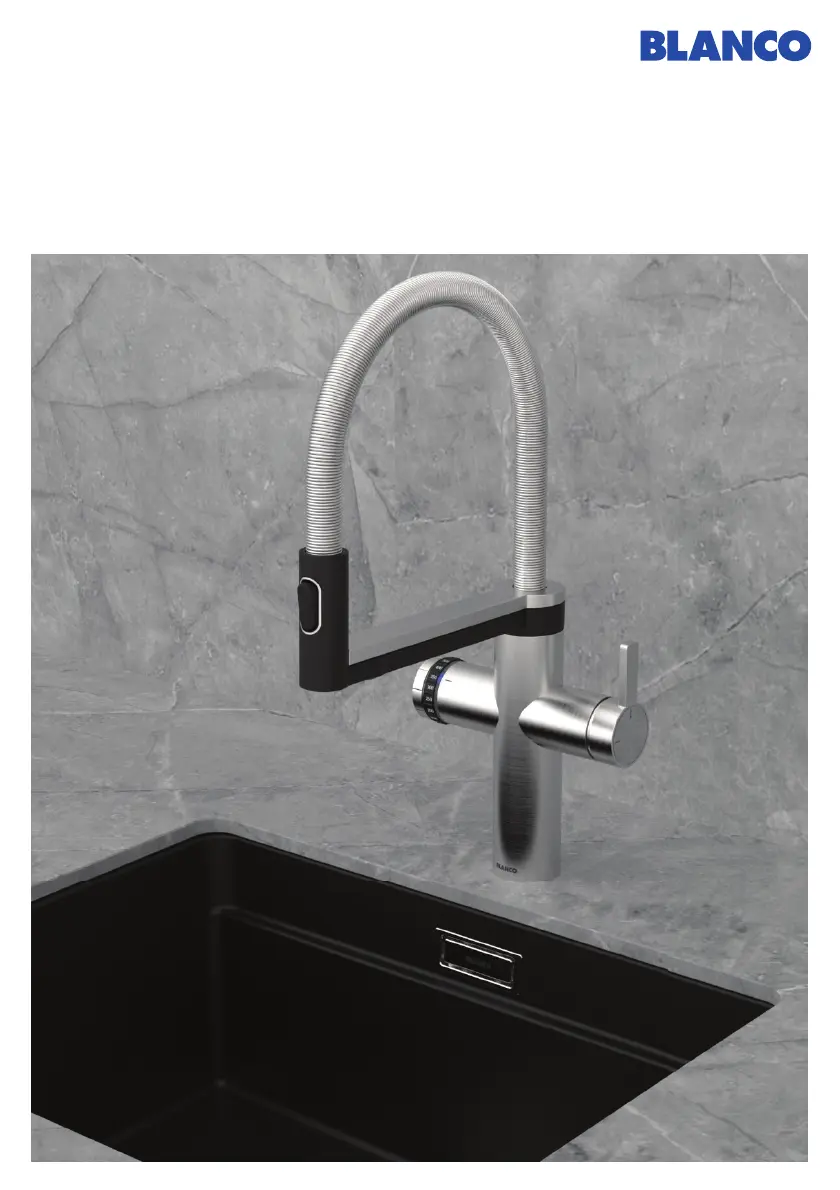
Blanco CHOICE.All - User Manual

Blanco CHOICE.All
132 pages
Go to English
Print Icon
To Next Page IconTo Next Page
Loading...
BLANCO CHOICE Icona -
BLANCO CHOICE.All
Bedienungsanleitung
User manual • Mode d’emploi • Manuale di istruzioni
blanco.com

Table of Contents

Other manuals for Blanco CHOICE.All

Questions and Answers

  • H
    Heather NguyenSep 1, 2025
    What to do if Blanco Plumbing Product shows Error 12 - no water in the boiler?
    • A
      Ann MoralesSep 1, 2025
      If you see Error 12, which indicates no water in the boiler, press 'OK' on the display to confirm the malfunction. Then, disconnect the power supply, wait 5 minutes, and reconnect it.
  • R
    Roy MeyerSep 13, 2025
    How to stop a Blanco CHOICE.All mixer tap from dripping?
    • H
      Harold Ashley DVMSep 13, 2025
      To stop the mixer tap from dripping, re-calibrate the system.
  • K
    Kevin DeleonAug 30, 2025
    What does it mean if the LED on my Blanco CHOICE.All Plumbing Product mixer tap flashes red, but there's no error on the display?
    • L
      Lydia ChambersAug 31, 2025
      If the LED on the mixer tap flashes red without an error message on the display, disconnect the power supply, wait 5 minutes, and then reconnect it. If the problem continues, contact BLANCO Customer Service.
  • Y
    ywolfeSep 15, 2025
    Why is the LED ring on my Blanco Plumbing Product mixer tap showing an all-round yellow light?
    • J
      Jennifer PerkinsSep 15, 2025
      The all-round yellow light indicates the system is in cleaning mode. Follow the cleaning program sequence.
  • J
    jasonburnettSep 14, 2025
    Why does the CO bottle freeze during the cleaning program of my Blanco CHOICE.All?
    • B
      Brian Valdez DDSSep 14, 2025
      If the CO bottle freezes over during the cleaning program, allow the cleaning program to continue running. Ensure the filter is correctly inserted and carry out the cleaning again with the filter inserted.
  • P
    Patty ChapmanSep 23, 2025
    What to do if the menu on Blanco Plumbing Product cannot be operated?
    • D
      David HardySep 23, 2025
      If the menu cannot be operated, disconnect the power supply, wait 5 minutes, and then reconnect it. If the problem persists, contact BLANCO Customer Service.
  • C
    christine23Aug 27, 2025
    Why can't I dispense sparkling water from my Blanco CHOICE.All Plumbing Product?
    • H
      hernandeznatalieAug 27, 2025
      If you cannot dispense sparkling water, first, check that the CO cylinder is fitted properly. A hissing sound when unscrewing the cylinder indicates correct insertion. Screw the CO cylinder in firmly, tightening it another 1/4 turn. If the issue persists, replace the cylinder with an original BLANCO CO cylinder, as only BLANCO CO cylinders should be used.
  • A
    alison50Aug 27, 2025
    What to do if Blanco CHOICE.All shows Error 3 - mixer tap communication?
    • C
      Craig RobinsonAug 27, 2025
      If Error 3 appears, check the mixer tap cable connection on the rear of the water conditioning unit, pressing it in firmly or removing and re-inserting it. Disconnect the power supply, wait 5 minutes, and reconnect. If there's LED or halogen lighting nearby, disconnect it from the mains. Press 'OK' on the display to confirm the malfunction. Check the mixer tap cable for damage; if damaged, contact BLANCO Customer Service. If problems persist, contact BLANCO Customer Service.
  • R
    ricedavidAug 26, 2025
    How to fix a weak or incorrect sparkling water spray pattern in Blanco CHOICE.All?
    • B
      Brooke McdonaldAug 26, 2025
      To resolve a weak or incorrect sparkling water spray, replace the CO cylinder. Additionally, use the enclosed spanner to open the jet aerator on the mixer tap and clean it. Finally, check the installation to ensure corner valves are fully open, the filter and CO cylinder are fully screwed in, and the supply hose isn't kinked.
  • N
    Nicholas GarciaAug 25, 2025
    Why does my Blanco CHOICE.All show Error 9 (overheating) and the fan is noisy?
    • A
      Adam WallsAug 26, 2025
      Error 9 indicates overheating, possibly accompanied by a noisy fan. First, wait 30 minutes to see if the error resolves itself automatically. If it doesn't, disconnect the power supply, wait 5 minutes, and then reconnect it. Check for nearby heat sources or heat accumulation in the base cabinet. Ensure proper ventilation by repositioning the water conditioning unit if needed, checking and improving ventilation openings in the base cabinet, and clearing any blockages from air inlets and outlets. If the issue continues, contact BLANCO Customer Service.

Summary

Safety Guidelines and Precautions

CO₂ Cylinder Safety

Specific safety warnings and instructions related to handling CO₂ cylinders.

Water Conditioning Unit Details

System Operation and Dispensing

Dispensing Processed Water

Detailed instructions for dispensing cold, medium, sparkling, and hot water.

System Settings and Maintenance

Changing CO₂ Cylinders

Procedure for replacing the CO₂ cylinder, including notifications.

Cleaning and Filter Change

Steps for cleaning the system and replacing the filter, including necessary accessories.

Calibration and Technical Data

Troubleshooting and Error Resolution

System Error Messages

Explains common error indicators and their initial troubleshooting steps.

Blanco CHOICE.All Specifications

General IconGeneral
BrandBlanco
ModelCHOICE.All
CategoryPlumbing Product
LanguageEnglish

Related product manuals