52
Configuration Mode - Complete menu (FULL)
Code Name/Description Adjustment range Factory setting
I_O-
Input Output menu (continued)
LO1-
LO1 Configuration menu (LO1-)
LO1
• LO1 assignment
nO
Allows to adapt the logic output to the application need
Same values as r1.
See previous page.
LO1S
• LO1 status (output active level)
POS
POS
nEG
• Positive : hight activation level
• Negative : low activation level
I_O-
Input Output menu (continued)
tOL
• Application Overload time delay
0 to 100 s 0 s
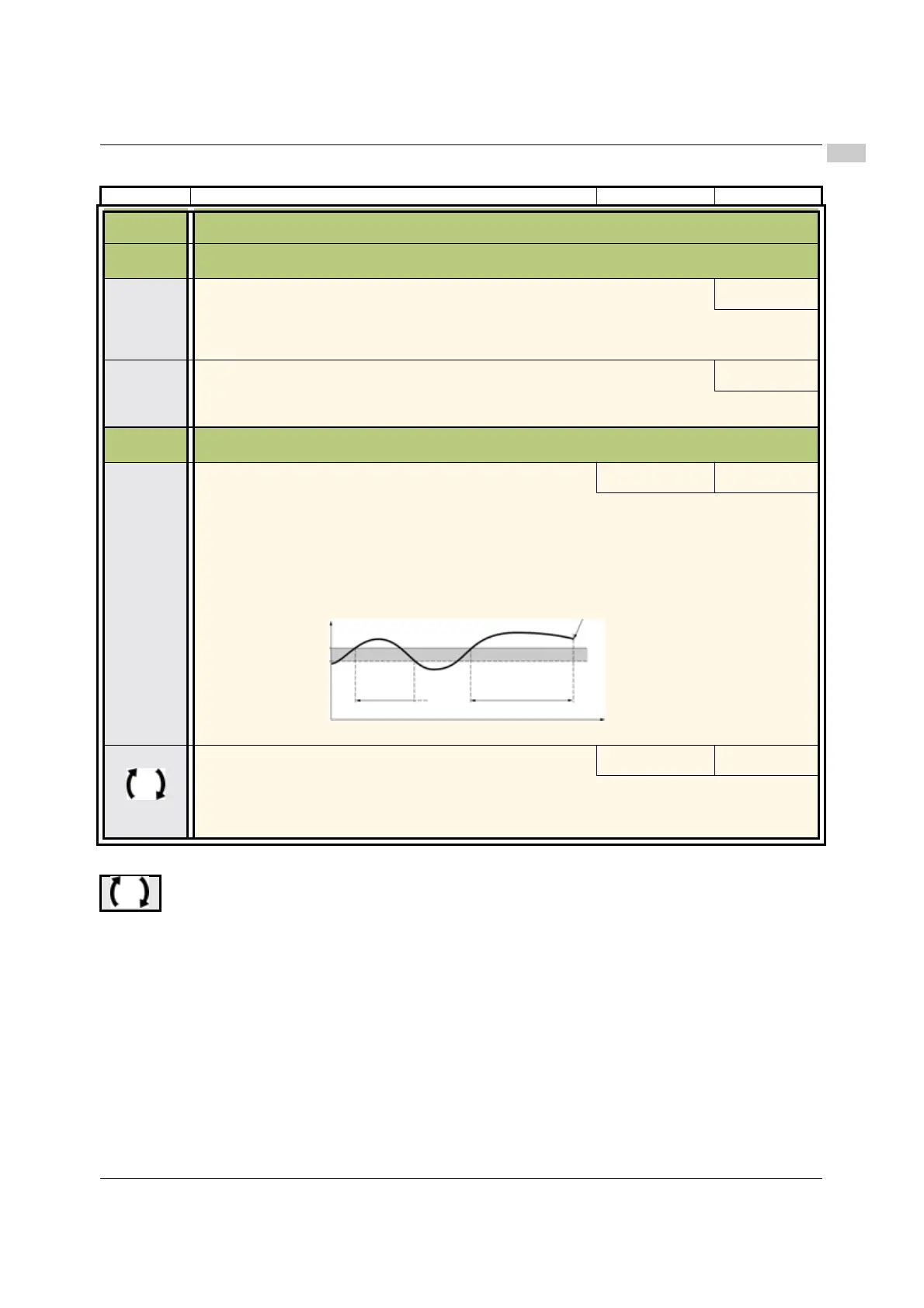
This function can be used to stop the motor in the event of an application overload. This is not a motor or
drive thermal overload. If the motor current exceeds the Application Overload threshold LOC, an
Application Overload time delay tOL is activated. Once this time delay tOL has elapsed, if the current is
still greater than the overload threshold LOC -10%, the drive will stop running and display OLC Process
overload.
Overload detection is only active when the system is in steady state (speed reference reached).
A value of 0 will disable application overload detection.
LOC
• Application Overload threshold
70 to 150% of nCr 90% of of nCr
Visible only if Application Overload time delay tOL above is not set to 0.
This parameter is used to detect an "application overload". LOC can be adjusted between 70 and 150% of
the nominal drive current. This is not a motor or drive thermal overload.
Parameter that can be modified during operation or when stopped.
I-O-
drC-
CtL-
FUN-
FLt-
COM-
LOC
Motor current
LOC -10%
Drive stop
on OLC detected fault
tOL
< tOL
(hysteresis)
t



 To Next Page